Page | 36
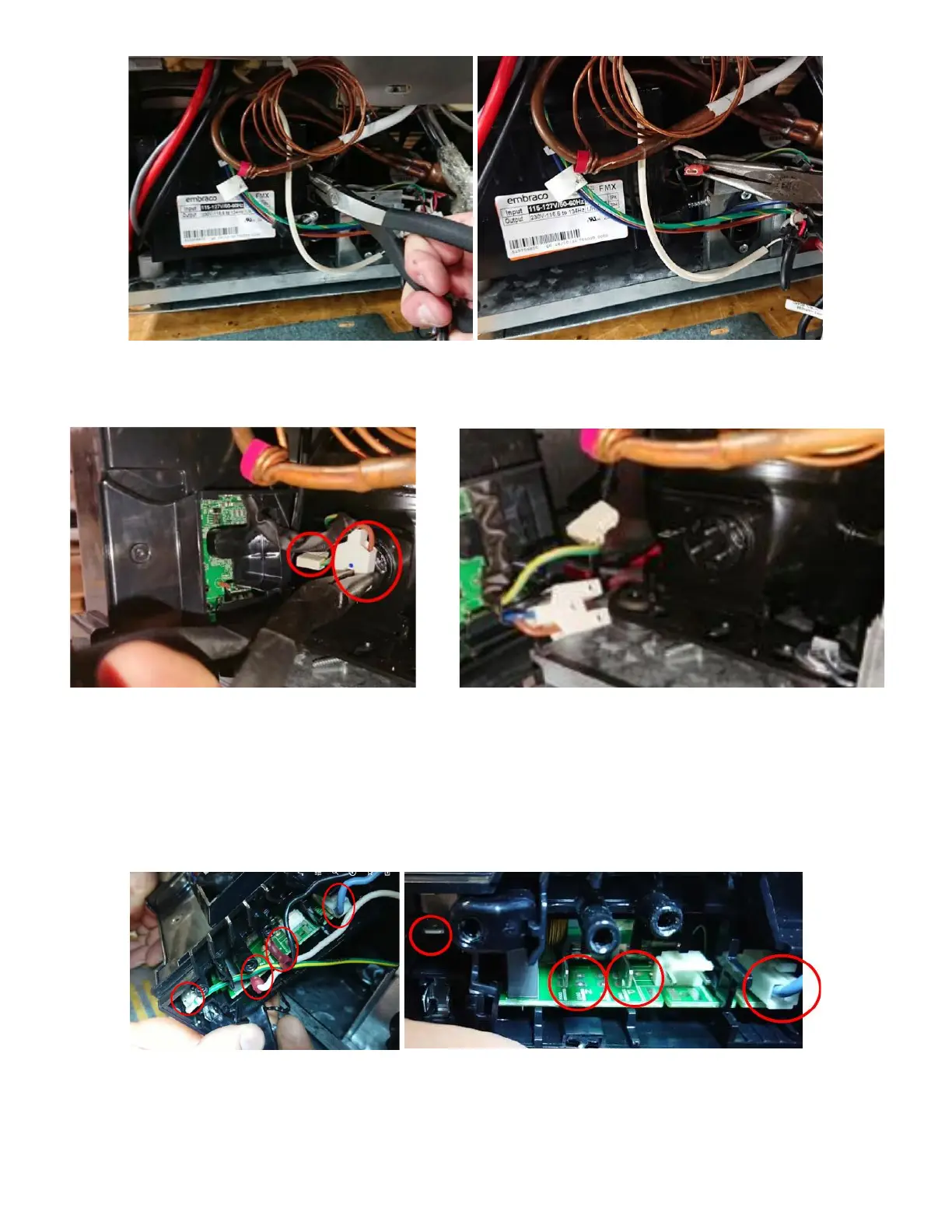
• With a rocking motion remove the compressor connection and the compressor ground. See Figure
79a and 79b.
xii. Connect inverter wires back for testing:
• Connect the following wire back up so we can test/check See Figure 80a and 80b:
a. Ground (Green W/ Yellow)
b. P – Power/Line voltage (Black)
c. Neutral (white)
d. Signal (Light blue)
• Again, ensuring the blue dot is present on the UI, check all three posts against the ground for voltage
(120v). See Figure 81a, 81b, and 81c.



 To Next Page