Scan To
System administrator credentials are required to set up this feature before you can use it. For details,
refer to the System Administrator Guide at www.xerox.com/office/B1022_B1025docs.
SSeennddiinngg aa SSccaannnneedd IImmaaggee ttoo aa DDeessttiinnaattiioonn
Scanning to a PC allows you to scan to a folder on the server or to a shared folder on a personal
computer. This option allows you to scan to an email address or an IP address, or use an Optical
Character Recognition (OCR) option.
Note: The Scan for OCR option allows you to search for or edit your scanned document in a
software program.
Before you scan an image to a PC, configure the destination folders on the server, or share the folder
on a personal computer. A folder destination does not appear onscreen unless the destination is in
Xerox
®
CentreWare
®
Internet Services, for the Scan To Destination. If there are no destinations
added for Scan To Destination, the Scan To PC icon appears grayed-out onscreen.
To scan and send an image to a PC:
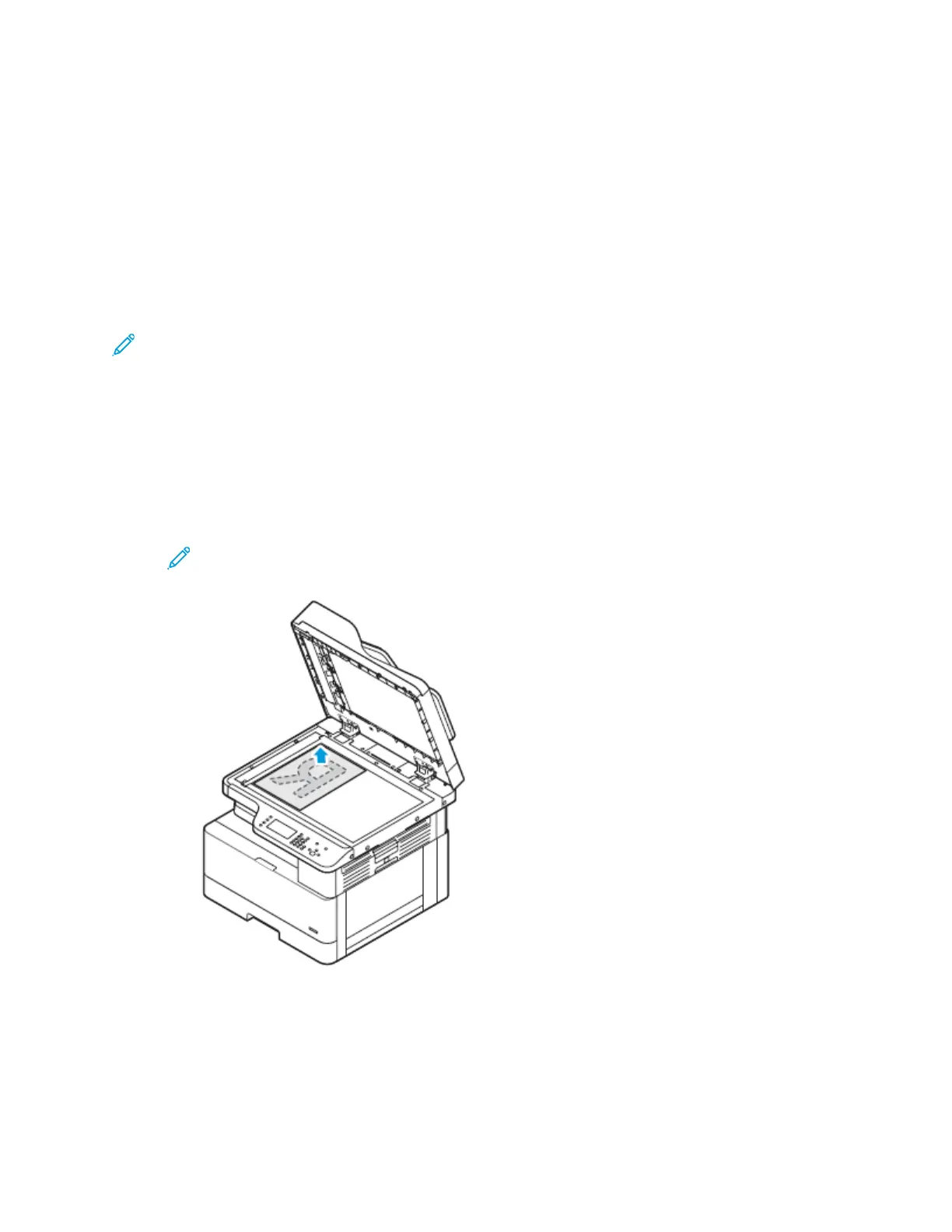
1. At the printer, load the original document on the document glass.
• Place the first page of the document face down, in the top-left corner of the document glass.
Note: For details, refer to Using the Document Glass and Document Glass Guidelines.
Xerox
®
B1022 Multifunction Printer
User Guide
57
Using the Services


 To Next Page