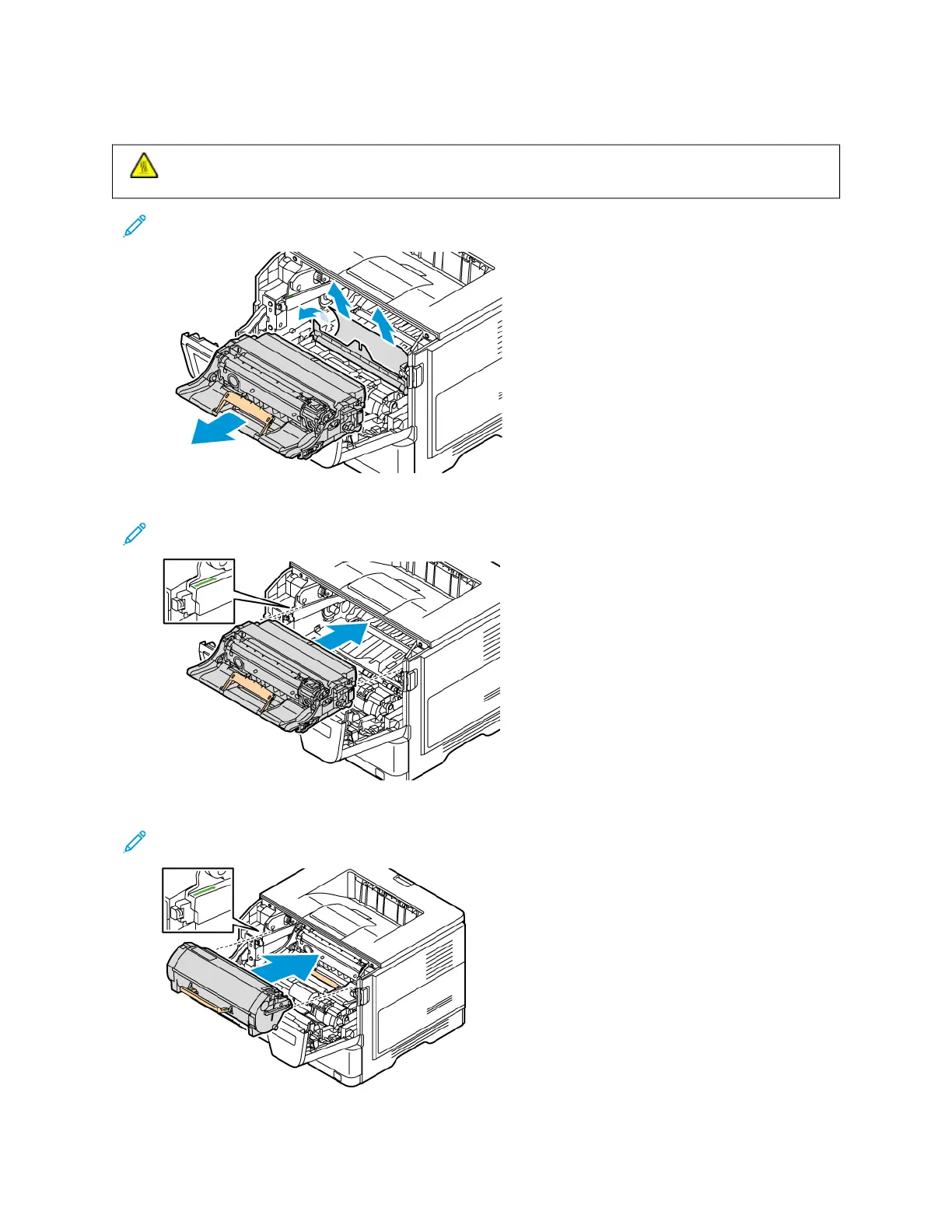
4. Remove the jammed paper.
CCAAUUTTIIOONN——HHOOTT SSUURRFFAACCEE:: The inside of the printer might be hot. To reduce the risk of injury from a
hot component, allow the surface to cool before touching it.
Note: Make sure that all paper fragments are removed.
5. Insert the imaging unit.
Note: Use the arrows inside the printer as guides.
6. Insert the toner cartridge.
Note: Use the arrows inside the printer as guides.
7. Close Door A.
Xerox
®
B410 Printer User Guide 219
Troubleshooting



 To Next Page