3.Driving
80
A/C
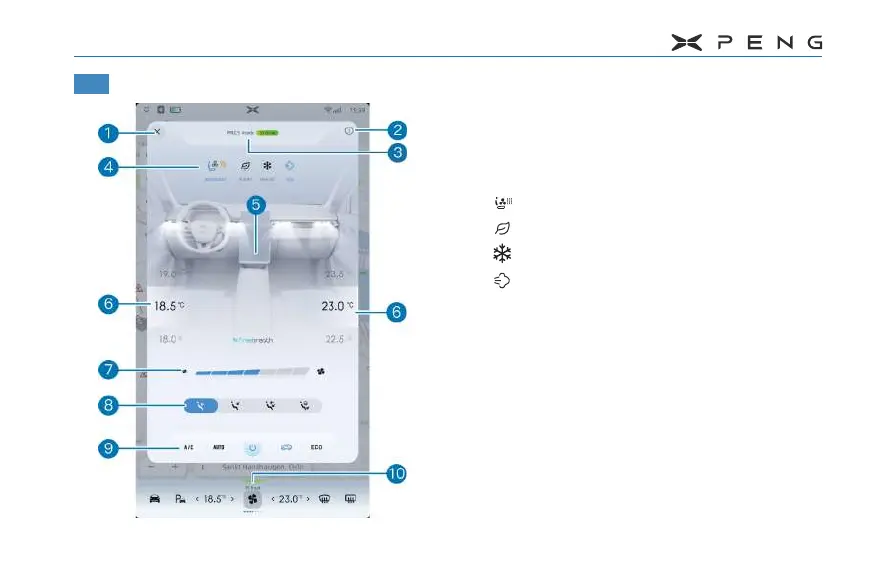
1. Close button of A/C control interface
2. Instructions for use of A/C
3. Display area of PM2.5 data inside the
vehicle
4. Top control bar
─
:Seat ventilation/heating function.
─
:PM2.5 air purication function.
─
:Rapid cooling mode.
─
:Smart deodorization mode.
5. Visual display area of wind mode
6. Temprature Adjustment
─
Slide up and down to set A/C temperature.
─
The "Sync" button will appear when
adjusting the temperature. After clicking,
when setting the left side temperature, the
right side will be set synchronously.
7. Air volume adjustment
─
Slide the slider left and right to adjust the
air volume.



 To Next Page