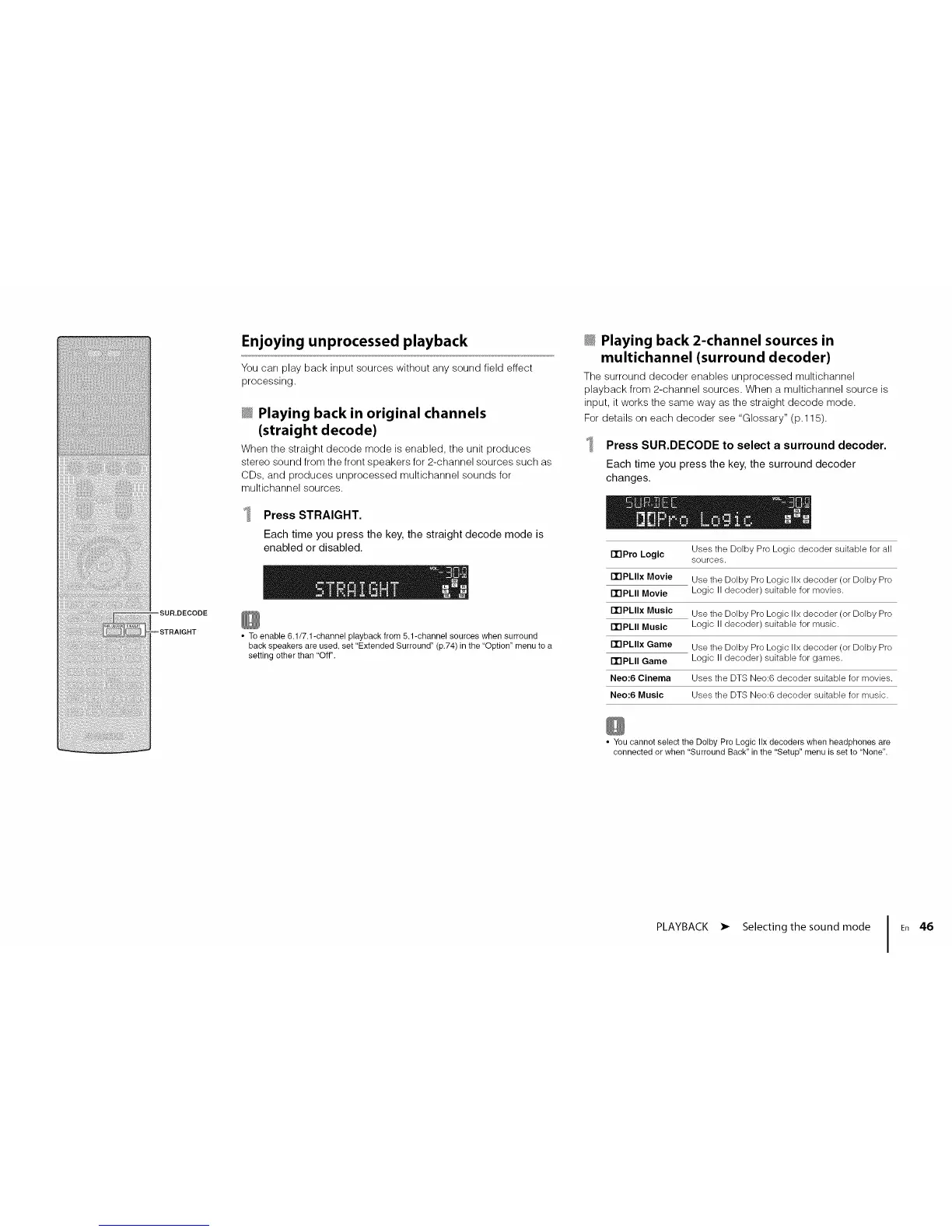
_SUR.DECODE
_STRAIGHT
Enjoying unprocessed playback
You can play back input sources without any sound field effect
processing.
_ Playing back in original channels
(straight decode)
When the straight decode mode is enabled, the unit produces
stereo sound from the front speakers for 2-channel sources such as
CDs, and produces unprocessed multichannel sounds for
multichannel sources.
Press STRAIGHT.
Each time you press the key, the straight decode mode is
enabled or disabled.
• To enable 6.1/7.I-channel playback from 5.1-channel sources when surround
back speakers are used, set "Extended Surround" (p.74) in the "Option" menu to a
setting other than 'Off".
_ Playing back 2-channel sources in
multichannel (surround decoder)
The surround decoder enables unprocessed multichannel
playback from 2-channel sources. When a multichannel source is
input, it works the same way as the straight decode mode.
For details on each decoder see "Glossary" (p.115).
Press SUR.DECODE to select a surround decoder.
Each time you press the key, the surround decoder
changes.
Uses the Dolby Pro Logic decoder suitable for all
ITIPro Logic
sources.
PrlPLIIx Movie Use the Dolby Pro Logic IIx decoder (or Dolby Pro
PrlPLII Movie Logic II decoder) suitable for movies.
PrlPLIIx Music Use the Dolby Pro Logic IIx decoder (or Dolby Pro
PrlPLII Music Logic II decoder) suitable for music.
PrlPLIIx Game Use the Dolby Pro Logic IIx decoder (or Dolby Pro
PrlPLII Game Logic II decoder) suitable for games.
Neo:6 Cinema Uses the DTS Neo:6 decoder suitable for movies.
Neo:6 Music Uses the DTS Neo:6 decoder suitable for music.
• You cannot select the Dolby Pro Logic IIx decoders when headphones are
connected or when 'Surround Back" in the "Setup" menu is set to "None".
PLAYBACK • Selecting the sound mode I En 46












 To Next Page