Switching information on the front display Viewing the status information on the TV
INFO
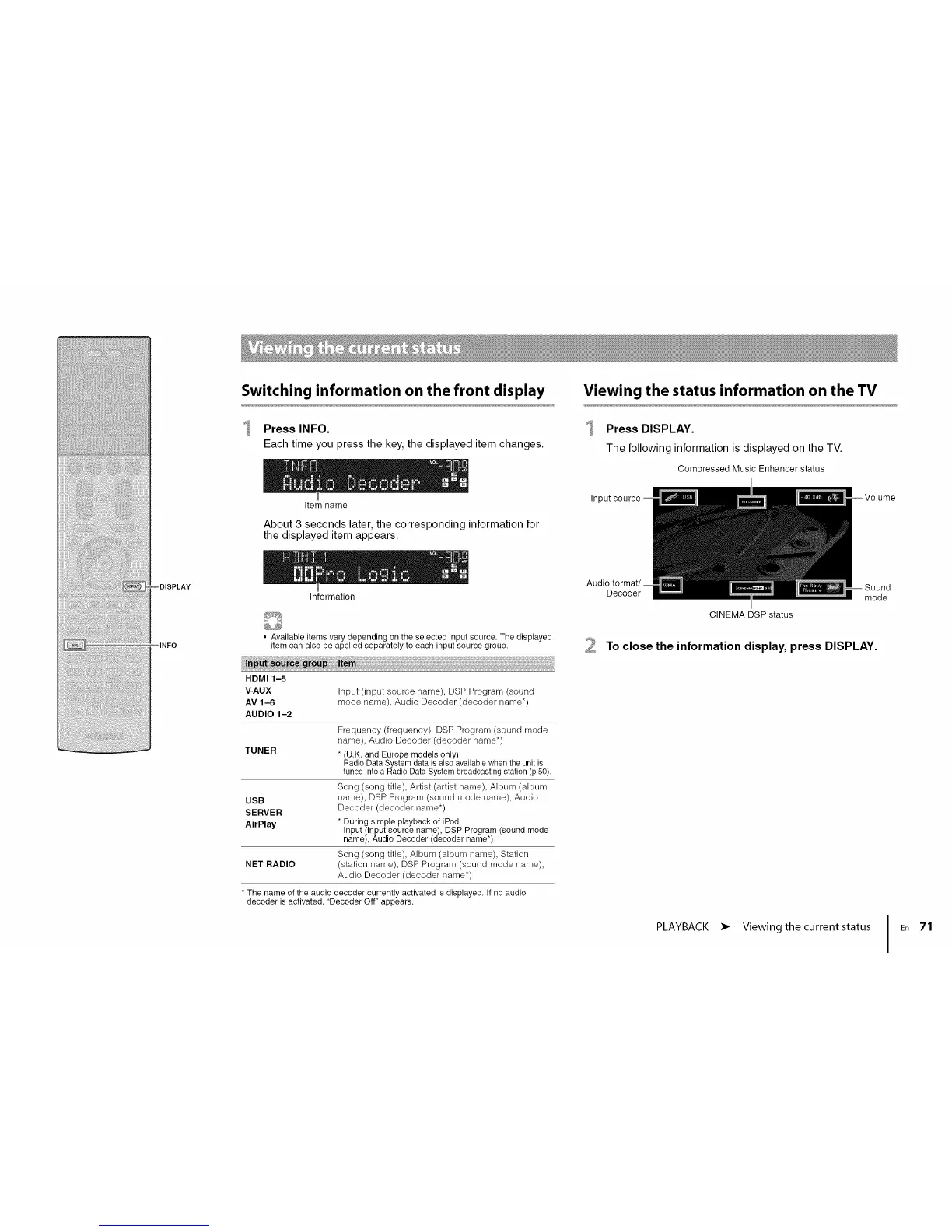
Press INFO.
Each time you press the key, the displayed item changes.
Item name
About 3 seconds later, the corresponding information for
the displayed item appears.
Information
• Available items vary depending on the selected input source. The displayed
item can also be applied separately to each input source group.
HDMI 1-5
V-AUX Input (input source name), DSP Program (sound
AV 1-6 mode name), Audio Decoder (decoder name*)
AUDIO 1-2
Frequency (frequency), DSP Program (sound mode
name), Audio Decoder (decoder name*)
TUNER * (U.K. and Europe models only)
Radio Data System data is also available when the unit is
tuned into a Radio Data System broadcasting station (p.50).
Song (song title), Artist (artist name), Album (album
USB name), DSP Program (sound mode name), Audio
Decoder (decoder name*)
SERVER
AirPlay * During simple playback of iPod:
Input (input source name), DSP Program (sound mode
name), Audio Decoder (decoder name*)
Song (song title), Album (album name), Station
NET RADIO (station name), DSP Program (sound mode name),
Audio Decoder (decoder name*)
• The name of the audio decoder currently activated is displayed. If no audio
decoder is activated, "Decoder Off" appears.
Press DISPLAY.
The following information is displayed on the TV.
Compressed Music Enhancer status
Inl
Audio
Decoder
CINEMA DSP status
mode
2 To close the information display, press DISPLAY.
PLAYBACK • Viewing the current status J
ER 71












 To Next Page