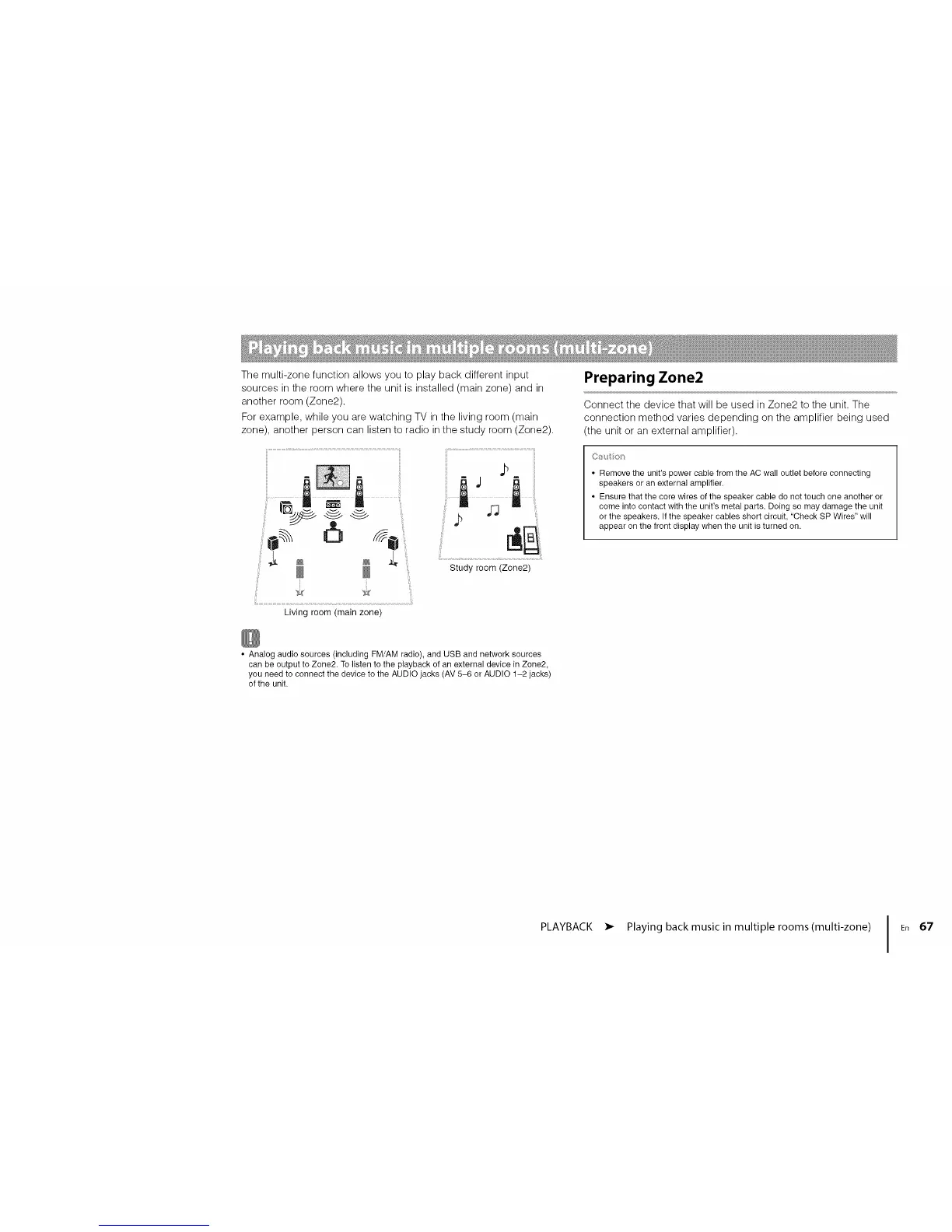
Themulti-zonefunctionallowsyoutoplaybackdifferentinput
sourcesintheroomwheretheunitisinstalled(mainzone)andin
anotherroom(Zone2).
Forexample,whileyouarewatchingTVinthelivingroom(main
zone),anotherpersoncanlistentoradiointhestudyroom(Zone2).
,:iSiiii !o o
Living room (main zone)
h ,n
Study room (Zone2)
Preparing Zone2
Connect the device that will be used in Zone2 to the unit. The
connection method varies depending on the amplifier being used
(the unit or an external amplifier).
Cs4o
• Remove the unit's power cable from the AC wall outlet before connecting
speakers or an external amplifier.
• Ensure that the core wires of the speaker cable do not touch one another or
come into contact with the unit's metal parts. Doing so may damage the unit
or the speakers. If the speaker cables short circuit, "Check SP Wires" will
appear on the front display when the unit is turned on.
• Analog audio sources (including FM/AM radio), and USB and network sources
can be output to Zone2. To listen to the playback of an external device in Zone2,
you need to connect the device to the AUDIO jacks (AV 5-6 or AUDIO 1-2 jacks)
of the unit.
PLAYBACK • Playing back musicin multiple rooms(multi-zone) I En 67












 To Next Page