_A.D
TUNE"G PRESET
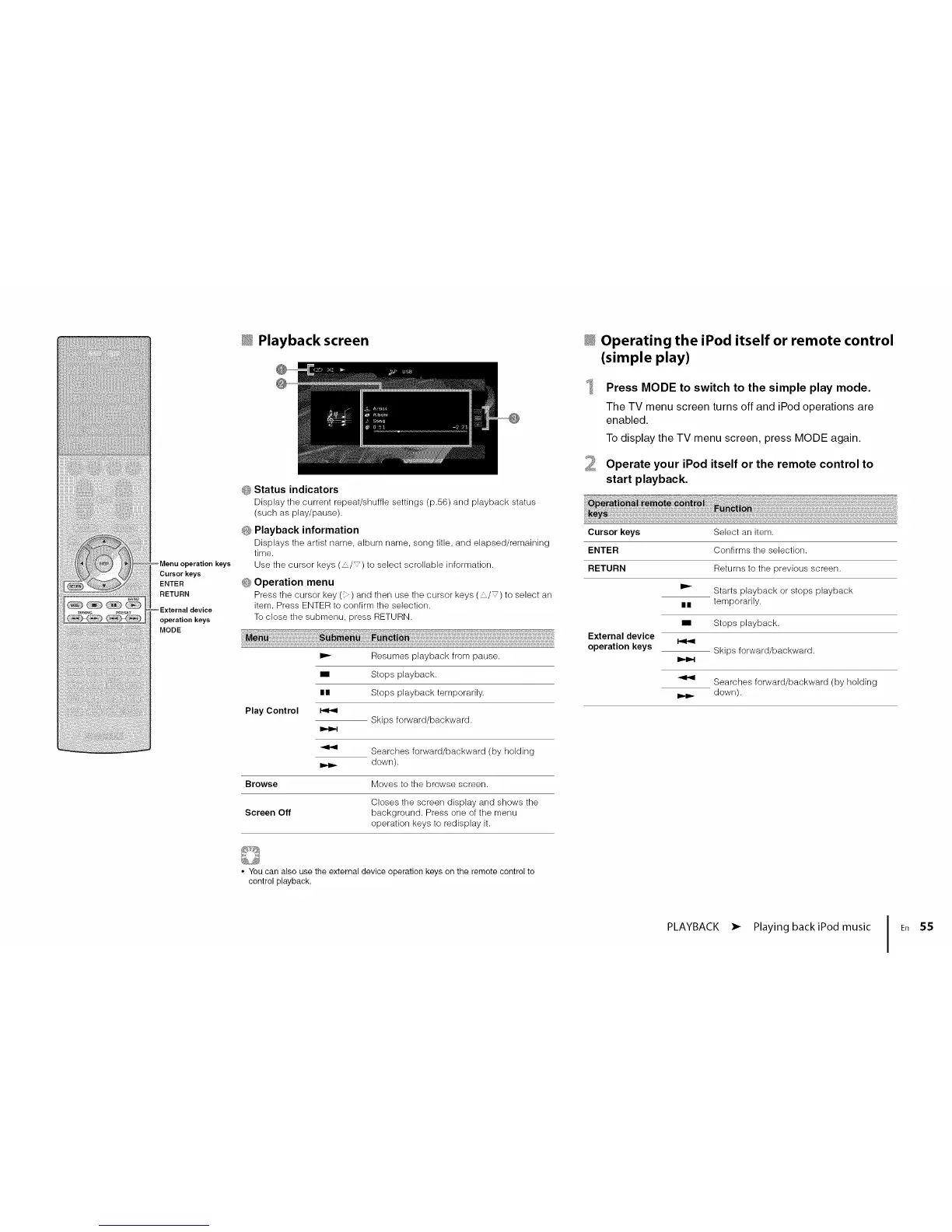
_Menuoperationk_s
Cursorkeys
ENTER
RETURN
External device
operation keys
MODE
_ Playback screen
_; Status indicators
Display the current repeat/shuffle settings (p.56) and playback status
(such as play/pause).
_ Playback information
Displays tile artist name, album name, song title, and elapsed/remaining
time.
Use the cursor keys (,'/_) to select scrollable information.
G Operation menu
Press the cursor key( ) and then use ttle cursor keys ( ,_/_) to select an
item. Press ENTER to confirm the selection.
To close the submenu, press RETURN.
Play Control
Resumes playback from pause.
Stops playback.
IIII Stops playback temporarily.
Skips forward/backward.
Searches forward/backward (by holding
down).
Browse Moves to the browse screen.
Closes the screen display and shows the
Screen Off background. Press one of the menu
operation keys to redisplay it.
_ Operating the iPod itself or remote control
(simple play)
2
Press MODE to switch to the simple play mode.
The TV menu screen turns off and iPod operations are
enabled.
To display the TV menu screen, press MODE again.
Operate your iPod itself or the remote control to
start playback.
Cursorkeys
ENTER
RETURN
External device
operation keys
II
I
Select an item.
Confirms the selection.
Returns to the previous screen.
Starts playback or stops playback
temporarily.
Stops playback.
Skips forward/backward.
Searches forward/backward (by holding
down).
• You can also use the external device operation keys on the remote control to
control playback.
PLAYBACK • Playing backiPod music IEn 55




 To Next Page