CHASSIS
3-23
EAS1SM1093
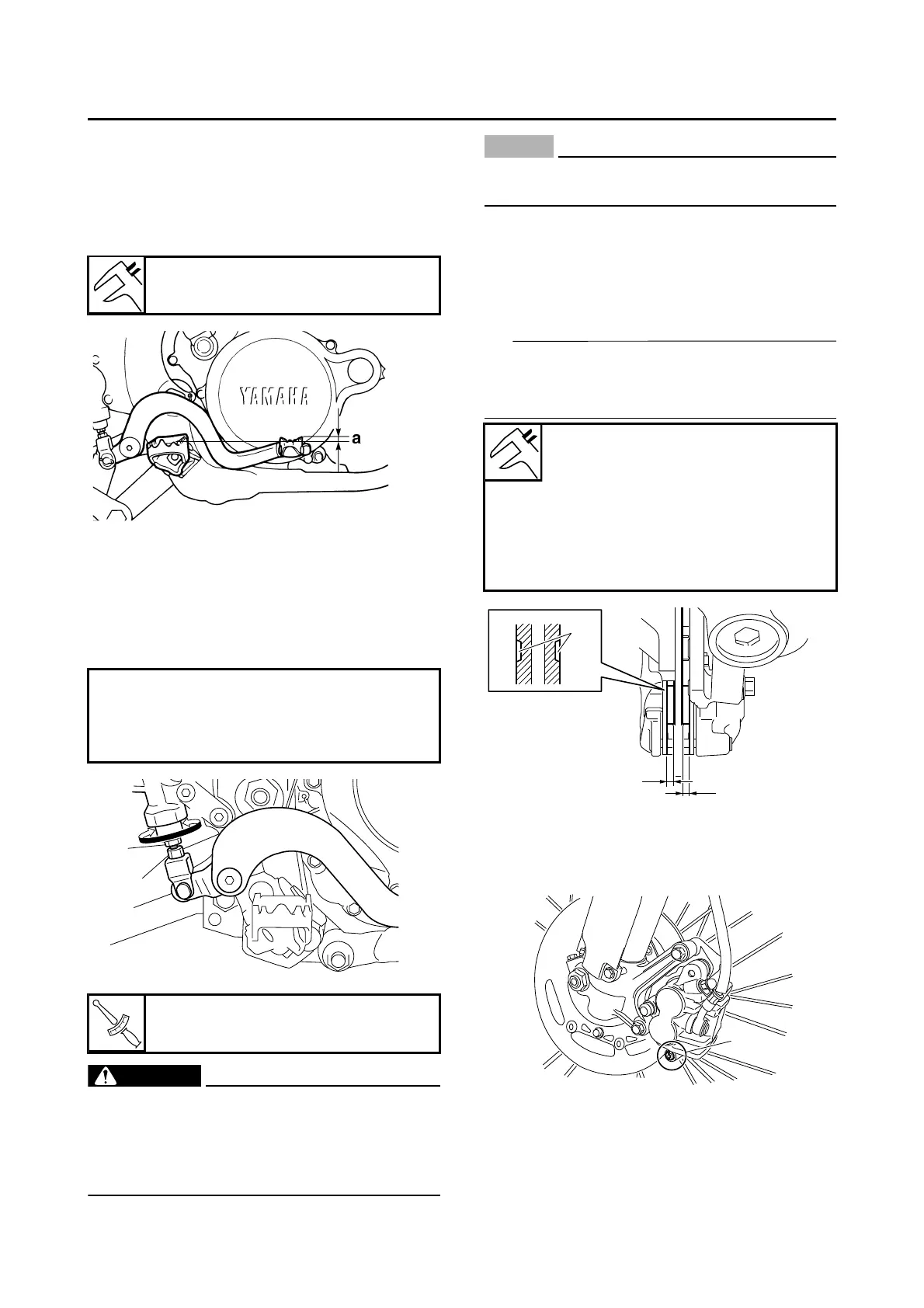
ADJUSTING THE REAR BRAKE
1. Check:
• Brake pedal position “a”
(distance from the top of the rider footrest to
the top of the brake pedal)
Out of specification Regulate.
2. Adjust:
• Brake pedal position
▼▼▼▼▼▼▼▼▼▼▼▼▼▼▼▼▼▼▼▼▼▼▼▼▼▼▼▼▼▼▼▼
a. Loosen the locknut “1”.
b. Turn the adjusting bolt “2” in direction “a” or
“b” until the specified brake pedal position is
obtained.
c. Tighten the locknut.
EWA1DX1001
A soft or spongy feeling in the brake pedal
can indicate the presence of air in the brake
system. Before running, bleed the brake
system. Air in the brake system will cause
braking performance to be reduced.
ECA13510
After adjusting the brake pedal position,
make sure that there is no brake drag.
▲▲▲▲▲▲▲▲▲▲▲▲▲▲▲▲▲▲▲▲▲▲▲▲▲▲▲▲▲▲▲▲
EAS1SM1094
CHECKING THE FRONT BRAKE PADS
1. Measure:
• Brake pad thickness “a”
Out of specification Replace as a set.
The pads worn up to the indicator “b” grooves
mean that the brake pad thickness limit is
reached.
2. Replace:
• Brake pads
▼▼▼▼▼▼▼▼▼▼▼▼▼▼▼▼▼▼▼▼▼▼▼▼▼▼▼▼▼▼▼▼
a. Remove the pad pin plug “1”.
Brake pedal position
0.0 mm (0.00 in)
Direction “a”
Brake pedal is raised.
Direction “b”
Brake pedal is lowered.
Locknut
6 Nm (0.6 m·kgf, 4.3 ft·lbf)
Brake pad lining thickness (inner)
4.4 mm (0.17 in)
Limit
1.0 mm (0.04 in)
Brake pad lining thickness (outer)
4.4 mm (0.17 in)
Limit
1.0 mm (0.04 in)




 To Next Page