3 - 5
Method Using the Data Setting Device Continued
Method using the
data setting
device
(continued)
Step Procedure Screen
*
AUTO ZERO
ON
4
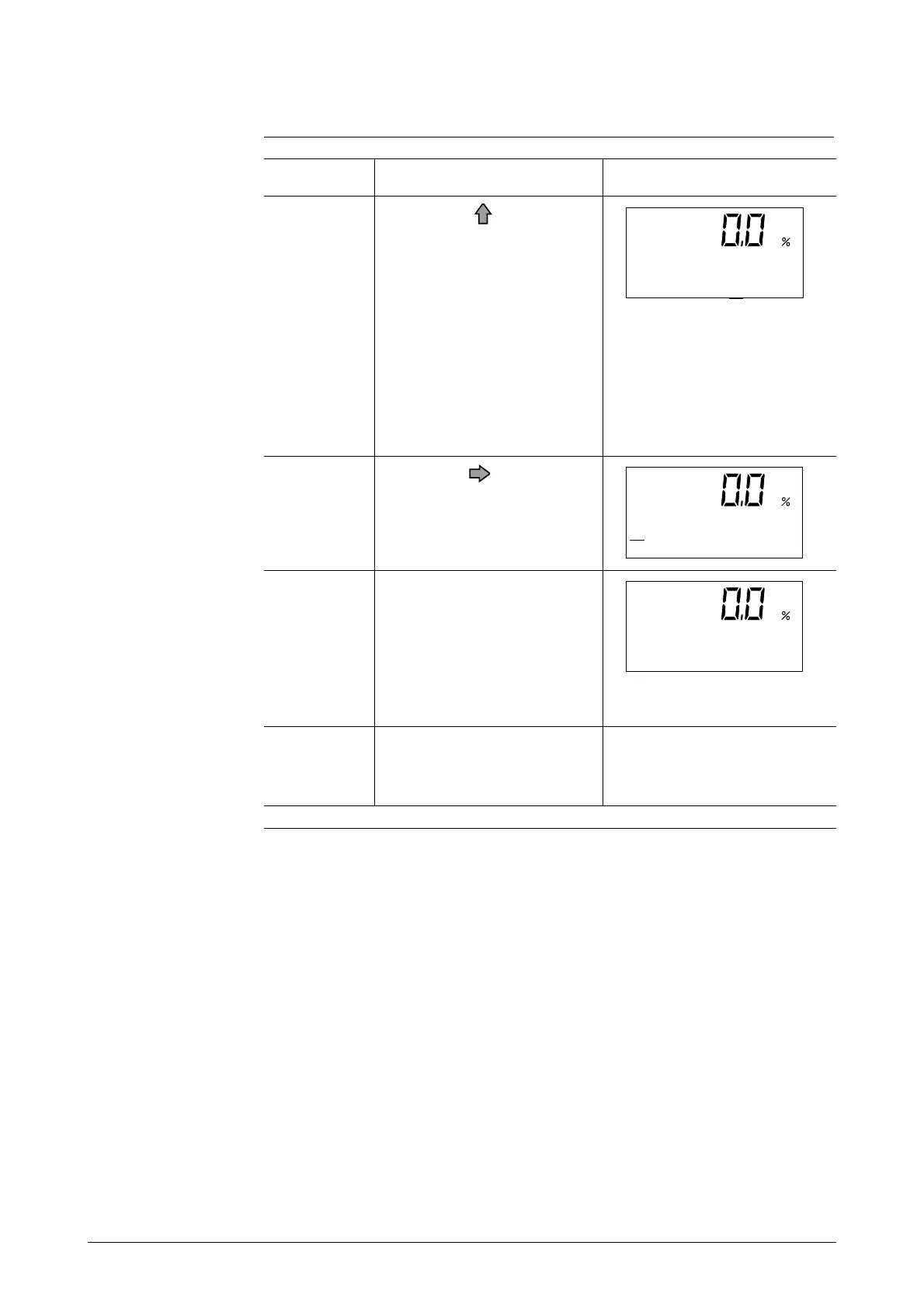
Touch the key to start
zero adjustment. During ad-
justment, when the large 7-
segment displays the flow
rate in %, "0.0" will be flash-
ing. When zero adjustment
is completed, the flashing
will stop and the "ON"
message will return to
"READY". Zero adjust-
ment takes about 30 sec-
onds.
5
Touch the key once.
*
AUTO ZERO
READY
6
Touch the MODE key for
more than three second to
return to the Measuring
Mode (measuring status).
The zero value will be writ-
ten into non-volatile
memory.
0.00 m 3/h
0000123456 TOTAL
7
Lastly, be sure to end the
operation by touching the
MODE key.



 To Next Page