4 - 17
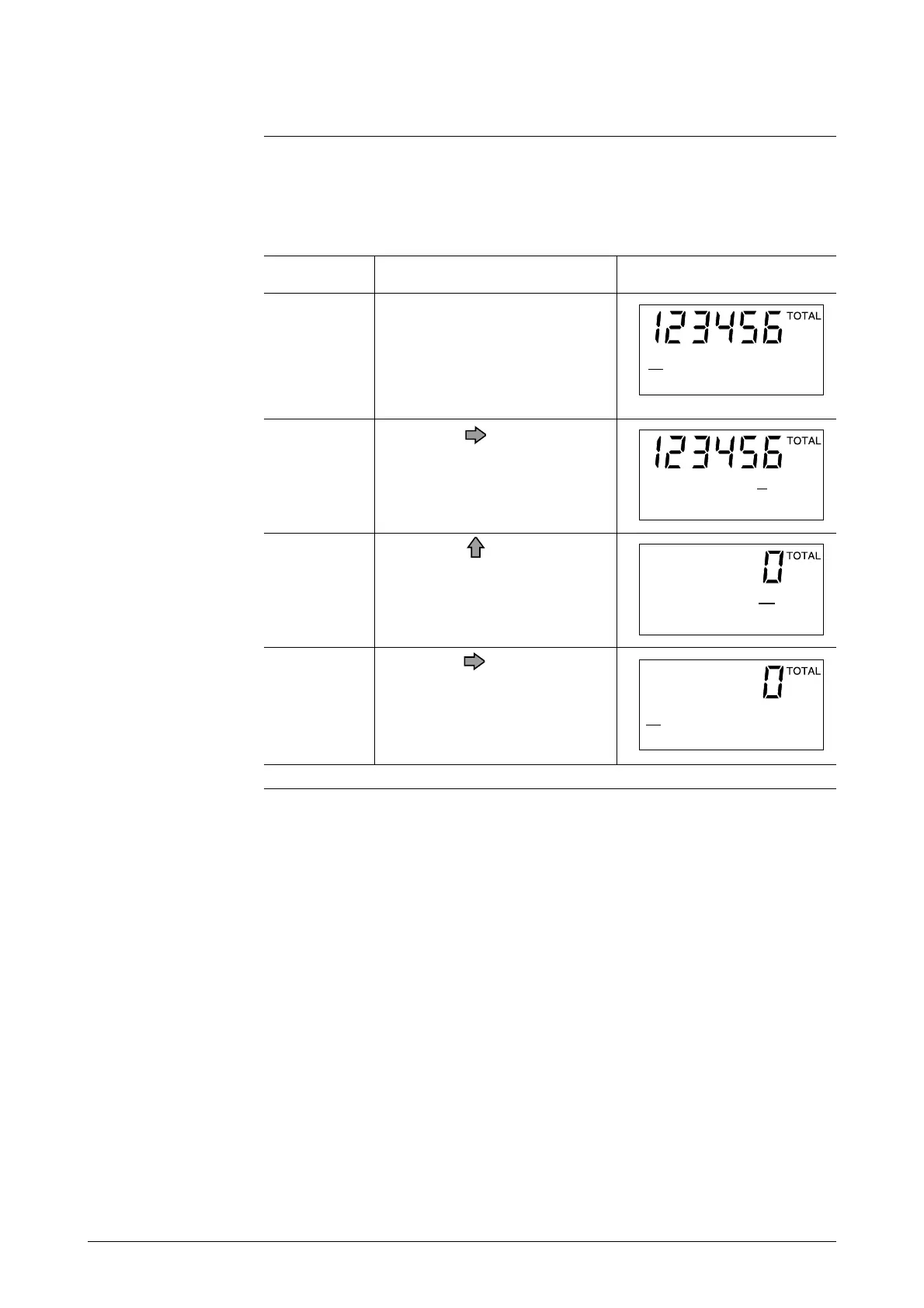
Resetting the Built-in Flow Counter
Introduction
This resets the current integrated flow rate and saves it to memory.
The built-in counter indicates “0000000000” at power-up.
This function is used when a pulse output board has been selected (additional
specification).
1
Open the built-in counter reset
screen by entering the Opera-
tor’s Mode.
2
Touch the key once.
3
Touch the key to reset the
counter. About 0.5 seconds
later, the “ON” message will
return to “READY”, and reset-
ting is completed.
4
Touch the key once.
ScreenProcedureStep
*
CNT-RESET READY
PREV 0000000000
*
CNT-RESET READY
PREV 0000000000
*
CNT-RESET ON
PREV 0000123456
*
CNT-RESET READY
PREV 0000123456


 To Next Page