4 - 5
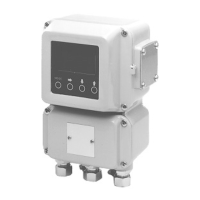
Operating the Display/Data Setting Device
The following 4 modes are available on the device.
MEASURING MODE
This mode indicates the measuring status.
OPERATOR'S MODE
The operator setting mode is used for data that are
registered or changed frequently.
The settings can be changed at start-up and on
other occasions when write protect is set to level
0, 1, or 2. With level 3, only configuration data
monitoring is available. Includes damping time
constant, auto zero adjustment, counter reset,
counter preset value.
Mode Explanation
Outline of the
various modes
Note:
• Registered or changed data is tempo-
rarily written in to memory when input,
but will return to the previous status
within two minutes unless it is saved.
(exception: only counter reset will not re-
turn to the previous status even after 2
minutes.)
To save the data, be sure to press the
MODE key to open the Measuring
Mode.
When the mode changes to the Measur-
ing Mode, the data will be written into
memory.
(Continued on next page)


 To Next Page