3 - 8
3.4 Setting the Communication Function
Introduction
Configuration via communications requires changing the converter mode.
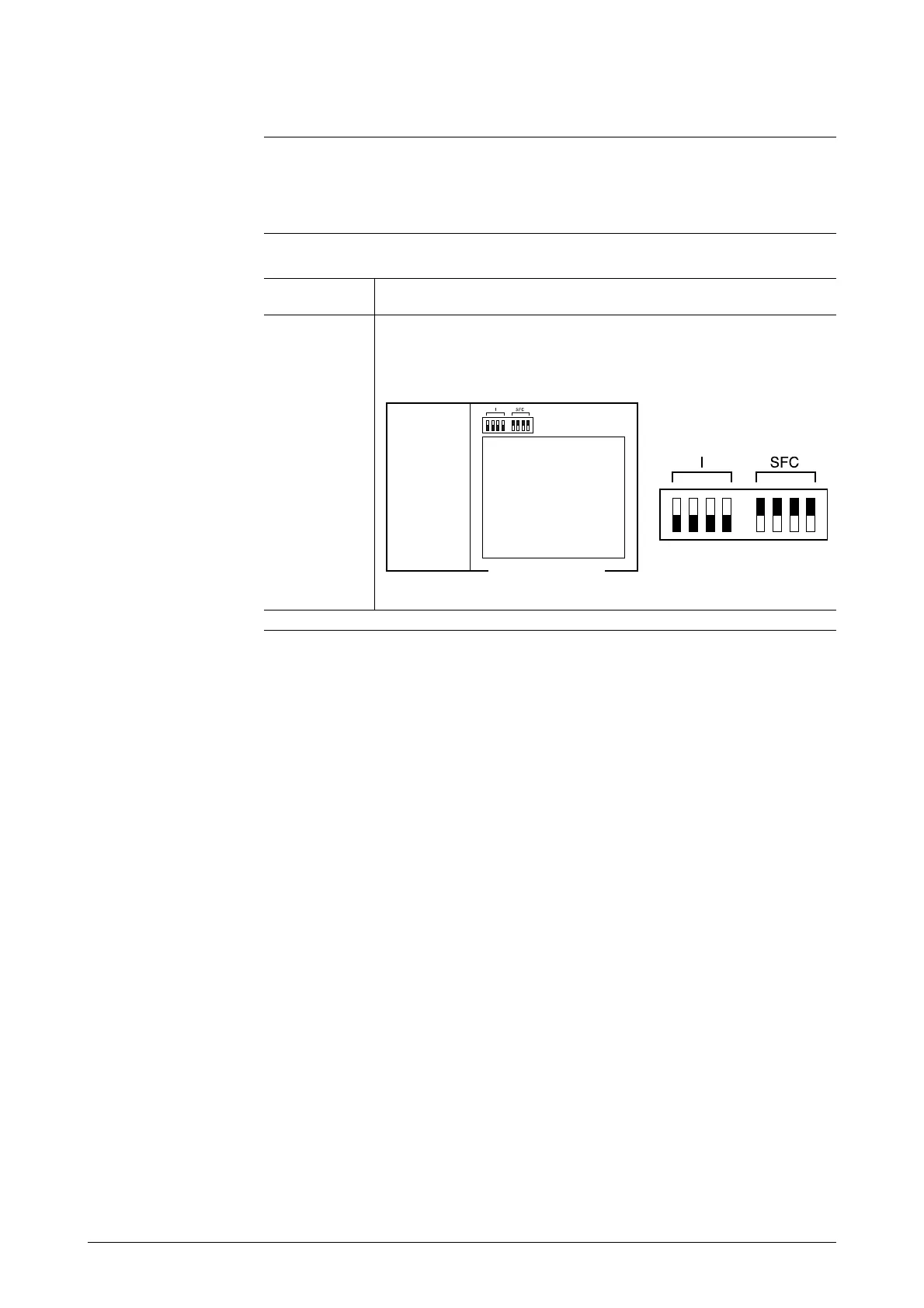
To communicate with the device, set the switches as follows.
Procedure 1
Step Procedure
1
The main card will be visible. Set the SFC and I switches on
the upper part of the card as shown below. (Move the
switches to the blackened positions.)
Continued on next page
Main card
Terminal
box



 To Next Page