4 - 45
Setting Hysteresis
Introduction
This is used to set the hysteresis as a range function to be used at range switch-
ing. Use for normal direction automatic double range or the normal/reverse
direction automatic double range.
Default setting
0
Setting range
0 - 20%
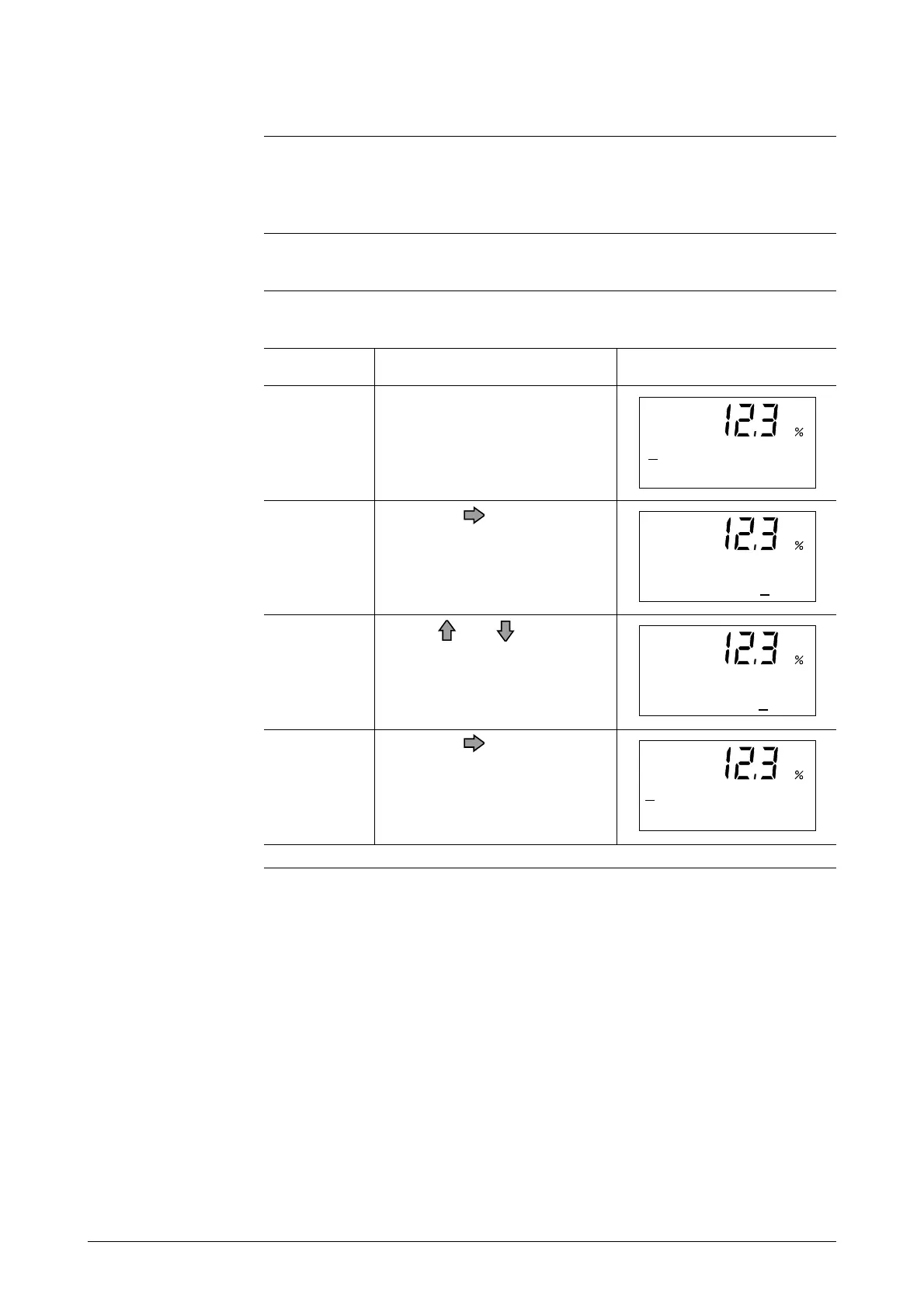
Open the hysteresis setup
screen by following the steps to
enter the Engineering Mode.
Touch the key once.
Use the and keys to input
the desired hysteresis value.
In this example, here the hys-
teresis is changed from 5% to
10%.
Touch the key to move the
cursor to the "#".
1
ScreenProcedureStep
4
3
2
# HYSTERESIS
0 5 %
# HYSTERESIS
0 5 %
# HYSTERESIS
1 0 %
# HYSTERESIS
1 0 %



 To Next Page