3 - 11
3.6 Setting the Empty Detection Function
Introduction
This function fixes the output at 4 mA and latches the display to zero when the
detector becomes empty.
Procedures
To set the empty detection function, set the switches in the following steps.
Step
Procedure
1
2
Remove the display cover.
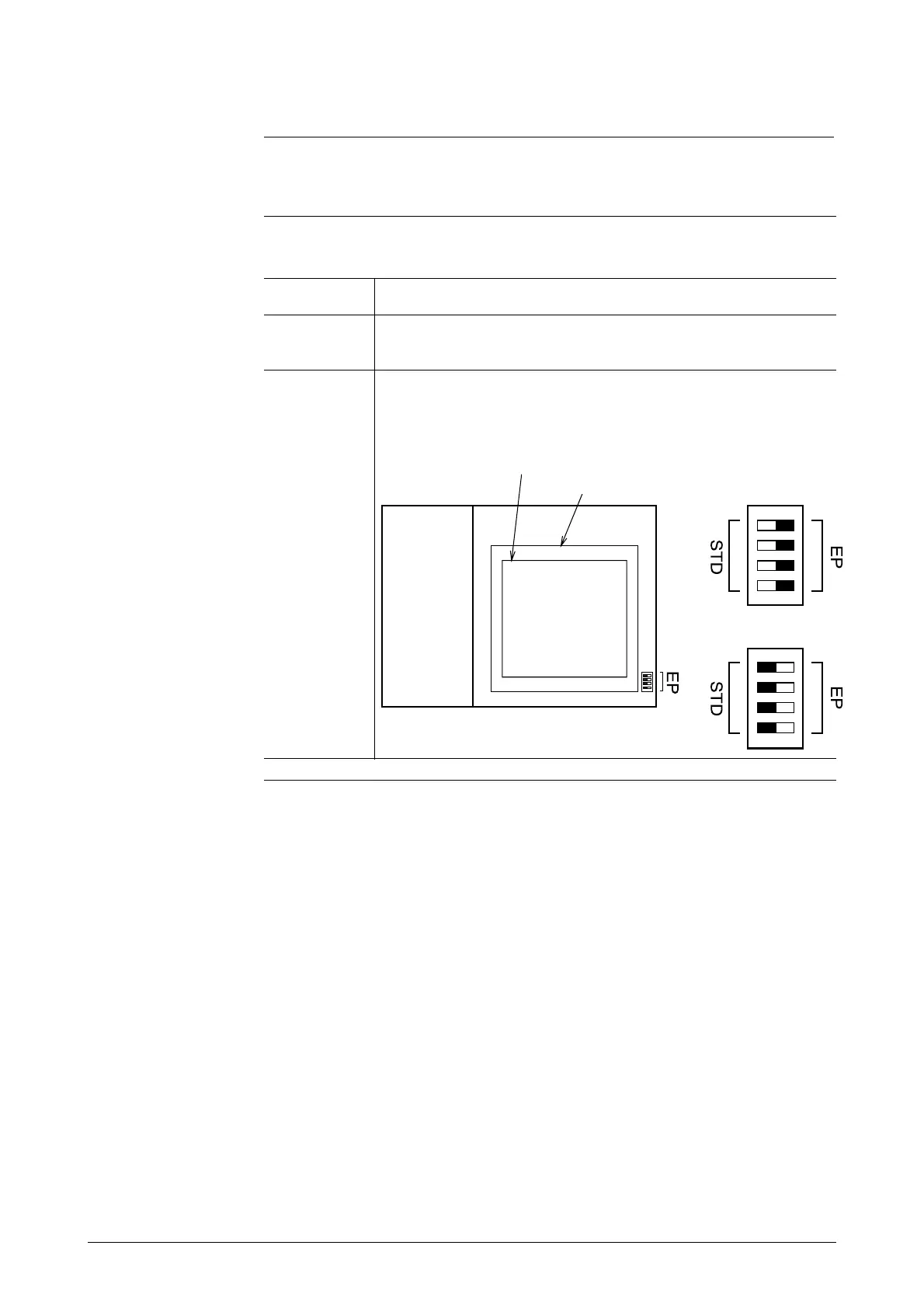
The switches are located on the main card. Set switches EP
and STD on the right of the card as shown below. (Move the
switches to the blackened positions.)
Empty detection
function not activated
Data setting device
Pulse card
Empty detection
function activated
Main card
Terminal
box



 To Next Page