3 - 4
Method Using the Data Setting Device
Introduction
Adjust the electromagnetic flowmeter so that the instantaneous flow when the
fluid in the detector stands still is measured as zero.
Notes:
• Zero adjustment is very important for accurate flow rate measure-
ment.
Be sure to zero the flowmeter before it is first operated.
• Before zero adjustment, make sure the detector is correctly Class
3 grounded and that the fluid to be measured has been charged
and stands still in the detector. Zero adjustment becomes possible
when the flow speed is 0.2 m/s or less, but wait until the fluid com-
pletely stops (Flow speed: 0.0 m/s) for accurate adjustment. Oth-
erwise, output errors may result.
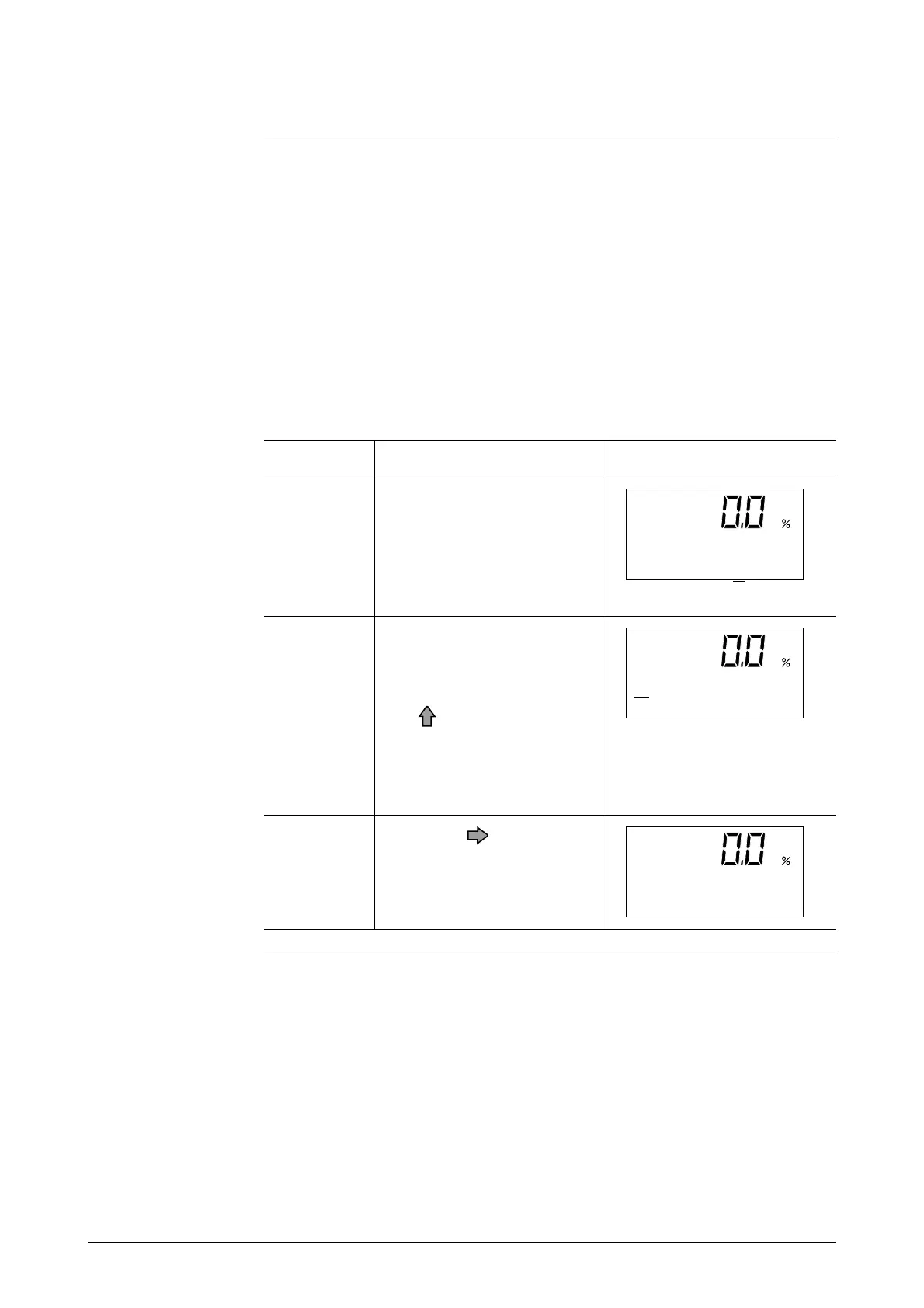
Step
Procedure
Screen
1
Touch the MODE key for
more than 3 seconds.
Note: The screen at left will
be displayed for 8 seconds.
Complete the following op-
erations within 8 seconds.
2
Touch the MODE key on the
data setting device for more
than three second to enter
the Operator Mode. Touch
the key to display the
screen shown.
Note: This is the screen
when the main display is set
to % units.
*
AUTO ZERO
READY
3
Touch the key once.
Continued on next page
*
AUTO ZERO
READY
ENTER IN OP. MODE
YES OR NO



 To Next Page