



 Need help?
Do you have a question about the Yealink SIP-T26P and is the answer not in the manual?
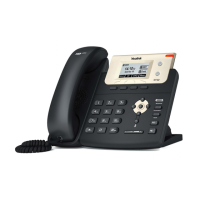
Describes the main hardware components of the SIP-T26P IP phone, including LCD screen and keypad.
Explains the meaning of various icons that appear on the LCD screen of the phone.
Details the status indications for the Power Indicator LED and Line Key LEDs.
Explains how to customize phone settings using the phone's interface and web browser.
Lists the items included in the SIP-T26P IP phone package for initial setup.
Provides step-by-step instructions for physically installing the IP phone.
Describes the automatic phone initialization process and network settings.
Guides on manually configuring network settings if DHCP is not available.
Covers basic phone settings like contrast, backlight, language, time, and administrator password.
Details how to adjust volume and select ring tones for the IP phone.
Provides instructions for managing contacts in the local directory, blacklist, and remote phone books.
Explains how to configure various DSS keys like Memory, Line, and Programmable keys.
Guides on registering and managing SIP accounts on the IP phone.
Details how to configure dial plan rules for number replacement, dial-now, area codes, and blocking.
Explains the different methods for placing calls using the handset, speakerphone, or headset.
Details how to answer incoming calls using handset, speakerphone, or headset.
Describes how to place active calls on hold and resume them.
Explains how to enable or disable the Do Not Disturb feature for incoming calls.
Covers configuring static and dynamic call forwarding for incoming calls.
Guides on setting up local and network conference calls with multiple parties.
Details how to use directed and group call pickup to answer calls for others.
Explains how to block caller identity and phone number when making calls.
Explains how to monitor the status of other users' lines using BLF keys.
Describes using BLF List keys to monitor a defined list of users and their status.
Details configuring intercom features for direct communication with extensions.
Explains how to configure multicast paging for sending announcements to groups.
Covers sending, receiving, and managing text messages and voice mails.
Provides solutions for common phone issues like blank screen, network errors, and hardware functionality.
Provides essential safety precautions for device installation and operation.
Lists various time zones and their corresponding geographical names.












 To Next Page
 General