N824 User Manual
31
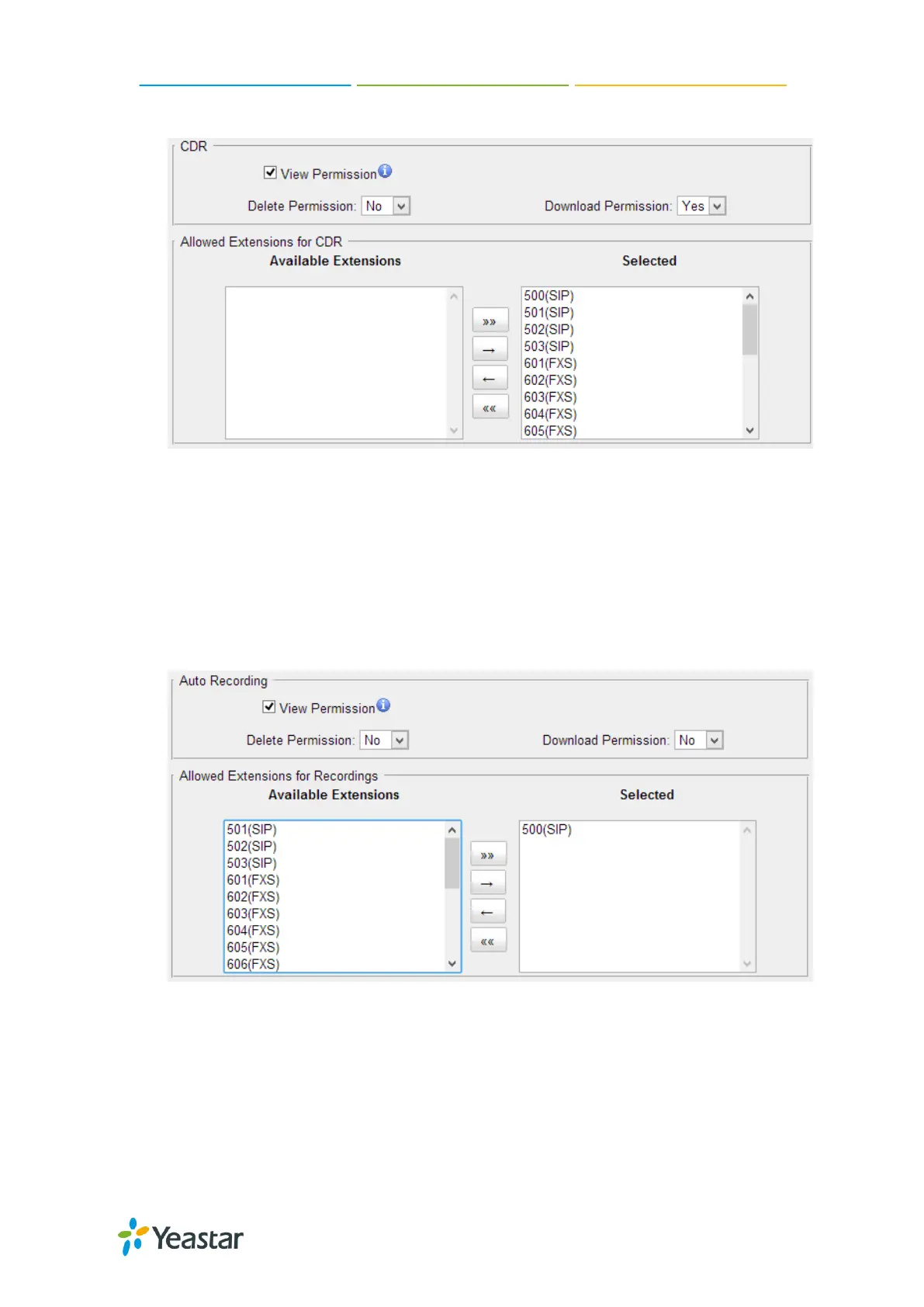
Figure 6-9 CDR Permissions
Auto Recordings
View Permission: the permission to check auto recordings.
Delete Permission: the permission to delete recording files.
Download Permission: the permission to download auto recording files.
Allowed Extension for Recordings: choose which extensions’ auto recording
files are allowed to be checked/deleted/downloaded by the user.
Figure 6-10 Auto Recording Permissions
5) Timer Settings
Want the phone to wake you? Click Timer Settings Section, set your wake-up time
and other options, and give the alarm a name (like ―Good morning‖).











 To Next Page