N824 User Manual
40
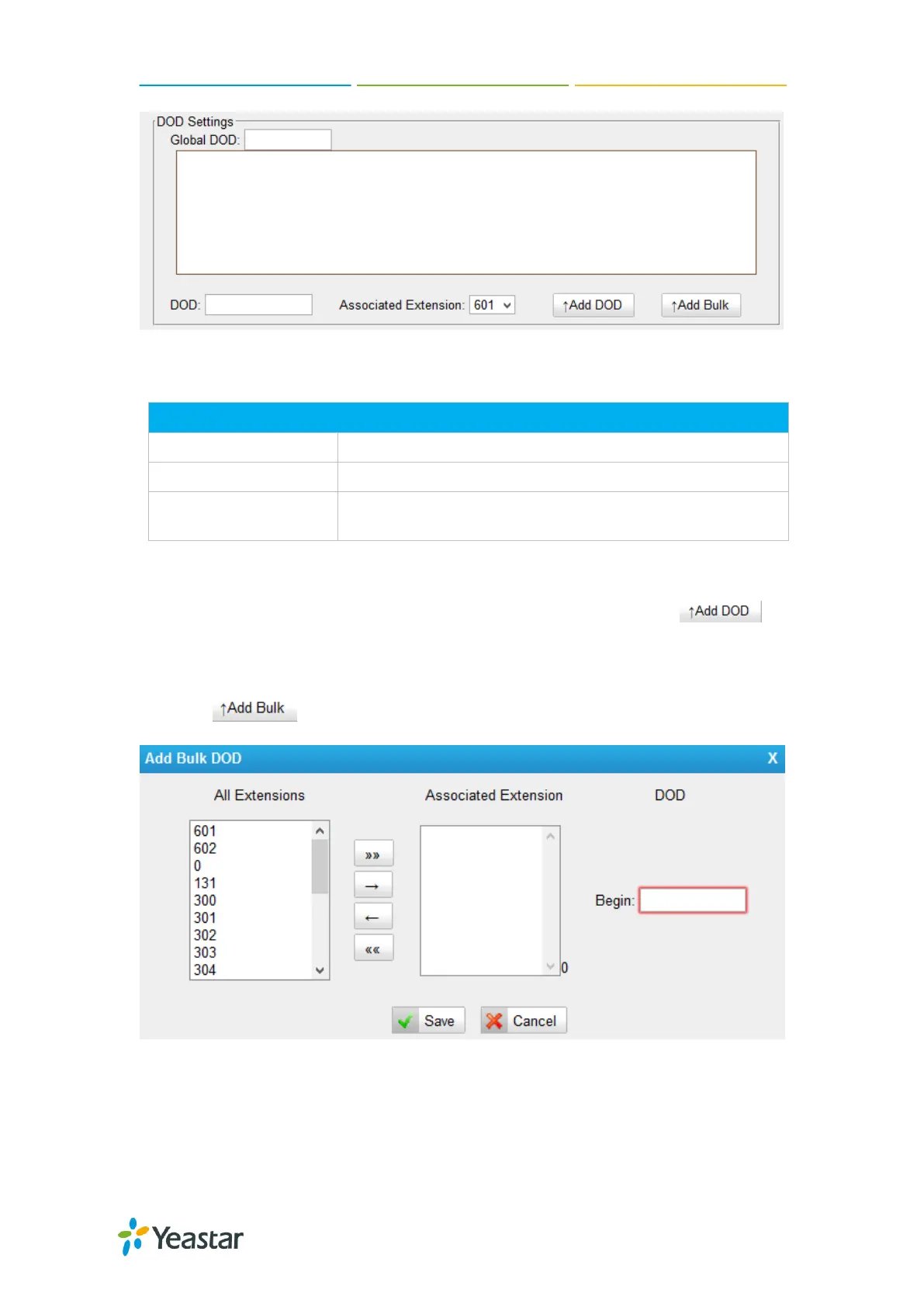
Figure 7-2 DOD Settings
Table 7-10 Service Provider Trunk-DOD Settings
Global direct outward dialing number.
Direct Outward Dialing Number.
The extension make call out via BRI Trunk will display the
associated DOD.
Add a DOD
Fill in DOD number and choose associated extension, then click to
add one DOD number.
Add Bulk DOD
Click to add DOD numbers in bulk.
Figure 7-3 Add Bulk DOD
Add bulk DOD for bulk extensions in ascending sequence with the ―Begin DOD‖ you
fill in. For example, if the Associated Extensions are 100, 101, 102, 103, 104, 105 with
―Begin DOD‖ as 5500100, the corresponding DOD will be 5500100, 5500101,
5500102, 5500103, 5500104, and 5500105.











 To Next Page