OPERATION
Axio Observer TFT display touchscreen on the Axio Observer 7, 7 materials ZEISS
12/2016 431004-7244-001 127
5.11.7 Microscope -> XYZ
The display of the XYZ page depends on the microscope stage used.
− Motorized stages (only CAN bus stages directly connected to 7, 7 materials stands):
− Manual stage:
Z focus drive settings only (no XY controls are available), Measure tab is not available
− Manual stage / manual Z focus drive:
XYZ page is not available
The system detects whether a motorized stage is installed during microscope initialization. The
stage should therefore only be changed when the microscope is switched off.
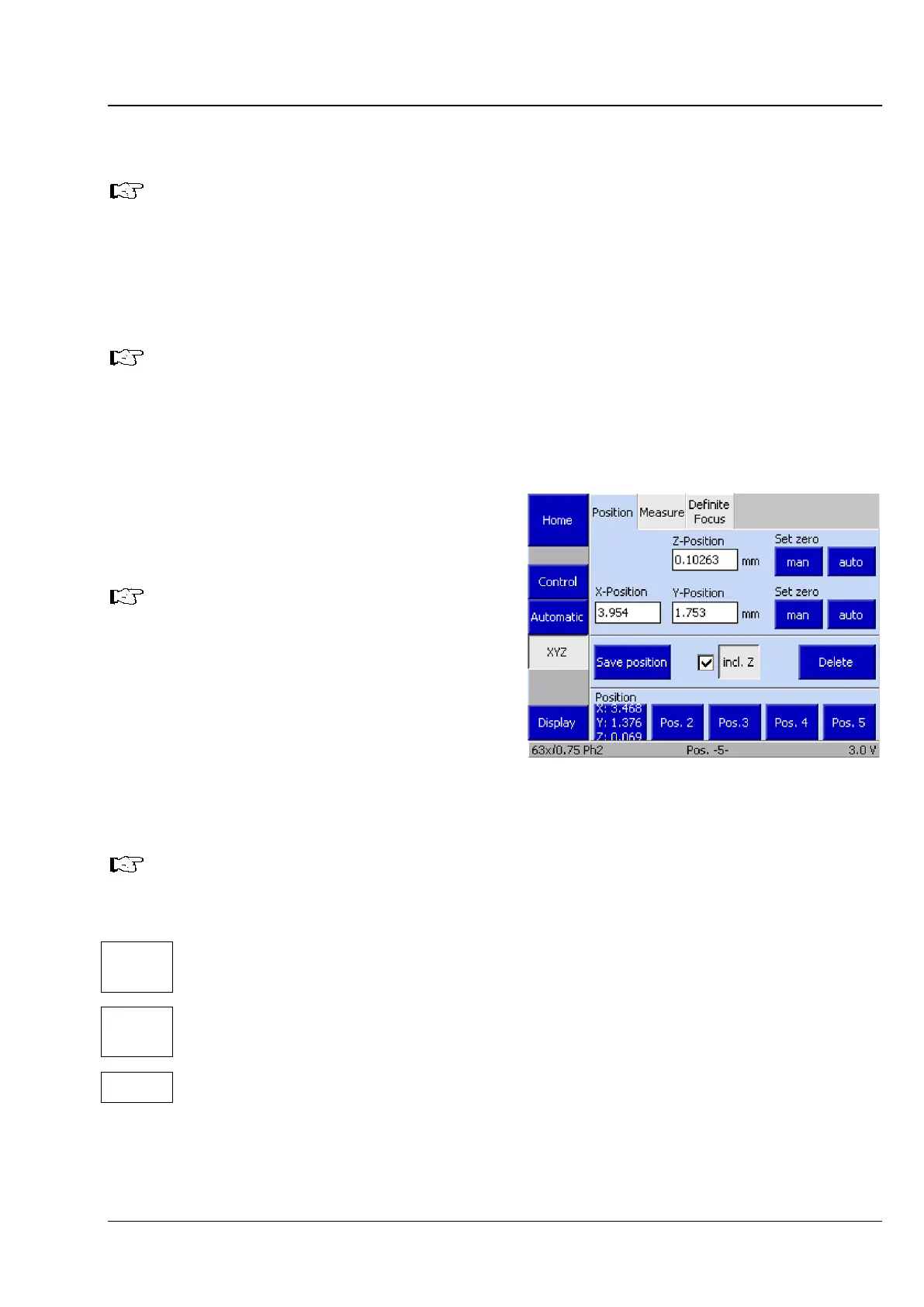
The Microscope -> XYZ page contains the tabs Position, Measure and Definite Focus.
5.11.7.1 Position
The controls area of the Position tab is divided
into three blocks.
If you are not using a motorized stage,
the XY controls are replaced by a Start
button (see the following section
(2) Measure).
(1) Current position display / Set zero
The current Z, X and Y positions are displayed in
millimeters (mm).
The Z position displays the height of the nosepiece position. The X and Y positions display the
stage position.
The two Set Zero buttons function for XY and Z as follows:
man
Manually sets the zero point. The current position is defined as the zero point and the display is
set to zero.
auto
Automatically sets the zero point. The stage / nosepiece moves to the end position which has
been defined as the zero point. The display is then set to zero.
Unit Selects unit [mm] or [inch]
Fig. 112 Microscope -> XYZ -> Position page









 To Next Page