INSTALLATION INSTRUCTIONS AND FIRST-TIME SET-UP
Axio Observer Fitting the microscope stages ZEISS
12/2016 431004-7244-001 49
4.9.5 Fitting the specimen stage
250x230, object guide and
mounting frame M for the object
guide
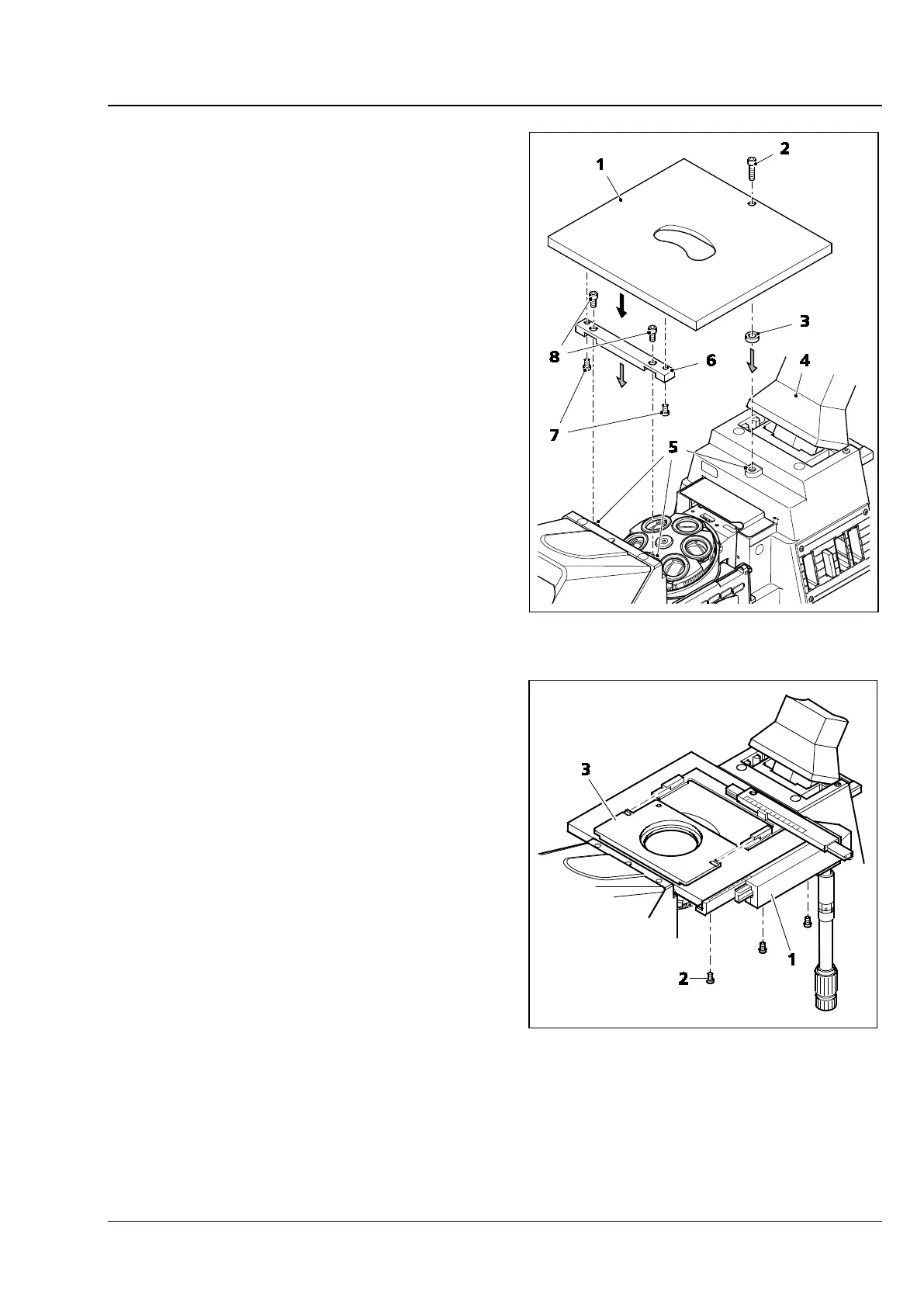
The specimen stage is fitted to the stand using a
spacer bar and a spacer disk.
• To improve access during stage assembly, the
carrier for transmitted-light illumination
(Fig. 28/4) can be tilted backwards.
• Using the two shorter Allen screws (Fig. 28/8),
screw the spacer bar (Fig. 28/6) to the two front
attachment points (Fig. 28/5).
• Place the spacer disk (Fig. 28/3) onto the rear
attachment point.
• Place the specimen stage (Fig. 28/1) onto the
stand and screw to the rear attachment point
from above using the longer Allen screw
(Fig. 28/2). Ensure that the screw passes
through the hole in the spacer disk.
• Screw the specimen stage to the spacer bar
from below using two Allen screws (Fig. 28/7),
left and right.
• Tighten the rear screw (Fig. 28/2).
• Attach the object guide (Fig. 29/1) to the left or
right side of the specimen stage and fix it in
position from below using three Allen screws
(Fig. 29/2).
• Then push mounting frame M for object guide
(Fig. 29/3) under the two springs of the object
guide from the front until it clicks into position.
Fig. 28 Fitting the specimen stage
250x230 mm
Fig. 29 Fitting the object guide and
mounting frame









 To Next Page