INSTALLATION INSTRUCTIONS AND FIRST-TIME SET-UP
Axio Observer Condensers ZEISS
12/2016 431004-7244-001 51
4.10 Condensers
4.10.1 Attaching condensers for the
Axio Observer
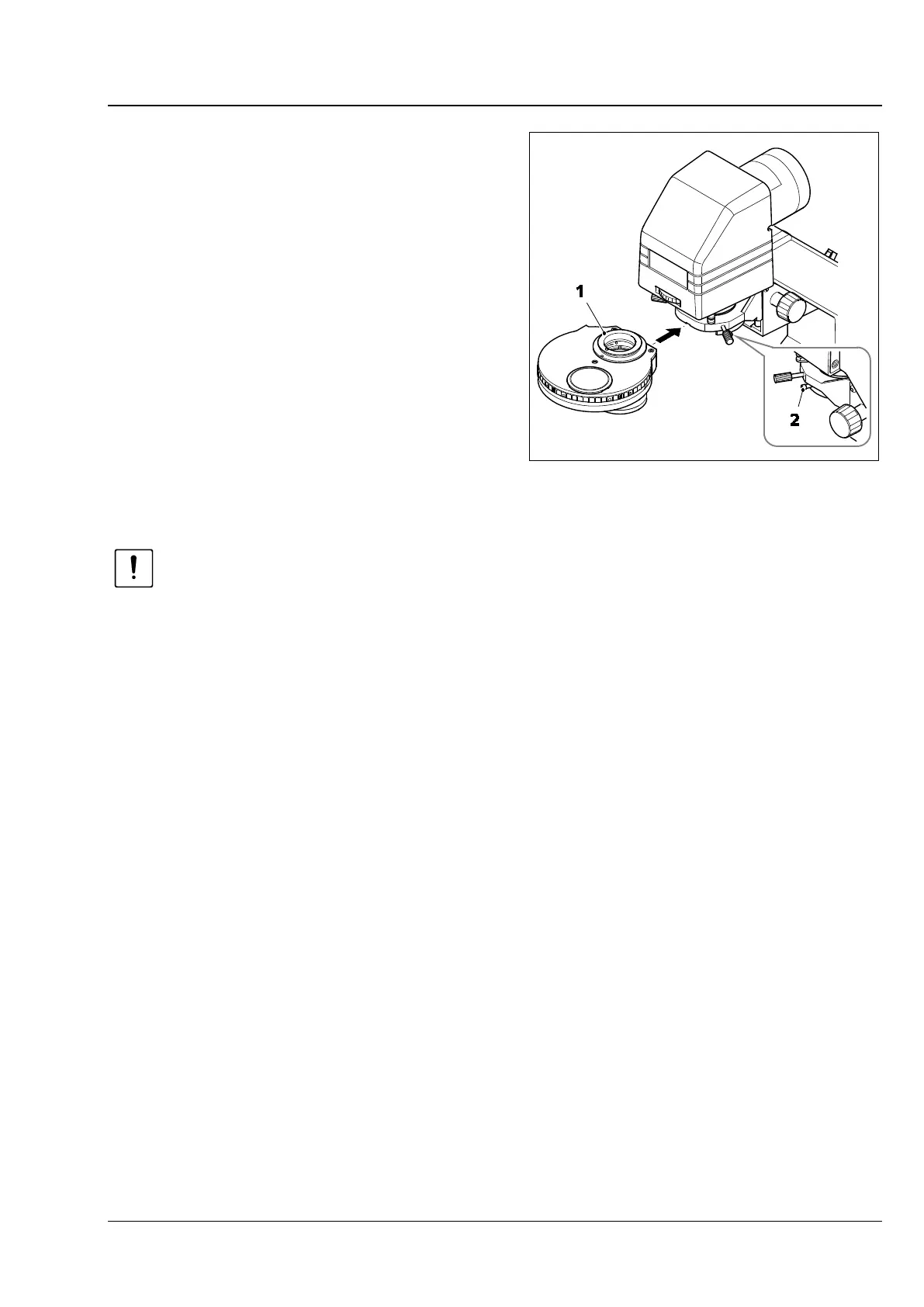
• Insert the condenser (Fig. 31/1) into the
condenser carrier on the carrier for transmitted-
light illumination, with the dovetail ring facing
upwards. Ensure that the locating pin on the
condenser is at the front and engages precisely
with the guide groove on the condenser socket.
• Fix the condenser in place using the clamping
screw (Fig. 31/2).
• In the case of motorized condensers, connect
the cable to the outlet socket on the mount
(left).
ATTENTION
When using stage top incubation solutions such as the PM S1 incubator, there is a risk of glass
breakage. Always fit the condenser with the carrier for transmitted-light illumination tilted
backwards. After fitting, tilt the mount carefully back into the forward position. Ensure that
the glass of the incubator is not destroyed. If required, rotate the condenser carrier to the
highest position.
Fig. 31 Attaching the condensers









 To Next Page