OPERATION
ZEISS Interface 60N (external thread M52 x 1) Axio Observer
172 431004-7244-001 12/2016
5.14 Interface 60N (external thread M52 x 1)
Sideport right / left: Interface 60 N
Baseport: Interface 60 N
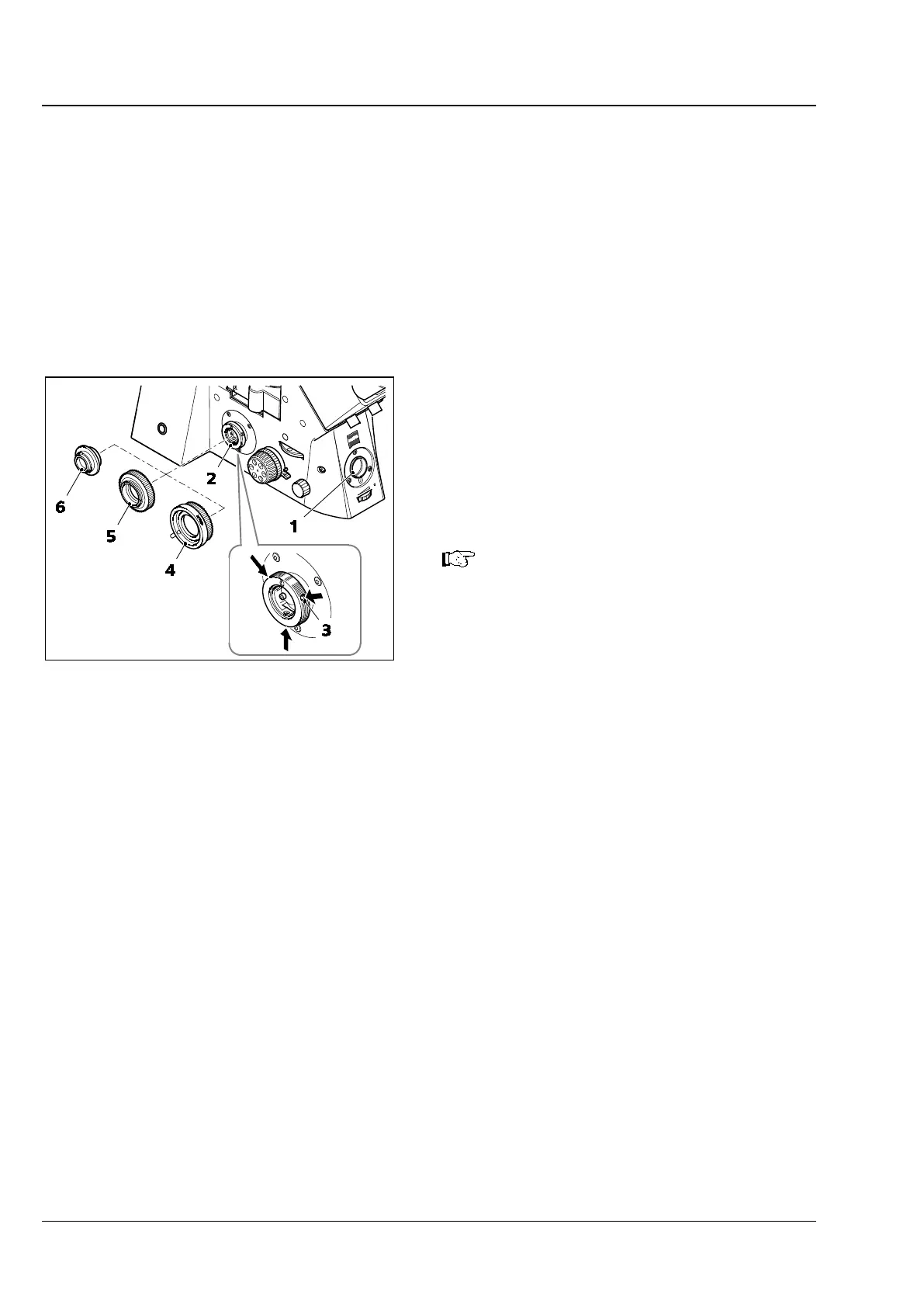
A new "interface 60N" connection type is used on the Axio Observer for camera adaptation for the
right/left sideport (Fig. 161/2), and for the baseport (Fig. 161/1). The familiar adapter for "interface 60"
(30 mm internal diameter) can still be used.
Microscope cameras (e.g. Axiocam from ZEISS), standard SLR (Single Lens Reflex; 35 mm film or digital)
cameras or compact digital cameras can be coupled to the camera port of the Axio Observer stand.
When working with microphotographic devices,
consult the corresponding manuals of the cameras
as well.
• Fix the camera adapter 60N (Fig. 161/4 or 5) to
the camera.
• Remove the dust cap from the camera port.
The three set screws (3 mm)
(Fig. 161/
3) at the camera port must
not extend either to the external
thread or into the internal bore hole.
• Attach the pre-assembled unit to the camera
port, adjust it and fasten the union nut of the
adapter (Fig. 161/4 or 5) fingertight.
Adapter for Interface 60 (plug-in diameter 30 mm)
• Attach the camera adapter 60 (Fig. 161/6) to the camera.
• Remove the dust cap from the camera port.
• Insert the pre-assembled unit in the camera port (do not screw in set screws too deeply).
• Turn the three set screws (3 mm) on the coupling point (Fig. 161/3) clockwise until the adapter is
tight.
Fig. 161 Making connections to sideport /
baseport









 To Next Page