INSTALLATION INSTRUCTIONS AND FIRST-TIME SET-UP
ZEISS Mounting adapter for third party components on the stand Axio Observer
70 431004-7244-001 12/2016
4.26 Mounting adapter for third party
components on the stand
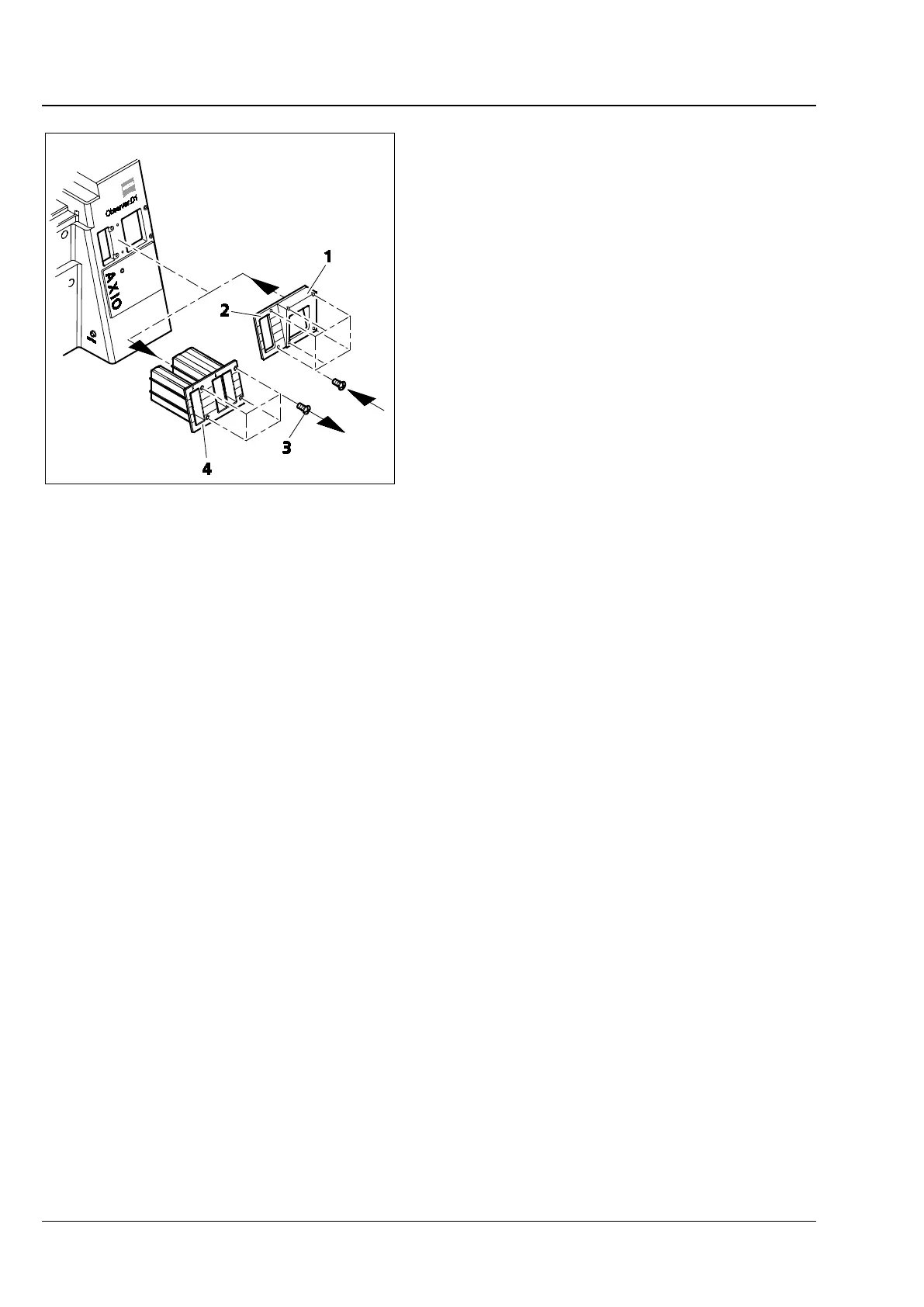
• Loosen the four screws (Fig. 56/3) from the
plastic cover (Fig. 56/4) and remove the cover
from the stand by pulling to the right.
• Mount the mounting adapter (Fig. 56/2) to the
stand and fix with six screws.
• Mount the desired third-party component over
the wedge (Fig. 56/1) of the mounting adapter
into the stand.
Fig. 56 Mounting adapter for third party









 To Next Page