OPERATION
ZEISS Illumination and contrast techniques Axio Observer
164 431004-7244-001 12/2016
5.12.9 Setting up reflected light DIC and reflected light C-DIC
(1) Application
The reflected light DIC and reflected light C-DIC
technique (DIC = Differential Interference Contrast,
C-DIC = Differential Interference Contrast in
Circularly polarized light) produces high-contrast
images of phase specimens, i.e. those specimens
which only change the phase of the light in
contrast to amplitude specimens.
(2) Instrument equipment
− Axio Observer materials with attached microLED
or adjusted HAL 100 illuminator
− Objectives: EC Epiplan-Neofluar or Epiplan with
additional designation "DIC" or "Pol".
− DIC slider matching the respective objective (its
magnification and aperture are engraved on the
top side of the slider)or C-DIC slider (in
combination with reflector module CDIC P&C).
− DIC/Pol P&C reflector module or DIC/Pol Red I
P&C in reflector turret or
C-DIC/TIC P&C reflector module (in combination
with C-DIC slider 6x20).
(3) Reflected light DIC
• Prepare the microscope as described in section 5.12.5 for reflected light brightfield. Open the
luminous-field diaphragm until the edge just disappear from the field of view to avoid reflections.
• Swivel in the reflector module DIC/Pol P&C on the reflector turret into the beam path. To produce
color contrasts, use reflector module DIC/Pol Red I P&C, which is of advantage in case of large
retardation (> 1λ).
• Rotate the nosepiece to swivel in the objective position with DIC slider slot.
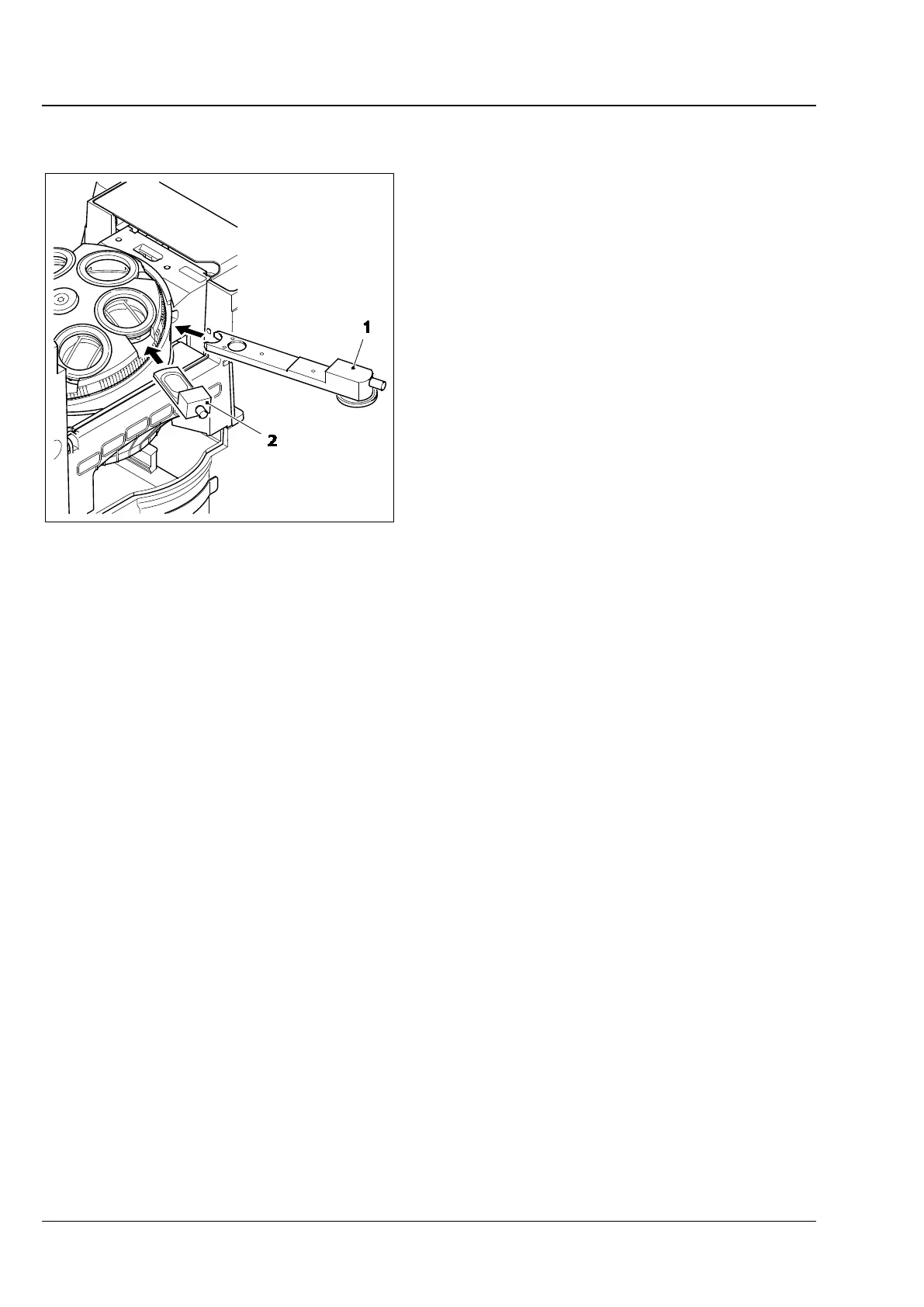
• Insert the DIC slider (Fig. 158/2) into the slot on the nosepiece.
• Place the specimen on the stage, bring it into focus until the specimen structure of interest appears at
maximum contrast.
• To optimize the contrast, turn the knurled screw on the DIC slider.
1 C-DIC or TIC slider , 6x20
2 DIC slider
Fig. 158 DIC / C-DIC reflected light
components on
Axio observer materials









 To Next Page