INSTALLATION INSTRUCTIONS AND FIRST-TIME SET-UP
ZEISS Fitting the carrier for transmitted-light illumination Axio Observer
40 431004-7244-001 12/2016
4.5 Fitting the carrier for transmitted-
light illumination
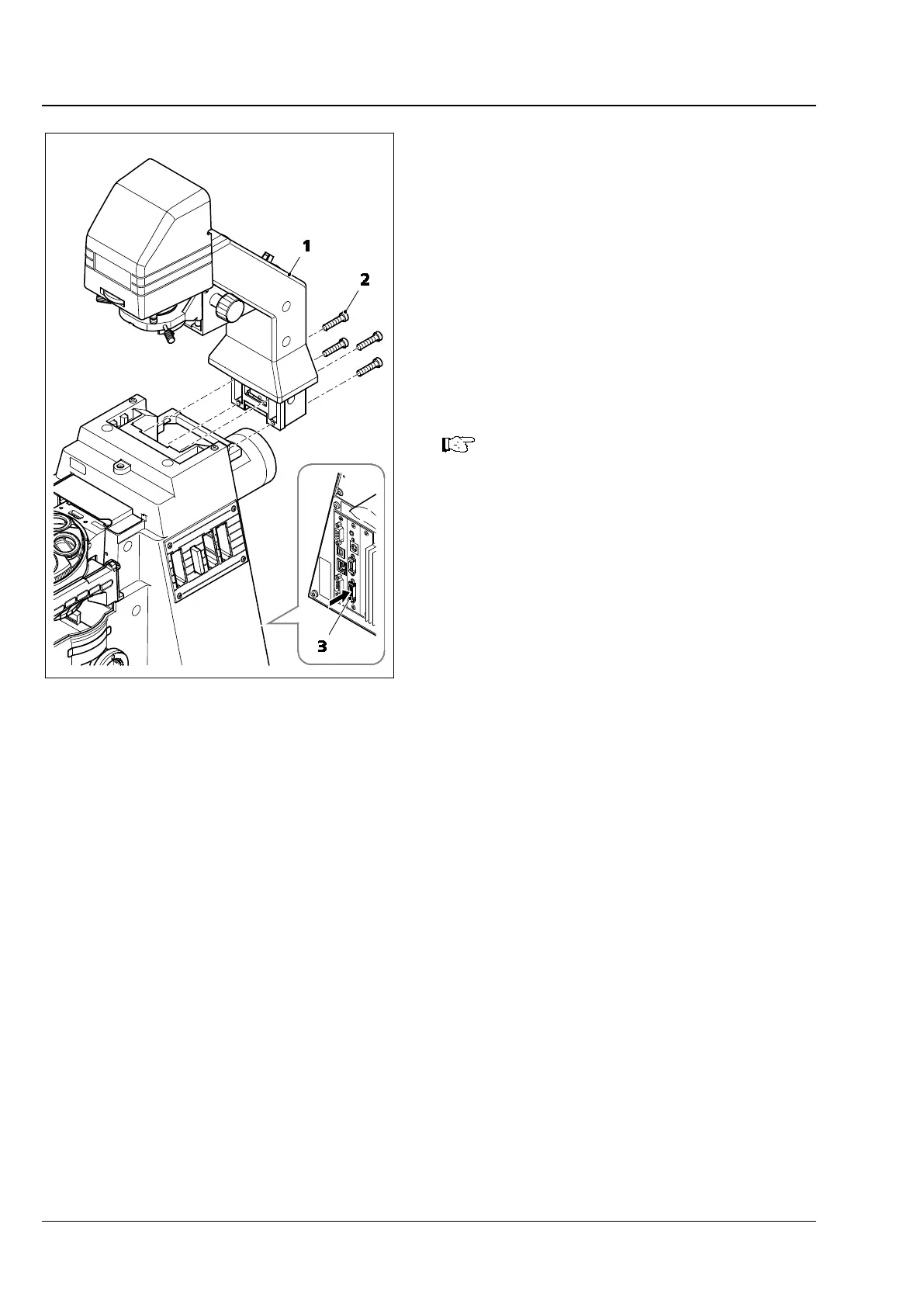
• Remove cover if necessary.
• Place the mount (Fig. 17/1) in position against
the rear of the stand and screw into place using
the four Allen screws provided (Fig. 17/2) and
the 4 mm Allen key.
• Insert the LCD display connector
(Axio Observer 5 and 5 materials only) into the
socket for the carrier for transmitted-light
illumination with LCD display (Fig. 17/3) on the
rear of the stand.
The carrier for transmitted-light
illumination
adjustment.
Fig. 17 Fitting the carrier for transmitted-
light illumination









 To Next Page