72 73
ENGLISH
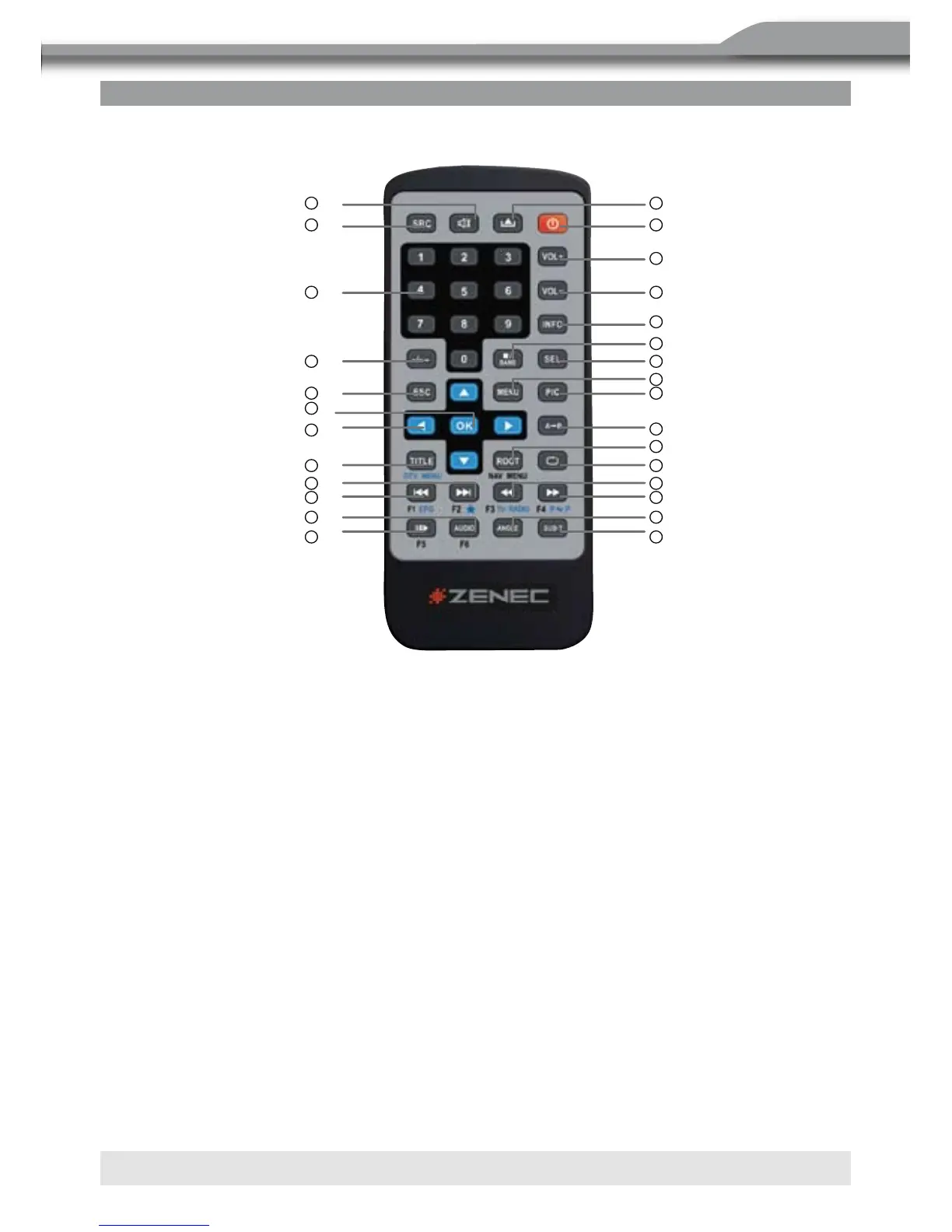
REMOTE CONTROL
1. POWER
■ Turns the power on/off.
2. OPEN
■ Open/close the TFT monitor.
3. MUTE
■ Toggles on/off audio output.
4. SRC
■ Selects playing mode.
5. NUMERIC BUTTONS
■ Directly access chapter/track/preset station for current band.
6. VOL UP
■ Increase volume.
9
Remote Control
Name
Ref
#
Signal Function
Power 1 Turns the power on/off
Op en 2 Op en/close the TFT m onitor
Mute 3 Toggles on/off audio output
SR C 4 Selects playing mode
Numeric
button
5
1.2.3.4.5.
6.7.8.9.0
Directly access chapter/track/pre set station
for current ba nd
VOL up 6 Incre ase volu m e
VOL down 7 Decrease volum e
Information 8 Displays playing information
GOTO search
9 Se arch function in the VCD/DVD disc
Stop/Band 10
Selects FM/AM band on Tuner mode
Stop playback on other m ode
Select 11 Enter the audio setting
ESC 12 Exit the current m enu
Me nu 13 Enters the main menu of syste m
Picture 14 Para m eter of TFT setting
Remote Control
,1
,2
,6
,7
,8
,10
,11
,13
,14
,15
,19
,20
,23
,24
,27
,28
,9
,3
,4
,5
,12
,16
,18
,21
,22
,25
,26
,17



 To Next Page