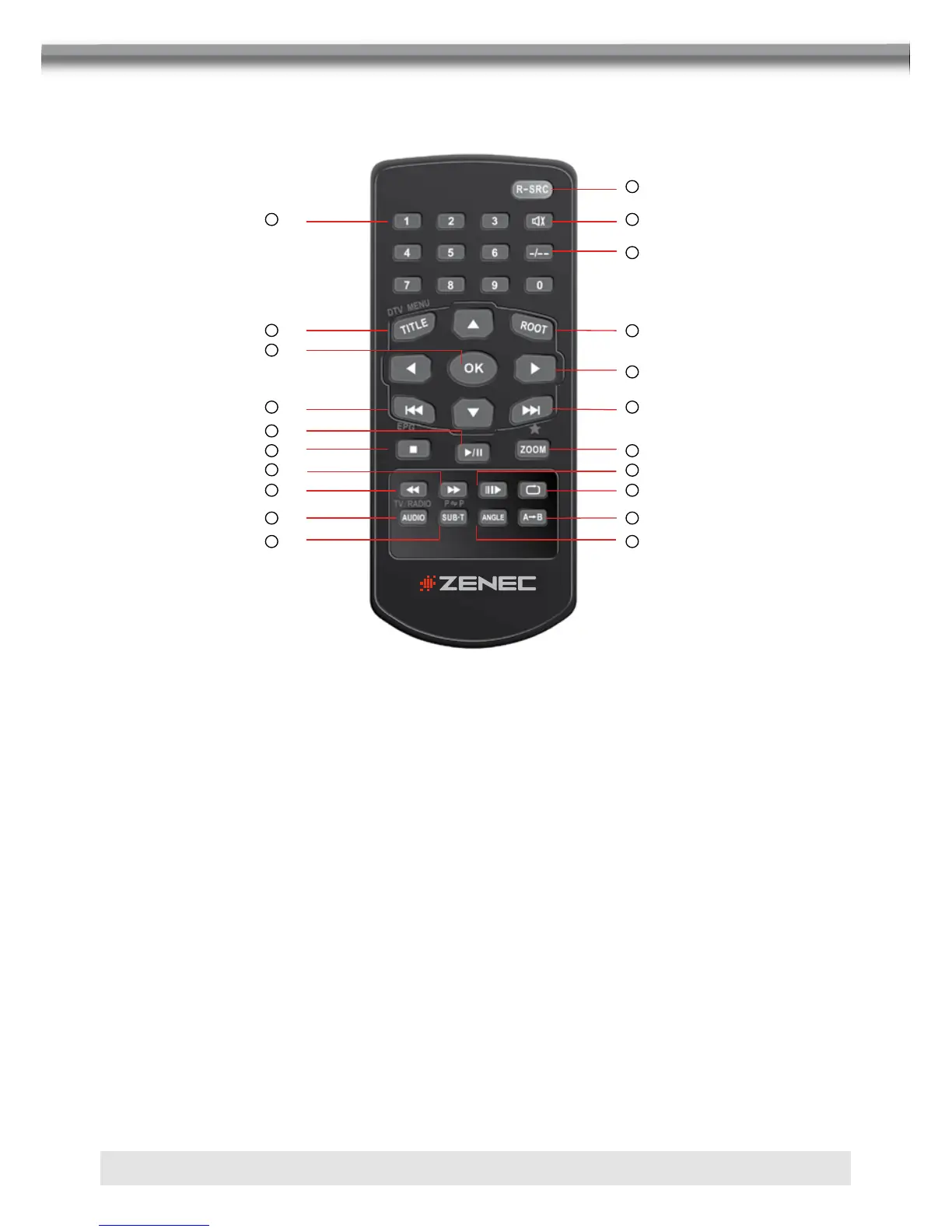
1
Title 18
Root 19
Enters the m ain menu of the di sc
Turn on PBC when playing VCD
Re peat 20
Re peat playback of current chapter
Next 21
Selects the ne xt chapter/track for playback
Se arches an available radio station by
increasing tuning frequency
Previous 22
Selects the previous chapter/track for playbac k
Se arches an available radio station by
decreasing tuning frequency
Fast
Reverse
23 Fast reverse the disc content
Fast
Forward
24
Fast forward the disc content
Audio 25 Change the a udio language for disc playb ack
Slower Play 26 Slow forward playback
Angle 27 Plays back disc in different angel for a scene
SUB Title 28 Language selection for subtitle
Multi-Zone Remote Control
Name
Ref
#
Signal Function
Mute 3 Toggles on/off audio output
,2
,1
,3
,4
,6
,8
,10
,13
,16
,17
,15
,7
,12
,14
,19
,9
,11
,15
,18 ,21
,20
MULTI-ZONE REMOTE CONTROL
1. R-SRC-Taste
■ Selects playing mode.
2. NUMERIC BUTTONS
■ Directly access chapter/track/preset station for current band.
3. MUTE
■ Toggles on/off audio output.
4. –/––
■ Search function in the VCD/DVD disc.
5. TITLE
■ Enter the title menu.
6. ROOT-Taste
■ Enters the main menu of the disc.
■ Turn on PBC when playing VCD.
7. OK
■ Starts/pauses playback or comfirm settings.



 To Next Page