90 91
ENGLISH
MULTI-ZONE OPERATION
■ Independent sources can be played simultaneously on the unit. For example, a FM/
AM console can be playback on the front screen while DVD video is available to rear
passengers.
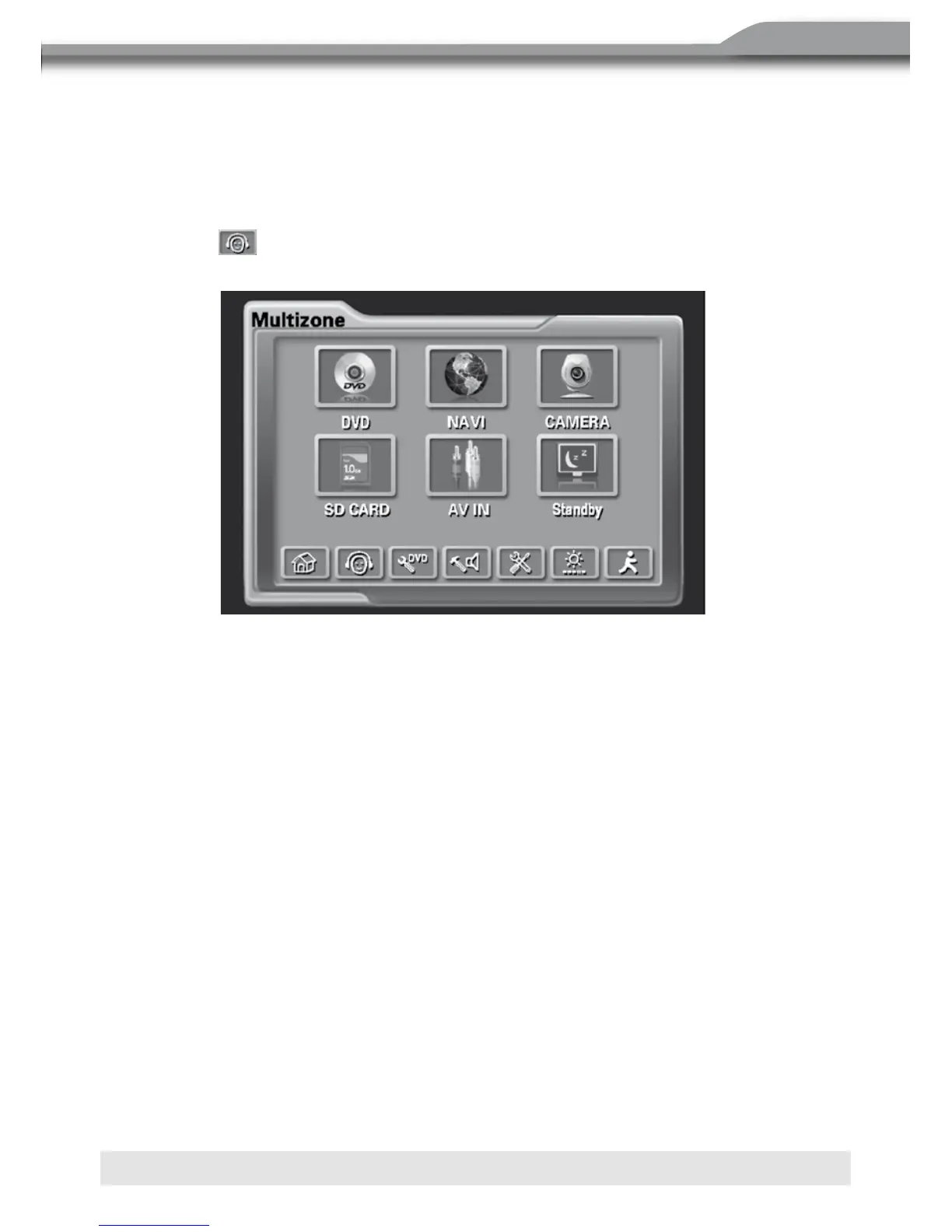
Access Rear-Zone
1. Touch the
button to access the Rear-Zone menu and you can select a source to
play.
2. Use the Multi-Zone Remote Control to access the Rear-Zone and select a source to
play.
3. Press and hold the SRC button on the front panel to toggle Rear-Zone mode On.
Exit Rear-Zone
1. Touch the Standby button on the Rear-Zone menu.
2. Press and hold the SRC button on the front panel.
NOTE:
If DVD is selected as the front source and SD Card is selected for the rear source, then
both sources will switch to SD Card. If SD Card is selected as the front source and DVD
is selected for the rear source, then both sources will switch to the DVD source. Since the
multimedia processor is shared between optical and SD Card media, one of these two can
be selected but not both simultaneously.
Selecting a Source for the Front Zone
Access the Front-Zone menu, and this menu allows you to select a source for the front
zone. You can also use the SRC button on the front panel or on the front remote control.
NOTE:
Optical media and an SD Card cannot be selected from the Multi-Zone Source Menu
simultaneously.
21
2. Use the Multi-Zone Remote Control to access the Rear-Zone and select a source to play.
3. Press and hold the SRC button on the front panel to toggle Rear-Zone mode On.
Exit Rear-Zone
1. Touch the Standby button on the Rear-Zone menu.
2. Press and hold the SRC button on the front panel.
NOTE: If DVD is selected as the front source and SD Card is selected for the rear source,
then both sources will switch to SD Card. If SD Card is selected as the front source and DVD
is se lected for the rear source, then both sources will switch to the DVD source. Since the
multimedia processor is shared between optical and SD Card media, one of the other can
be selected but not both simultaneously.
Selecting a Source for the Front Zone
Access the Front-Zone menu, and this menu allows you to select a source for the front zone.
You can also use the SRC button on the front panel o r on the front remote control.
NOTE: Optical media and an SD Card cannot be selected from the Multi-Zone Source
Menu simultaneously.
NOTE: The AM/FM tuner graphics will change to a "blue screen" background when any
optical or S D Card media is selected from the Multi-Zone menu.



 To Next Page