SWT
GIGABIT/FAST ETHERNET SWITCH TYPE SWT 122/137
USER GUIDE - M0SWTA1903Iv09 - V09 March 2019
B.3 OBTAINING INFORMATION ABOUT THE STATUS AND
CONFIGURATION OF A EQUIPMENT
To obtain information about the status and configuration of an equipment, proceed as
follows:
1- Connection with the equipment
As explained in chapter B.1, the equipment connection differs slightly depending on
the chosen method. In this example, it is assumed that the equipment is connected to
a network and with an IP address configured, which in the case of this example will be
111.222.0.123. In addition the computer used to make the connection is also
connected to that network and the O.S. used is Windows XP
©
.
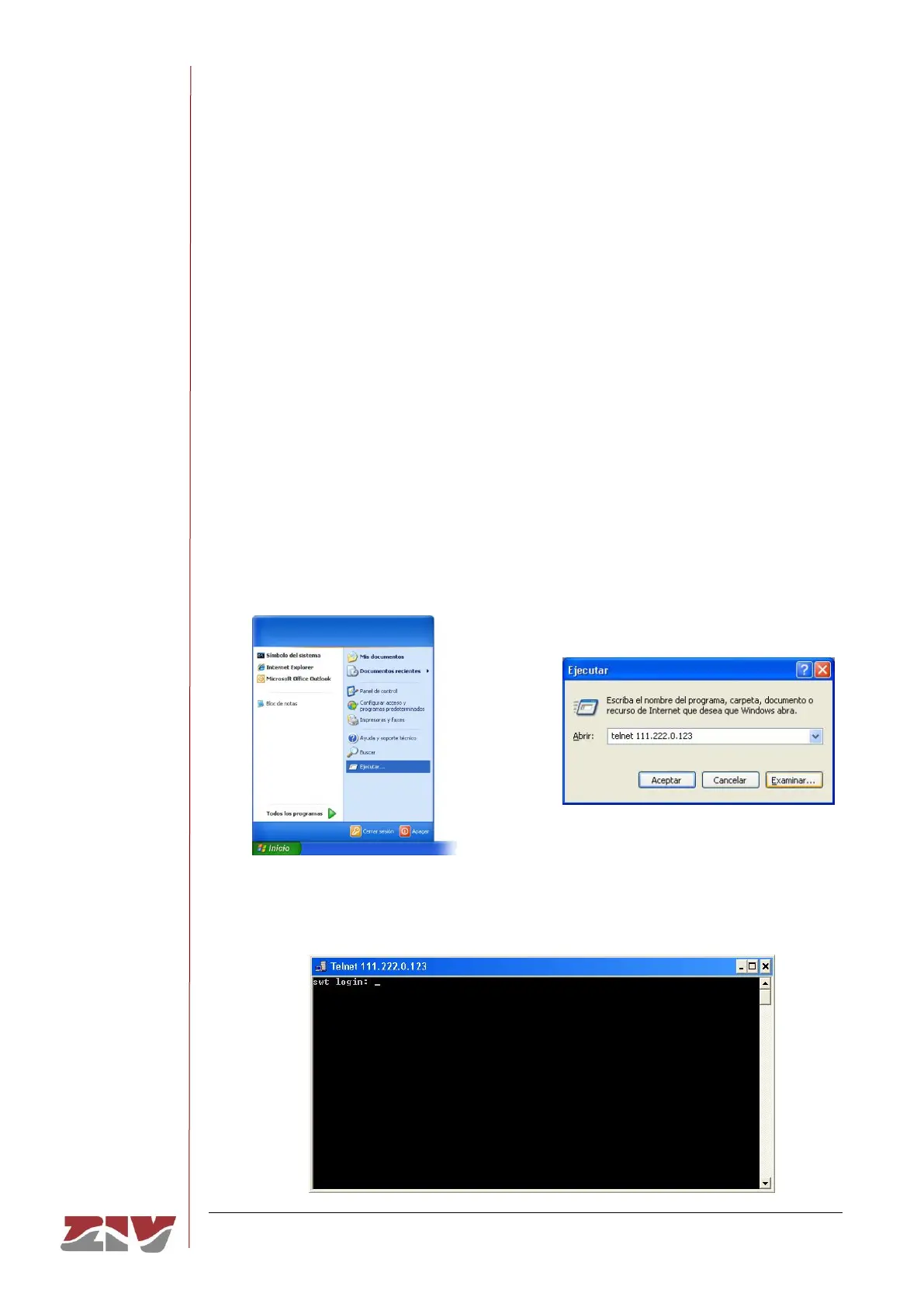
To establish the connection through Telnet, click on the Windows XP
©
Start button
and once the menu has appeared, click on the command Execute. In the window that
appears, enter “telnet 111.222.0.123” (without inverted commas) and then press
Accept.
If everything is functioning normally, a window will pop up with a system symbol, which
is the interface for the connection.



 To Next Page