12
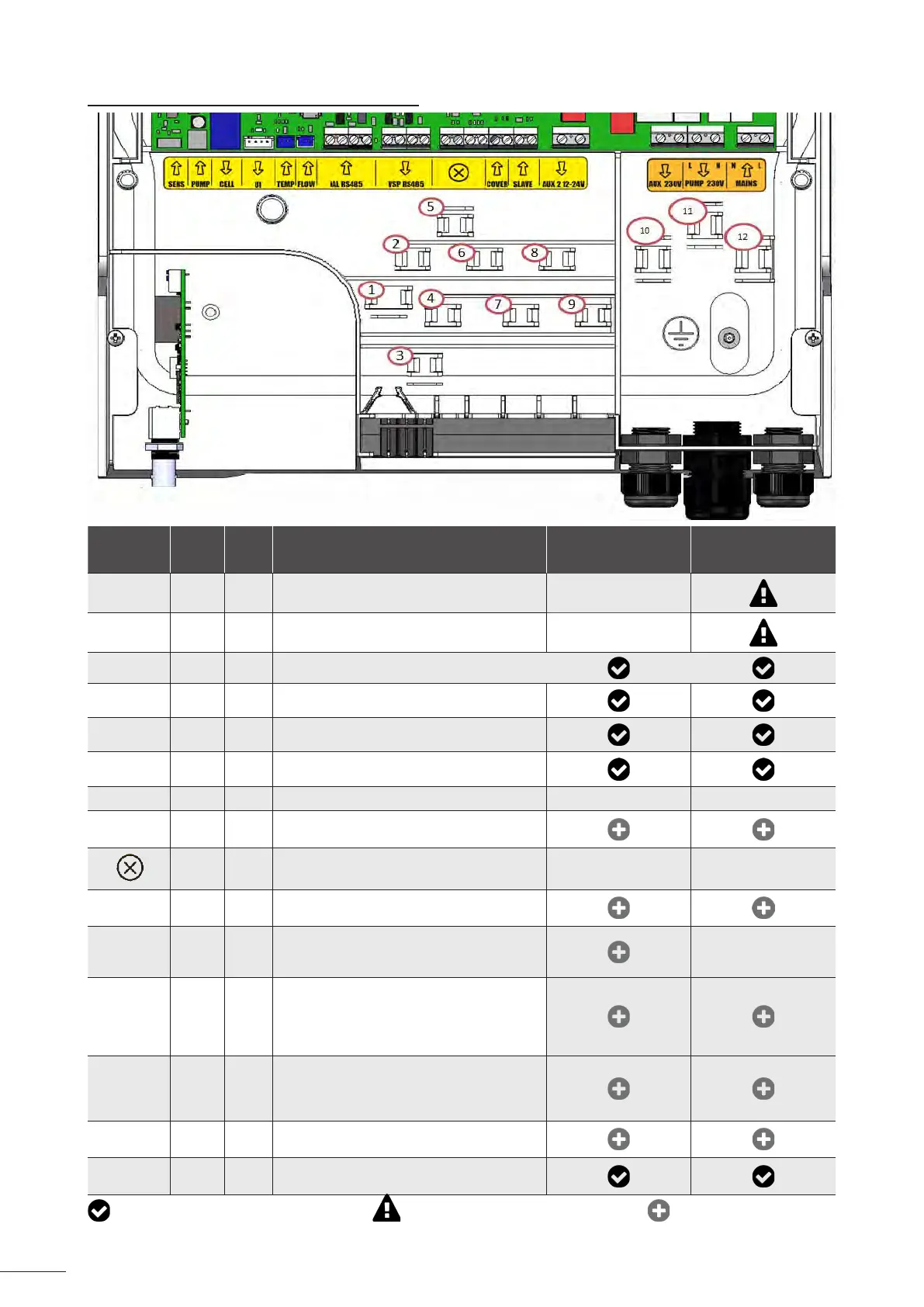
2.5.2 Idenfying the funcons to be connected
Terminal
block
messages
Type
Cable
clamp
Funcons Hydroxinator ® iQ
With pH Link or Dual
Link
SENS Input -
Connecon for the control board
for pH Link and Dual Link modules
/
PUMP Input -
Connecon for the pH regulaon pump
for pH Link and Dual Link modules
/
CELL Output 1 Connecon for the electrolyc cell
UI Output - Connecon for the display
TEMP Input 3 Conencon for the temperature sensor
Flow Input 2 Connecon for the ow switch
iAL RS485 Input 4 Funcon not used – do not wire / /
VSP RS485 Output 5
Connecon dedicated to controlling the
Zodiac® variable-speed lter pump
/ - Funcon not used – do not wire / /
COVER Input 7
Connecon for the roller shuer/cover for
automacally managing the LOW funcon
SLAVE Input 8
Connecon for an external appliance for the
ON/OFF control of chlorinator (automac
regulaon, etc.)
/
AUX 2 12-
24V
Output 9
Connecon dedicated to the ON/OFF control
of a low-voltage device. Connecon used to
control a heang system. This connecon
does not power the device: it manages the
ON/OFF funcon.
AUX 1 230 V Output 10
Connecon dedicated to the ON/OFF control
of a high-voltage device. This connecon
does not power the device: it manages the
ON/OFF funcon.
PUMP 230V Output 11
Connecon dedicated to the power supply to
the pool lter pump.
MAINS Input 12
Mains power supply to the appliance
110-240 VAC - 50/60 Hz
: Connecons made during manufacture : Mandatory connecons to be made : Funcon to be connected
(oponal)














 To Next Page