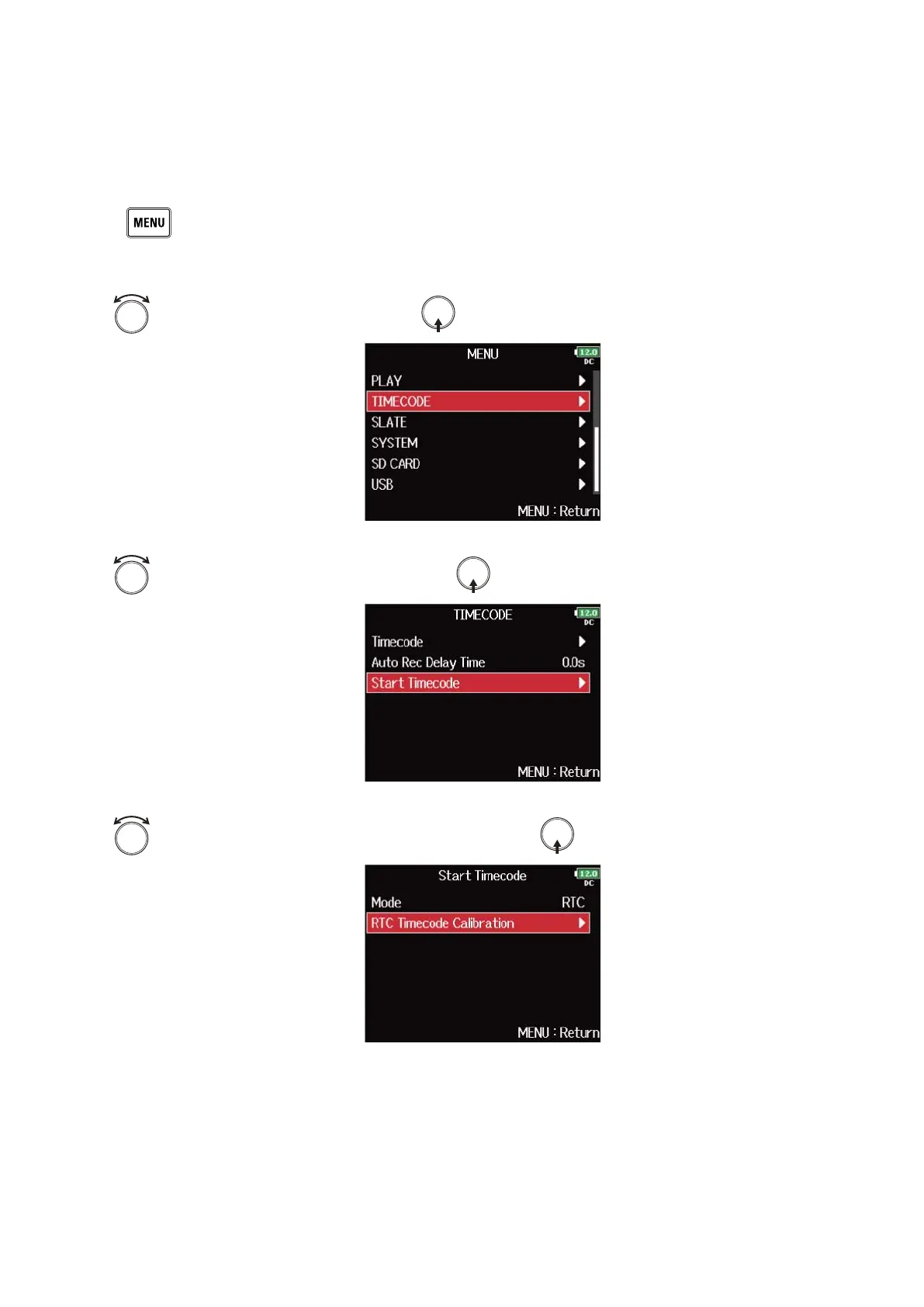
■ Correcting timecode errors after the power has been turned off
When “Mode” of “Start Timecode” is set to “RTC”, turning the power off lowers the timecode precision, but
this function can improve the error to the value close to 0.2 ppm when the power has been turned off.
1. Press .
This opens the Menu Screen.
2. Use to select “TIMECODE”, and press .
3. Use to select “Start Timecode”, and press .
4. Use to select “RTC Timecode Calibration”, and press .
155



 To Next Page