■ Disabling the slate mic
You can set the slate mic so that it will not be enabled if is accidentally pushed left toward the mic
symbol.
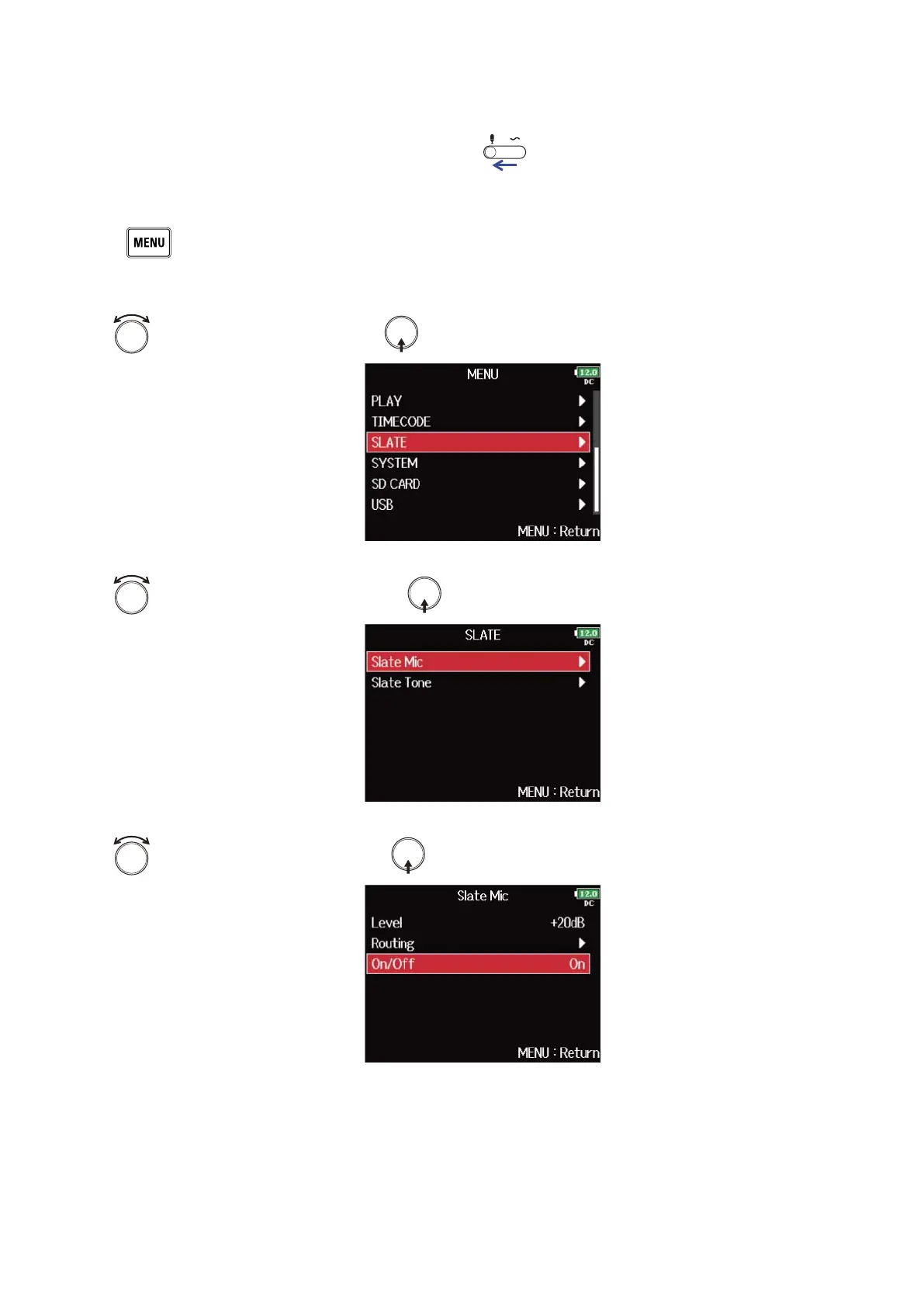
1. Press .
This opens the Menu Screen.
2. Use to select “SLATE”, and press .
3. Use to select “Slate Mic”, and press .
4. Use to select “On/Off”, and press .
183



 To Next Page