Conducting a full test
1.
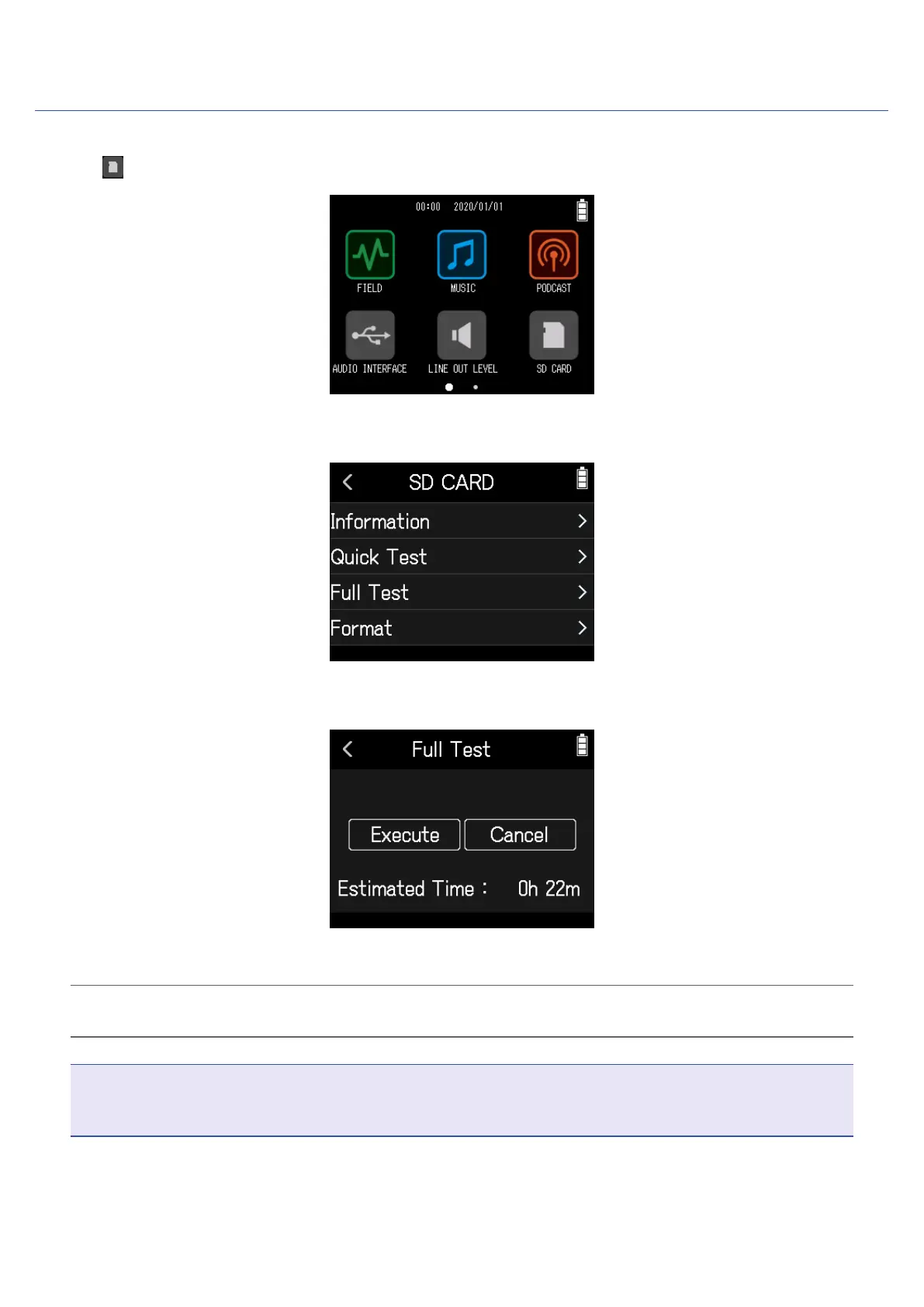
Tap SD CARD on the Home Screen.
2.
Tap Full Test.
3.
Select Execute.
The card performance test will start. If the access rate MAX reaches 90%, the card will fail (NG).
HINT
Tap < to cancel the test.
NOTE
Even if a performance test result is "OK", there is no guarantee that writing errors will not occur. This informa-
tion is just to provide guidance.
111



 To Next Page