Setting how marks are added when recording/playing
You can set how marks are added when is pressed while recording or playing back a WAV format le.
1.
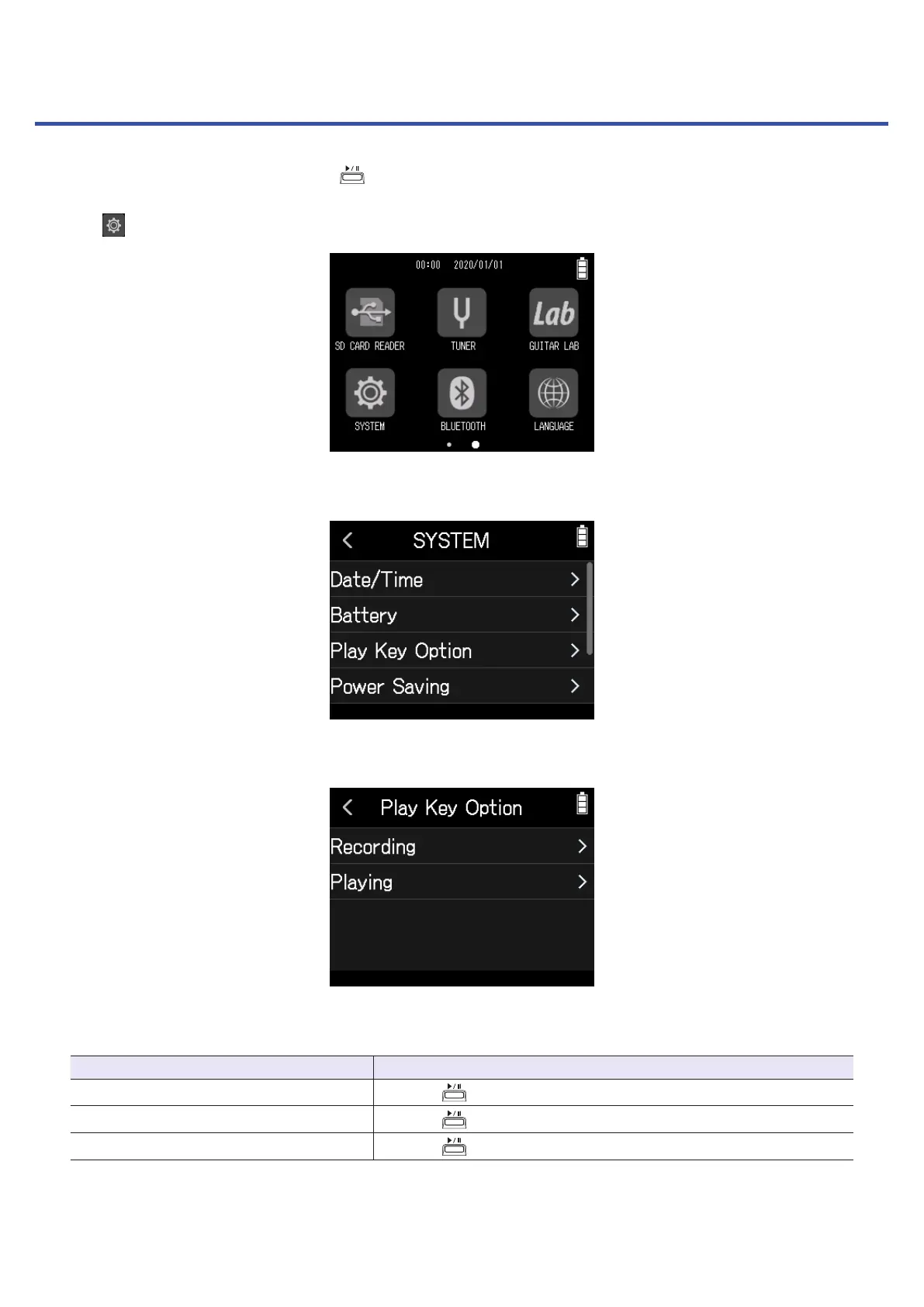
Tap SYSTEM on the Home Screen.
2.
Tap Play Key Option.
3.
Tap Recording or Playing.
4.
Tap a mark adding option to select it.
Mark adding method Explanation
Pause
Pressing
will pause without adding a mark.
Pause & Mark
Pressing
will pause and add a mark.
Mark
Pressing
will add a mark without pausing.
124



 To Next Page