Adjusting effect parameters
1.
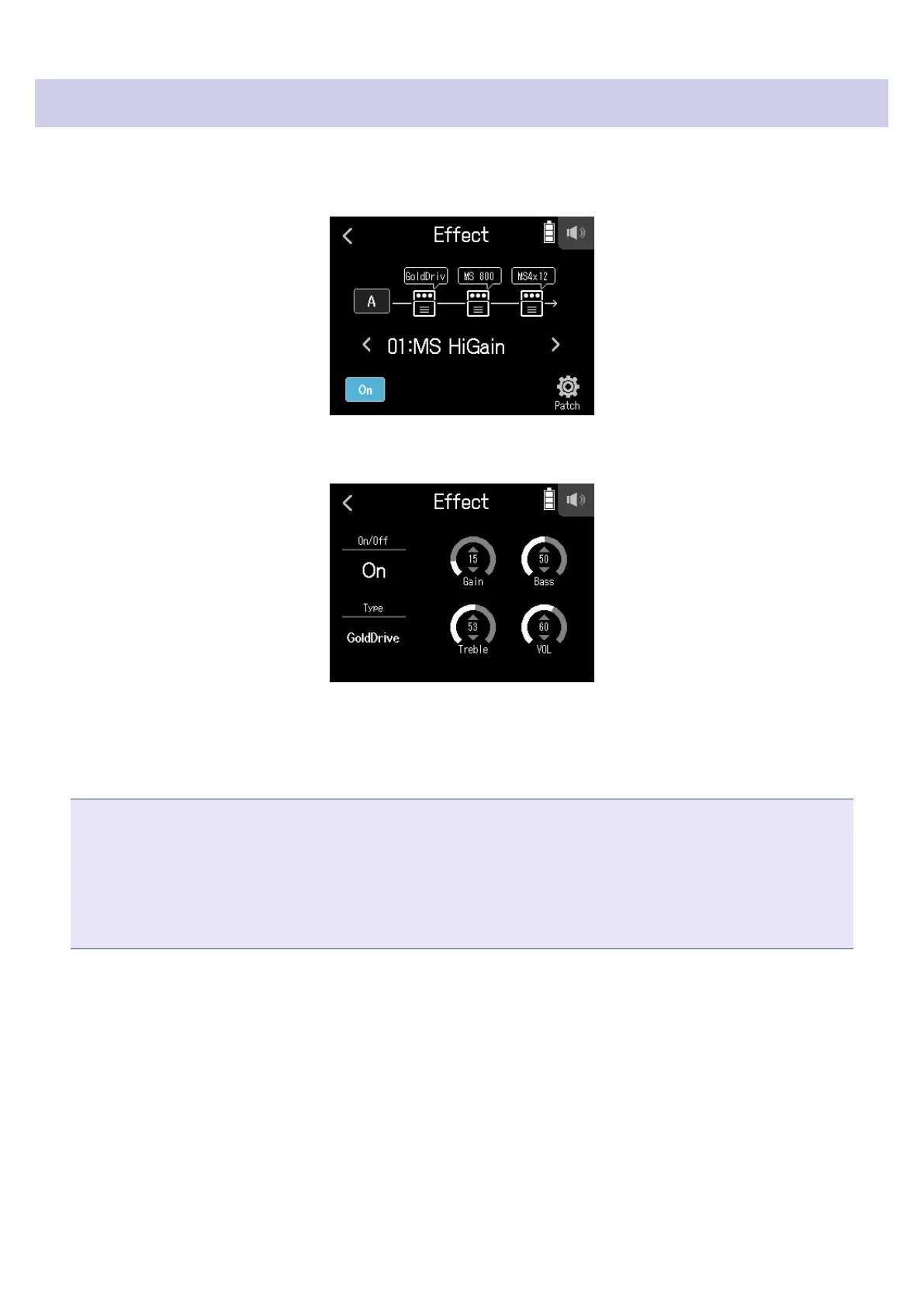
Tap the effect to adjust on the Effect Screen.
2.
Adjust the effect.
• Tap On/Off to change its on/off setting.
• Tap Type to change the effect.
• Slide parameters up and down to adjust their settings.
NOTE
• If there are ve or more parameters, tap > to change the screen.
• Using the
H8, you can combine three effects as you like. If the processing capability limit is exceeded, how-
ever, a "Process Overow. Change effect" warning will appear and effects will be bypassed. Change one of the
effects to end this condition.
• The parameters that can be adjusted depend on the effect.
93



 To Next Page