Making recording settings
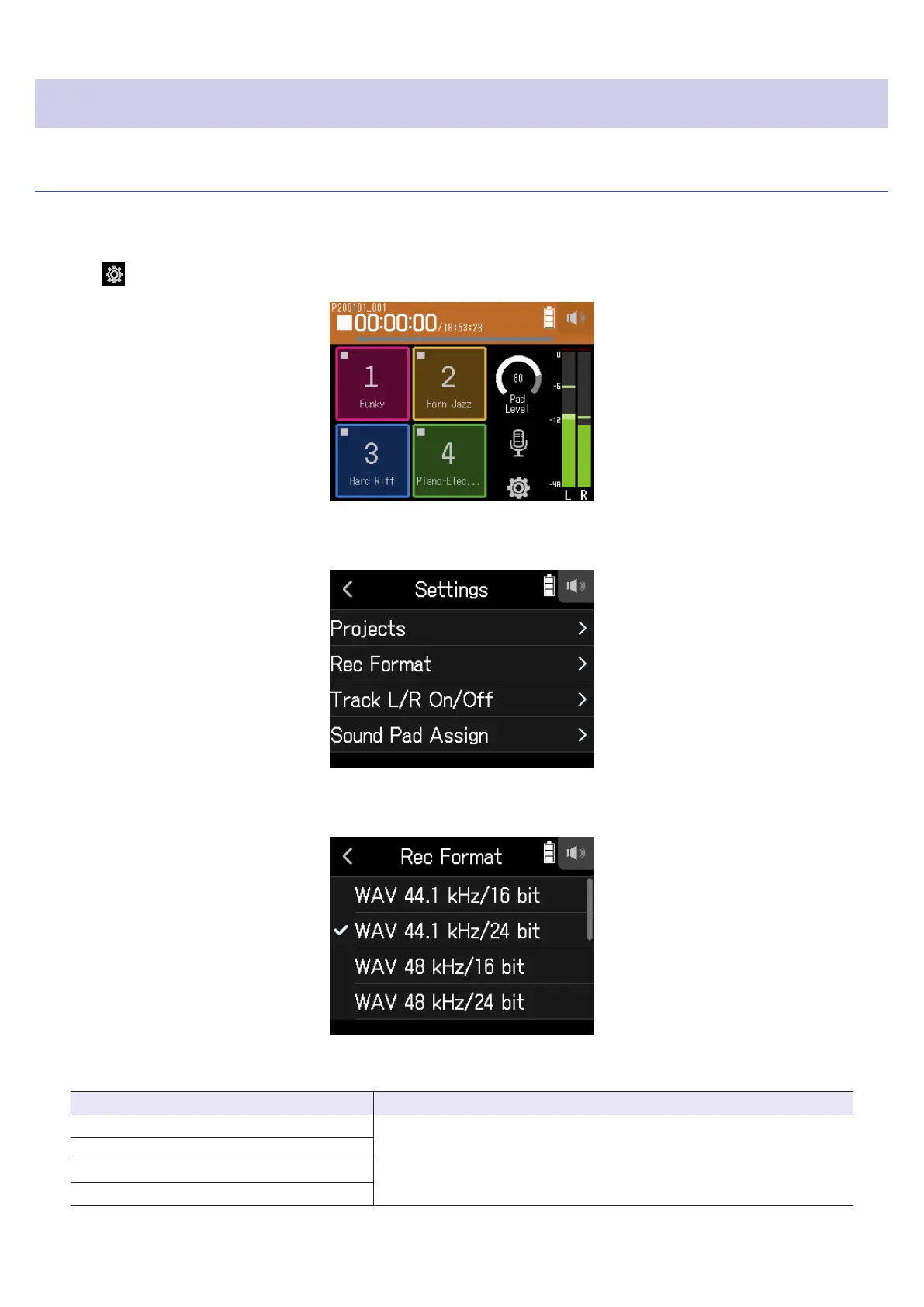
Setting the recording format
Considering audio quality and le size, select the format.
1.
Tap .
2.
Tap Rec Format.
3.
Set the recording format
The following formats can be set.
Setting Explanation
WAV 44.1 kHz/16 bit
The higher the sampling frequency (kHz) and bit rate (bit) are, the
better the audio quality will be.
WAV 44.1 kHz/24 bit
WAV 48 kHz/16 bit
WAV 48 kHz/24 bit
86



 To Next Page