111
4.
Select the desired APP account type.
5.
Register your APP account according to the wizard.
Syncing APP Account Information
After registering the APP account, you can sync the account information if required.
Procedure
1.
Swipe left/right to go to the second idle screen.
2. Go to Settings > Basic Settings > APP accounts.
3.
Tap the desired account type.
4.
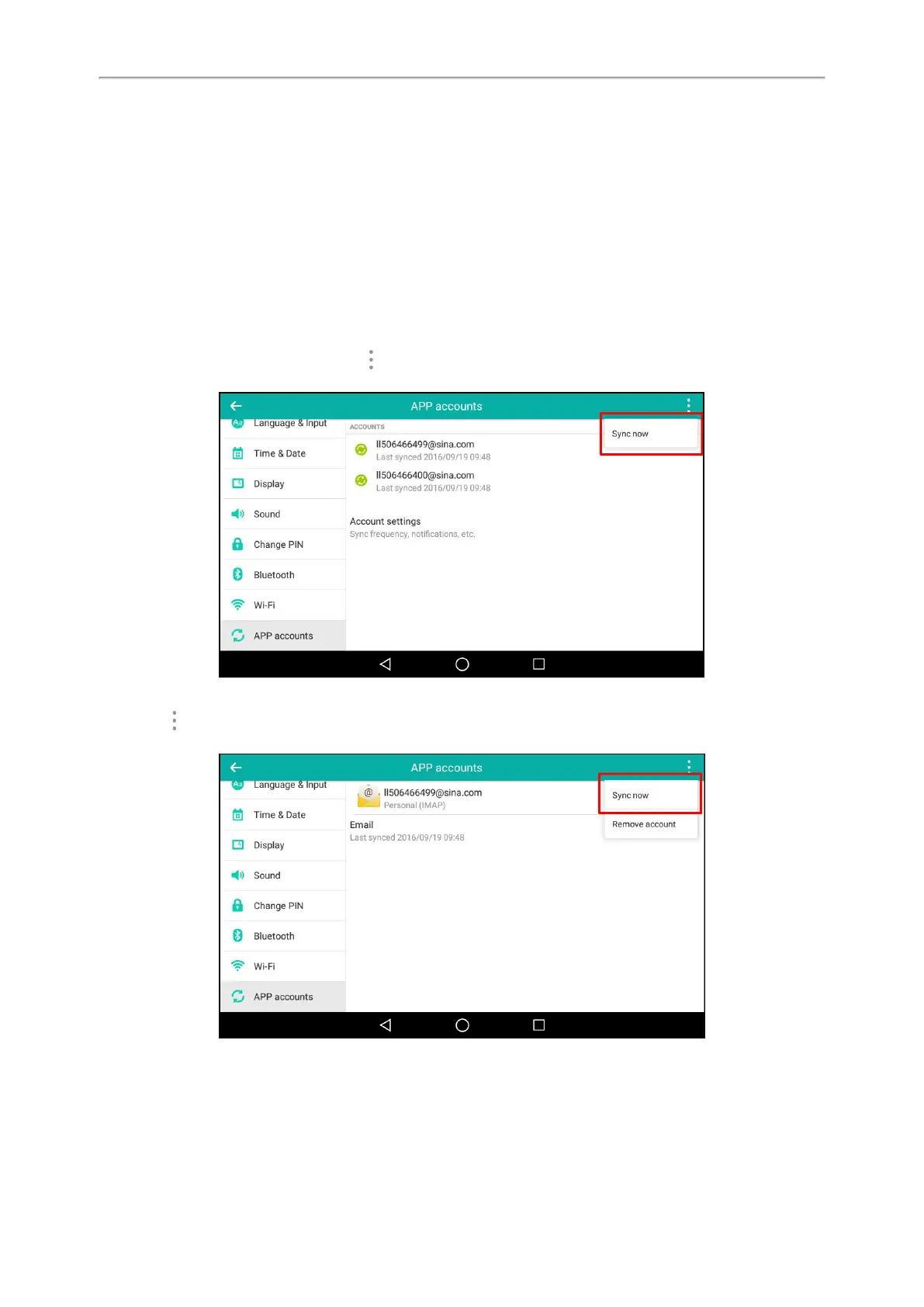
Do one of the following:
l
If you want to sync all accounts, tap > Sync now.
In the following example, it will sync both ll506466499@sina.com and ll506466400@sina.com information.
l If you want to sync a single account, select the desired account.
Tap > Sync now.
In the following example, it will only sync ll50466499@sina.com information.
Removing APP Accounts
When you no longer use the current account, you can remove it.
Procedure



 To Next Page