Getting Started
29
If you want to Action
3. Tap CUT/COPYon the top of the phone screen.
4.
Long tap the desired field.
5. Tap PASTE.
Delete more characters at a time.
• Long tap the entered character(s).
Drag / to select the characters you want to delete.
Tap .
• Long tap .
Replace characters.
1.
Drag your finger to highlight the characters you want to replace.
2.
Tap the desired character.
Related Topic
Changing the Input Method
Topics
English (UK) Input Method
Google Pinyin Input Method
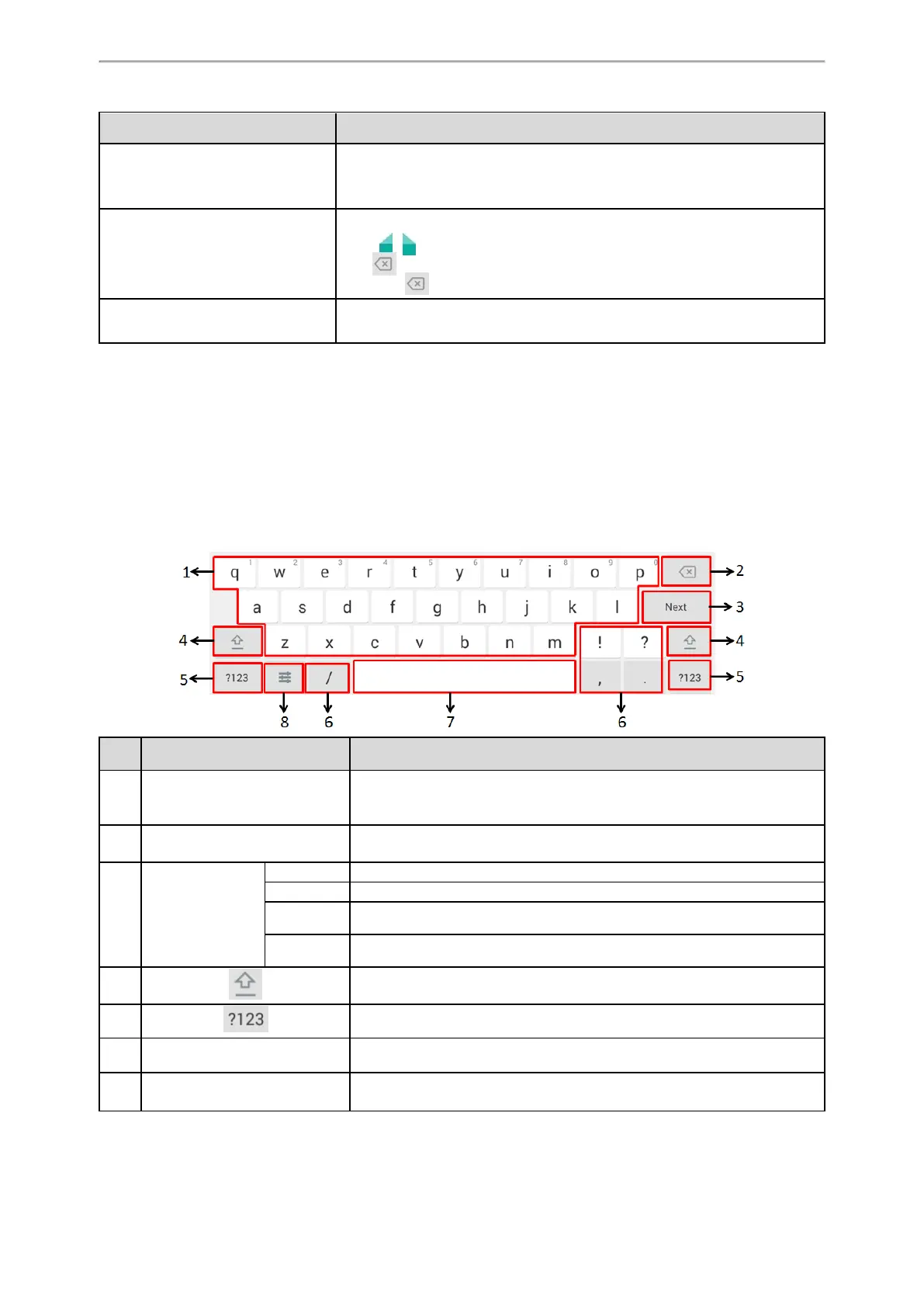
English (UK) Input Method
You can use the English (UK) input method to enter information.
No. Item Description
1 26 English Letters
• Tap to enter letters.
• Long tap a key then slide to choose one of the options to enter an altern-
ate character.
2 Delete Key
• Tap to delete the entered characters one by one.
• Long tap to delete two or more characters.
3
Label auto-
matically to identify
the context-sens-
itive features.
Next Key Tap to go to the next field.
Done Key Tap to confirm the settings.
Send Key Tap to dial out the number.
Go Key Tap to browse the web page.
4 Tap to switch to the uppercase input mode.
5 Tap to switch to the numeric&symbolic input mode.
6 Five Special Characters Tap to enter the special character.
7 Space Key
• Tap to enter spaces.
• Long tap to change the input method.



 To Next Page