30
No. Item Description
Tip: You can also tap at the bottom right corner of the phone screen
to change the input method.
8
Tap to access input options to configure Input languages or Android Key-
board Settings (AOSP). You can use AOSP to configure Android keyboard
including Input languages, Auto-capitalization, Sound on keypress and so
on.
Tap to switch to the numeric&symbolic input mode.
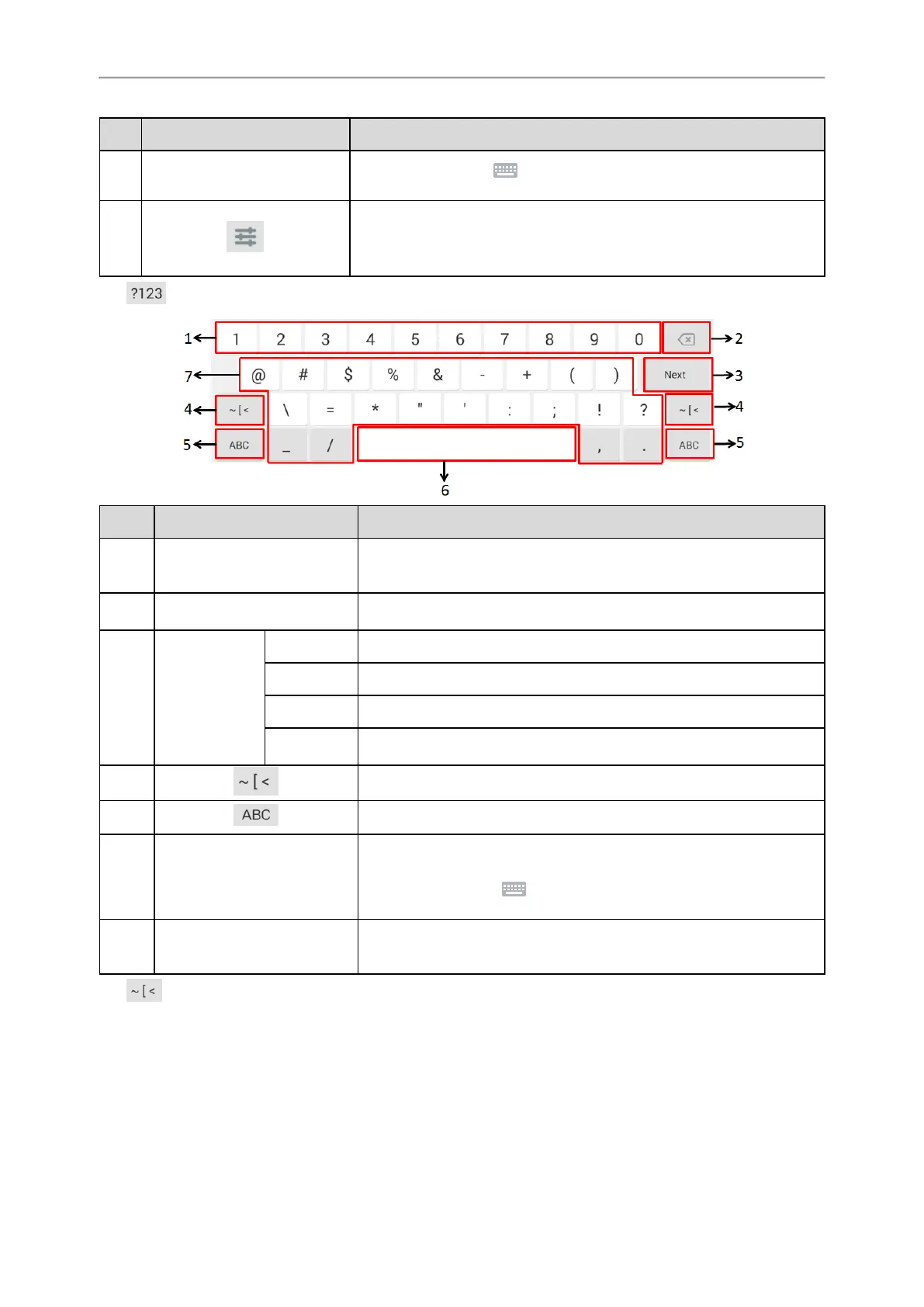
No. Item Description
1 Numbers
• Tap to enter numbers.
• Long tap a key then slide to choose one of the options to enter an altern-
ate character.
2 Delete Key
• Tap to delete the entered characters one by one.
• Long tap to delete two or more characters.
3
Label auto-
matically to
identify the con-
text-sensitive fea-
tures.
Next Key Tap to go to the next field.
Done Key Tap to confirm the settings.
Send Key Tap to dial out the number.
Go Key Tap to browse the web page.
4 Tap to switch to the symbolic input mode.
5 Tap to switch to the lowercase input mode.
6 Space Key
• Tap to enter spaces.
• Long tap to change the input method.
Tip: You can also tap at the bottom right corner of the phone screen
to change the input method.
7 Special Characters
• Tap to enter special characters.
• Long tap a key, then slide to choose one of the options to enter an altern-
ate character.
Tap to switch to the symbolic input mode.



 To Next Page