Advanced Call Features
70
Advanced Call Features
You
ca
n perform some server-dependent tasks on the phone. Contact your system administrator to find out if your
phone supports these advanced call features.
Topics
Using Call Completion
Call Pickup
Call Park and Call Retrieve
Busy Lamp Field (BLF)
BLF List
Shared Line
Intercom
Video/Voice Mail
Using the Hot Desking
Automatic Call Distribution (ACD)
Using Call Completion
When you call someone who is temporarily unavailable to answer the call, you can monitor the busy party and
establish a call after the busy party becomes available to receive a call.
Note: Call completion is not available on all servers. For more information, contact your system administrator.
Procedure
1.
Swipe left or right to go to the second idle screen.
2. Go to Settings > Features > Call Completion.
3. Turn on Call Completion.
4.
Select .
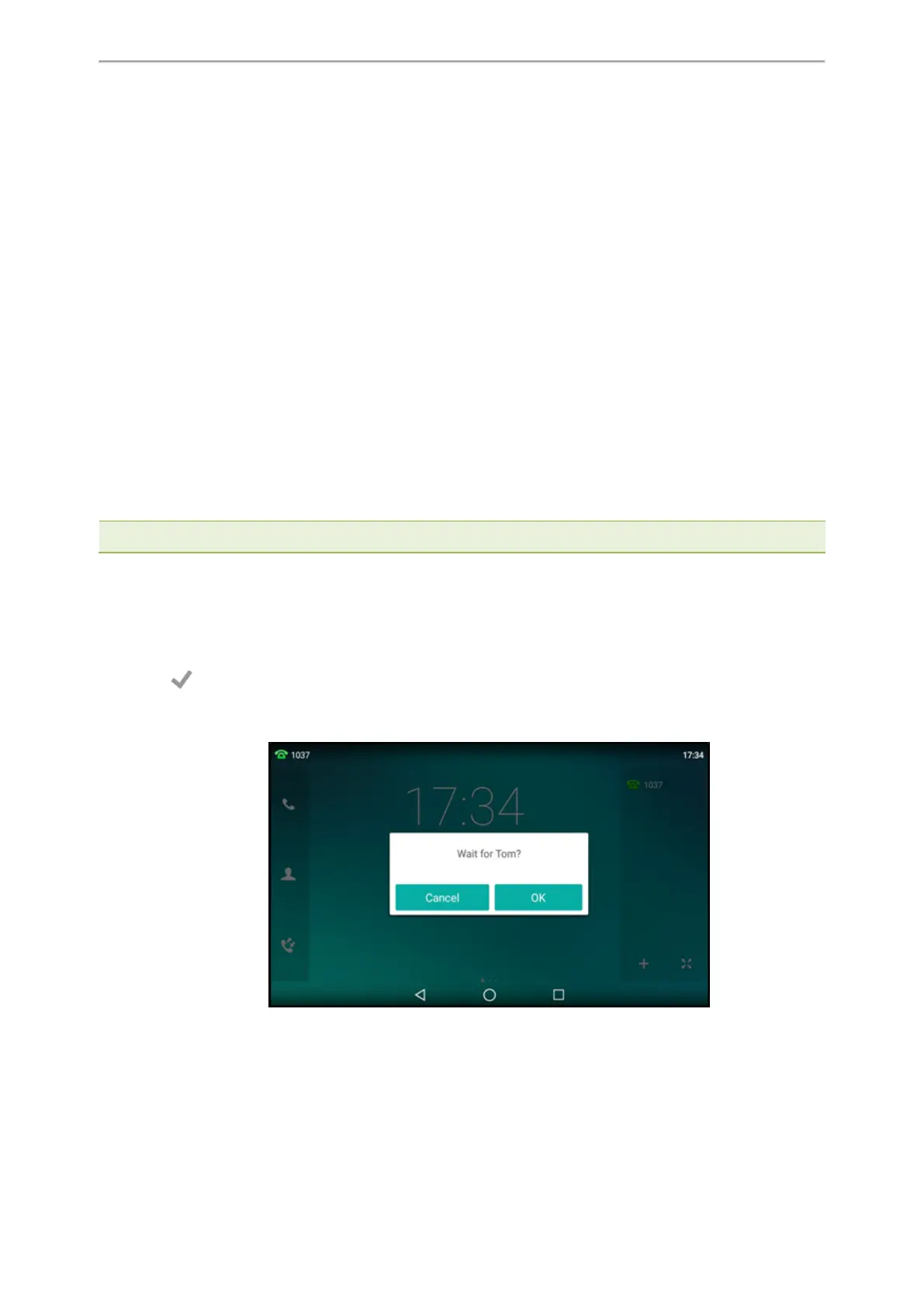
When you place a call and the callee is temporarily unavailable to answer the call, the phone prompts whether to
wait for the callee, select OK to activate the call completion feature.
When the callee becomes idle, the phone prompts whether to dial the number, select OK to dial the number.



 To Next Page