147
l
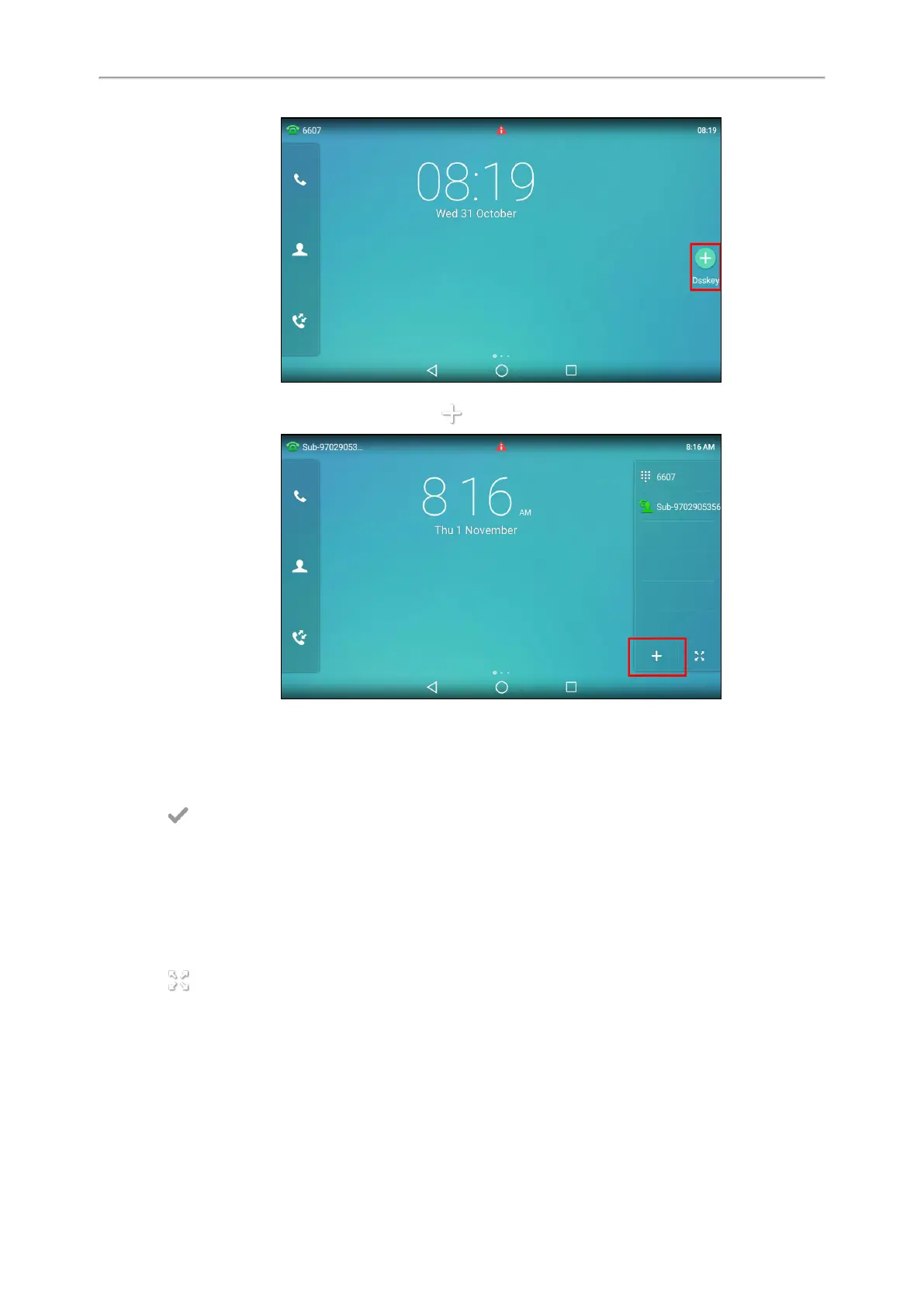
When there is at least a line key configured, tap on the bottom-left of the line key list.
l
Swipe left or right to go to the second idle screen, go to Settings > Features > Dsskey.
Tap the desired line key.
2. Select the desired key type from the Type field.
3.
Configure the settings for the corresponding key type.
4.
Select .
Changing the Locations of the Line Keys
You can change the order in which your line keys display on the phone screen.
Procedure
1.
Do one of the following:
l Drag up and down to scroll through the line keys list if required.
l
Tap on the bottom-right of the line key list.
2.
Drag a line key to the desired location at which another line key locates.
For example, exchange the locations of line key 1 and line key 2:



 To Next Page