Getting Started
19
No. Item Description
information on how to adjust the reversible tab, refer to
Yealink Wall Mount Quick Install-
ation Guide for Yealink IP Phones
.
14
Hookswitch
(not for T58W)
• Picking up the handset from the handset cradle, the hookswitch bounces and the phone
connects to the line.
• Laying the handset down on the handset cradle, the phone disconnects from the line.
15
Camera Lens
2 Mega-pixel camera (5 Mega-pixel camera for T58W). Provides near-site video. The bet-
ter distance between camera and images you want to capture should be in the range of
0.35 meters (1 foot) to 2 meters (6 feet).
16
Camera LED
Indicator
Indicates video call status and camera status.
17
Privacy Shutter
Covers and uncovers the camera. When the camera is switched off, the video image is
black.
18
USB2.0 Port
Allows you to connect an optional USB device (for example, USB flash drive) to your
phone.
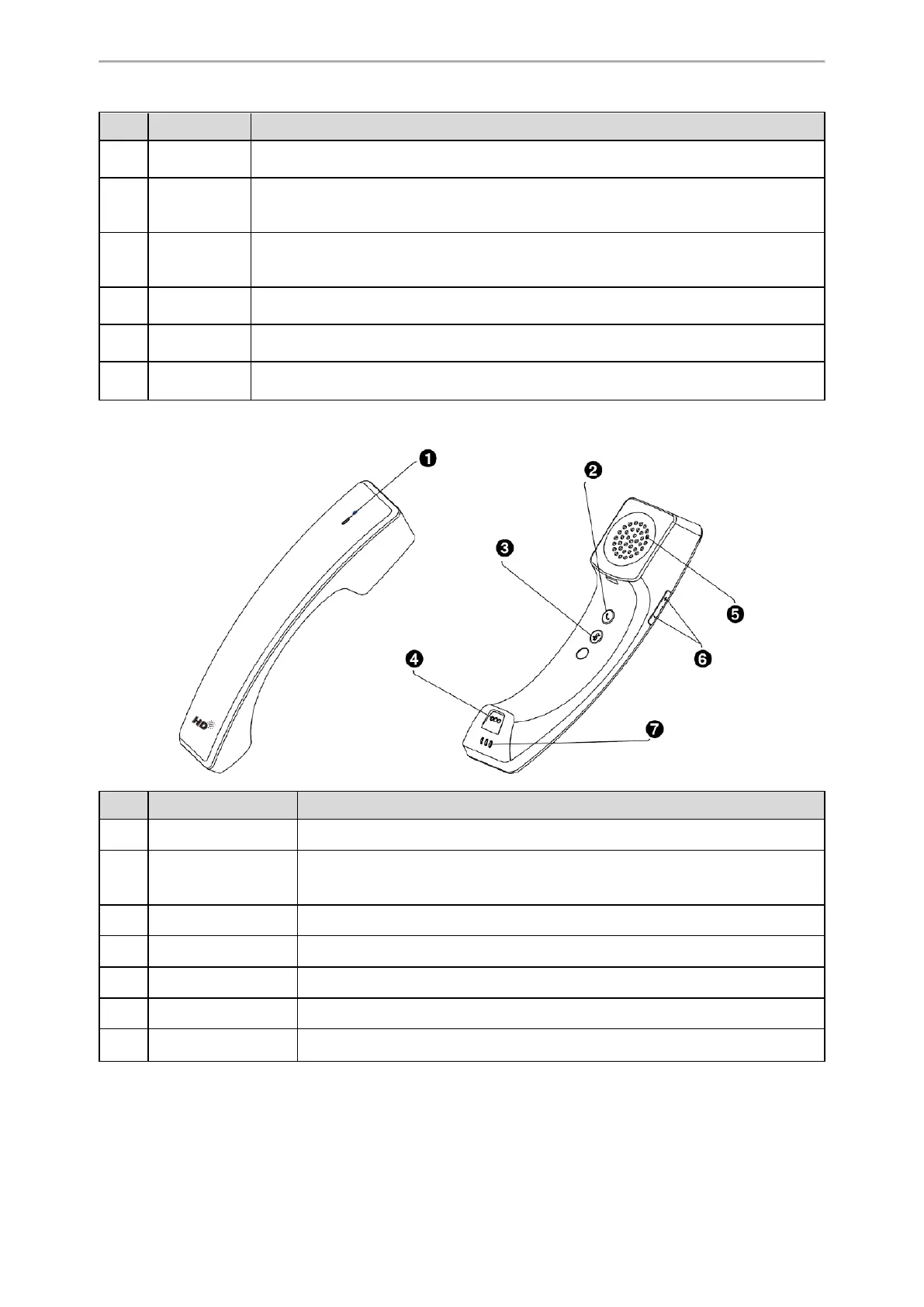
BTH58 Hardware
No. Item Description
1
LED Indicator Indicates handset statuses.
2
Hookswitch Key
• Answer/Reject/Hang up a call.
• Long press 3s to power on the handset.
• Long press 8s to power off the handset.
3
Mute Key Toggles and indicates the mute feature.
4
Microphone Provides audio input during calling.
5
Speaker Provides audio output during calling.
6
Volume Control Keys Adjust the volume of the handset and the phone.
7
Charging Contacts Place the handset on the phone handset cradle, the handset starts charging.
Power LED Indicator
The power LED indicator indicates the call and message status.



 To Next Page