Call Features
66
1.
1. Swipe left or right to go to the second idle screen.
2. Go to Settings > Features > Dsskey.
3.
Select the desired line key.
4. Select Key Event from the Type field.
5. Select Multicast Paging (Paging) from the Key Type field.
6. (Optional.) Enter the paging group name in the Label field.
7. Enter the multicast IP address and port number (for example, 224.5.6.20:10008) in the Value field.
8. Enter the desired channel between 0 and 30 in the Channel field.
9.
Select .
Tip: By default, you can drag the line key to the Edit field to set it.
Sending a Paging by a Multicast Paging Key
You can send a paging by using the Multicast Paging key when the phone is idle.
Before You Begin
You need to set a Multicast Paging key in advance.
Procedure
1.
Tap the Multicast Paging key when the phone is idle.
Both your phone and receiver’s phone play a warning tone and the multicast RTP session will be automatically
answered on the receiver’s phone in the speakerphone (hands-free) mode.
The multicast paging key icon will become and solid.
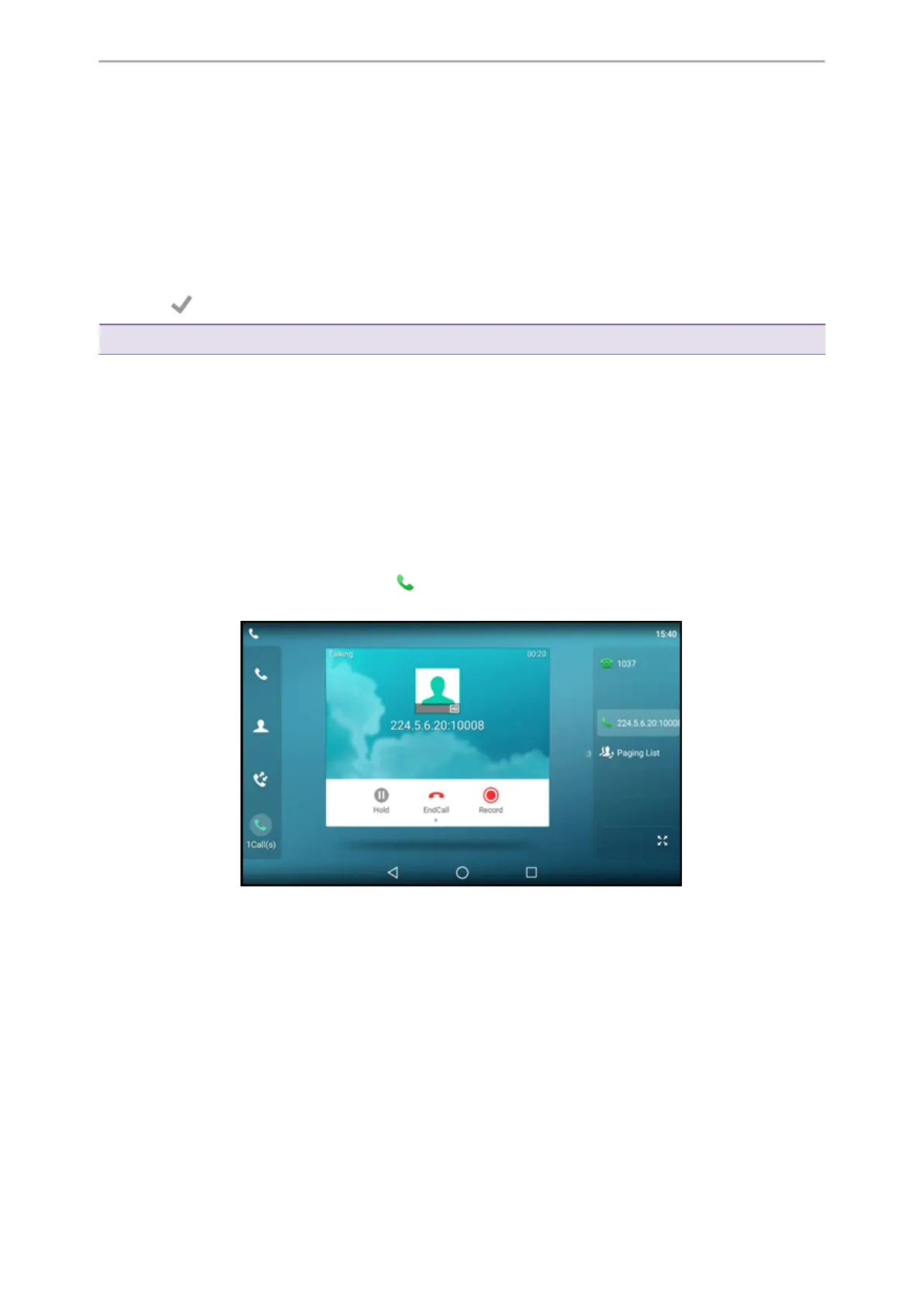
The following figure shows a multicast RTP session on the phone:
Related Topic
Setting a Multicast Paging Key
Setting a Paging List Key
You can set a Paging List key to easily access the paging groups on the idle screen.
Procedure
1.
1. Swipe left or right to go to the second idle screen.
2. Go to Settings > Features > Dsskey.
3.
Select the desired line key.



 To Next Page