Call Features
56
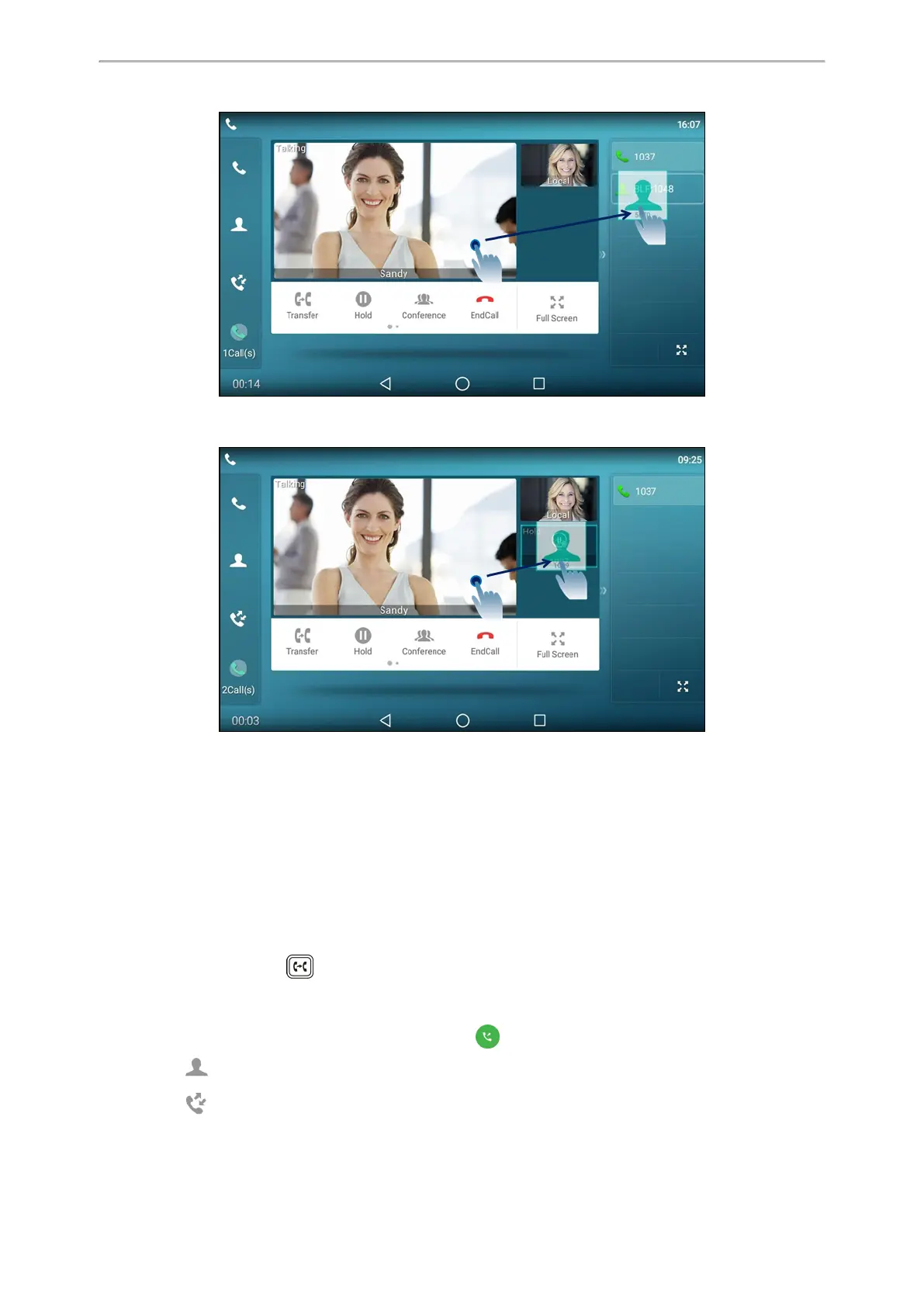
Then the call is connected to the number specified in the Value field of the speed dial or BLF key.
l When there is an active call and one or more calls on hold, drag the active far-site window to another held one.
And then tap Transfer from the screen.
The active call is connected to the number of the held party.
Related Topics
Setting a BLF Key
Placing a Call with a Speed Dial Key
Performing a Semi-Attended/Attended Transfer
You can transfer calls to other contacts immediately when receiving ringback or after consulting with them first.
Procedure
1.
Press the TRANSFER key or select Transfer during a call.
2.
Do one of the following:
l Enter the number you want to transfer the call to.
Select Transfer > Send to dial out. (For T58W, select to dial out.)
l
Select (Local Directory), and select the desired contact to dial out.
l
Select (Local Calls), and select the desired entry to dial out.



 To Next Page