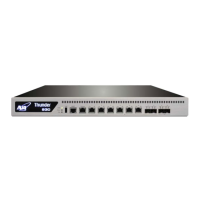
A10 Thunder Series 6430(S) ADC/CGN
Port Splitting Configuration Examples
page 42
20 Disb None None None 1 001f.a006.4035 0.0.0.0/0 0
21 Disb None None None 1 001f.a006.4036 0.0.0.0/0 0
22 Disb None None None 1 001f.a006.4037 0.0.0.0/0 0
23 Disb None None None 1 001f.a006.4038 0.0.0.0/0 0
24 Disb None None None 1 001f.a006.4039 0.0.0.0/0 0
25 Disb None None None 1 001f.a006.403a 0.0.0.0/0 0
26 Disb None None None 1 001f.a006.403b 0.0.0.0/0 0
27 Disb None None None 1 001f.a006.403c 0.0.0.0/0 0
28 Disb None None None 1 001f.a006.403d 0.0.0.0/0 0
29 Disb None None None 1 001f.a006.403e 0.0.0.0/0 0
30 Disb None None None 1 001f.a006.403f 0.0.0.0/0 0
31 Disb None None None 1 001f.a006.4040 0.0.0.0/0 0
32 Disb None None None 1 001f.a006.4041 0.0.0.0/0 0
Enabling Port Splitting When Restoring System Files
In situations where you have a device without port splitting configured (for example, you replace an
older device with a new one), you can use the procedure described in this section to load an existing
configuration with port splitting configured onto that new device.
NOTE: In ACOS 2.7.2.x and 2.8.2.x releases, the port splitting configuration is
not saved to either the startup-config or running-config.
1. Use the
restore command to restore your system configuration from another device.
2. Use the
reboot command to load the configuration into the startup-config.
3. Enter the
4x10g-mode-enable command and reboot the device again to configure port splitting; fol-
low the instructions in “Enabling Port Splitting” on page 40
.
Configuring Port Splitting in ACOS 3.x and 4.x Releases
To enable splitting of a 40G interface to four 10G interfaces in ACOS 3.x and 4.x releases:
• Use the system-4x10g-mode enable command to enable port splitting.
• Use the no system-4x10g-mode enable command to disable port splitting.
NOTE: You must reboot the computer for either command to take effect.
Enabling Port Splitting
Below is a configuration example:


 To Next Page