page 25
A10 Thunder Series 6430(S) ADC/CGN
Fan Hot Swap
This chapter provides fan hot swap instructions for the device.
To determine the fan tray that needs to be replaced, run the show environment command from the
CLI.
The following topics are covered:
• Fan Module Location and Fan Numbers
• Removing a Fan Module
• Inserting a Fan Module
Fan Module Location and Fan Numbers
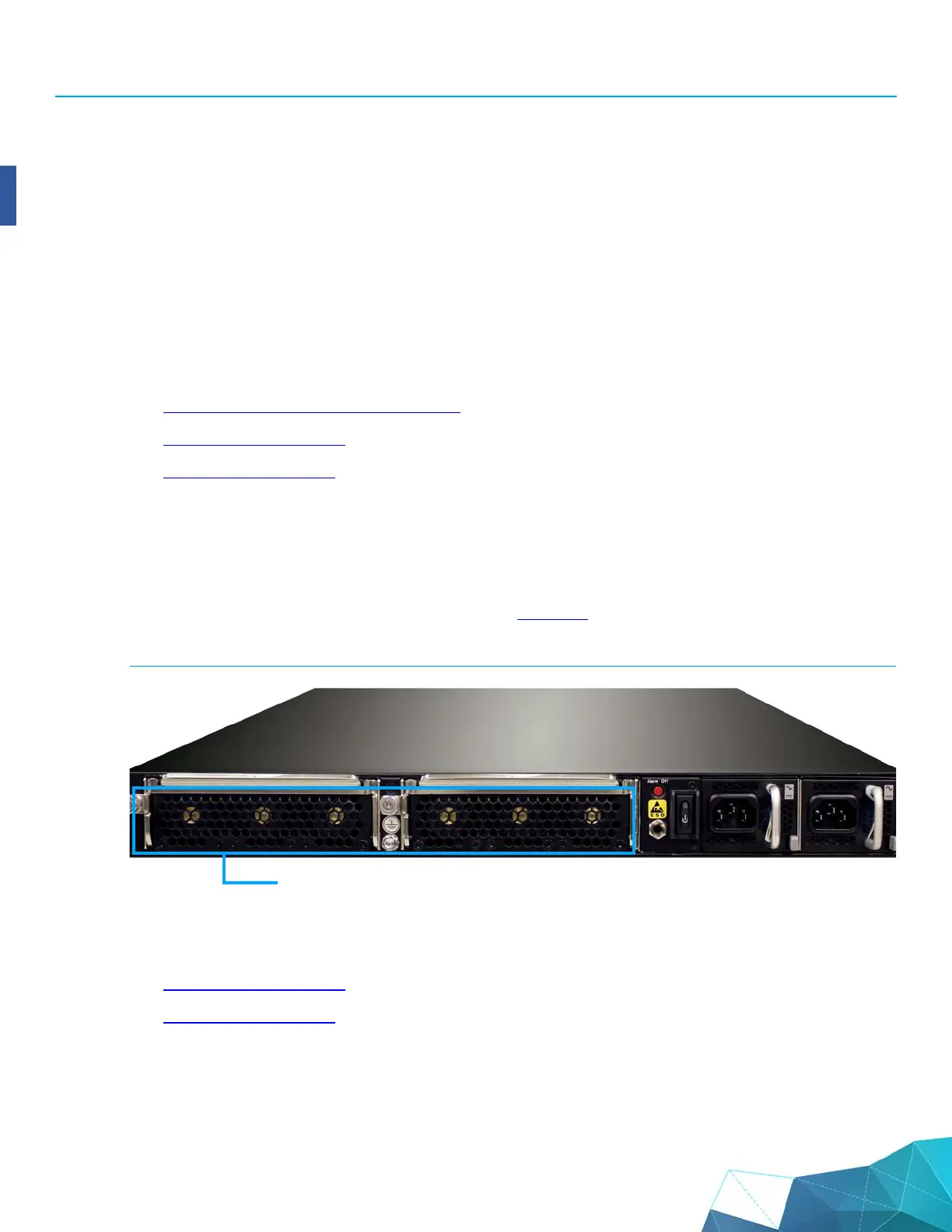
The location and numbering of the fans is shown in Figure 20.
FIGURE 20 Thunder 6430(S) Fan Module Location and Fan Numbers
After determining the fan tray that needs to be replaced, use the procedures in this chapter to replace
the fan tray:
• Removing a Fan Module
• Inserting a Fan Module
Fan Module
Fan #6 Fan #5 Fan #4 Fan #3 Fan #2 Fan #1


 To Next Page