Displays and operating elements
Operating instructions V 1.00 Document: V 1.00 / Document No.: 105728 │ Date 28.05.2018
4 Displays and operating elements
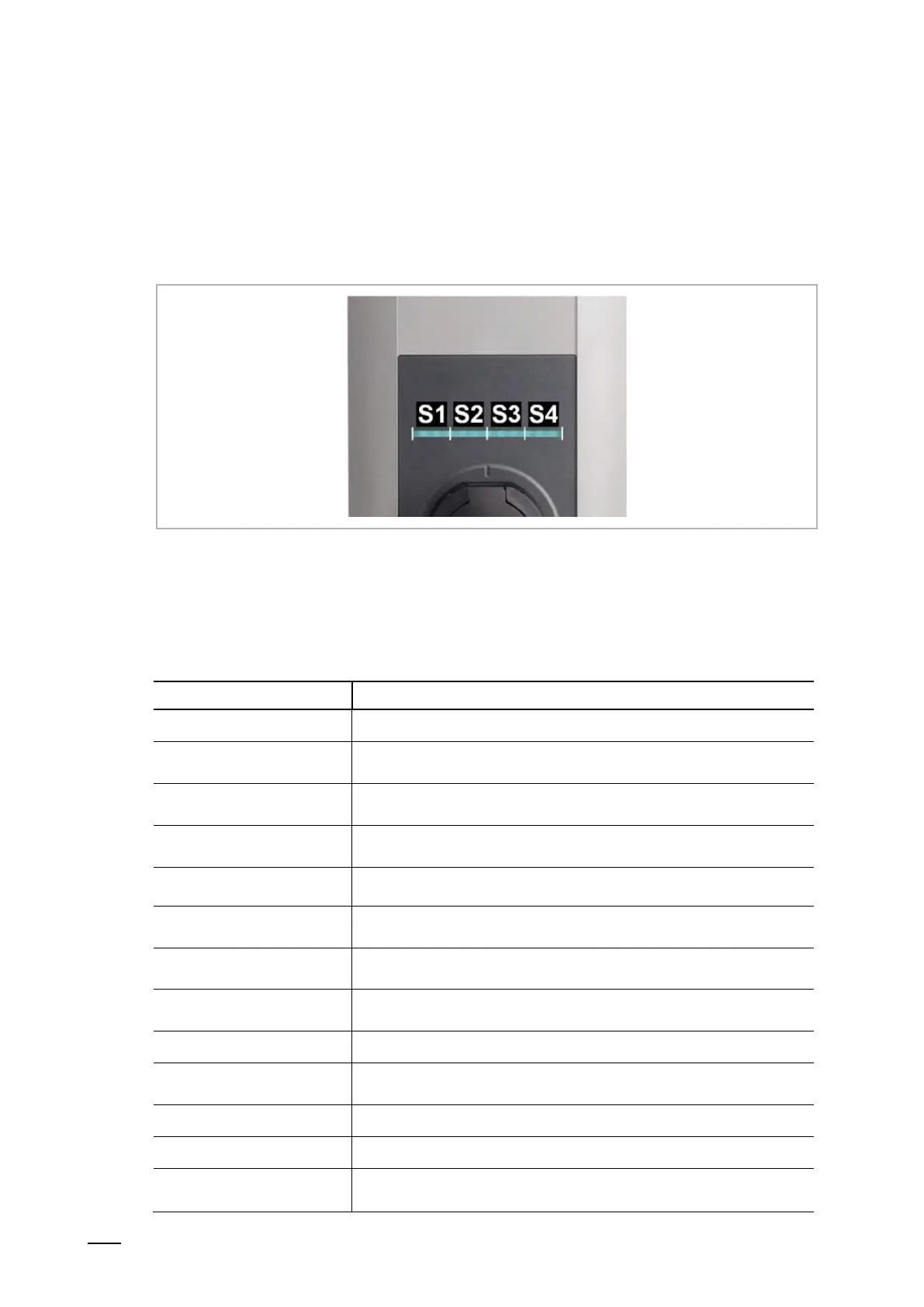
4.1 LED bar
Fig. 5: Segments of the LED bar
The LED bar provides visual information about the current operating status of the charging
station. It consists of 4 segments ([S1] to [S4]), which can light up or flash, together or
individually, in various colors.
The LED bar is only visible with activated power supply.
No power supply or defect, for details see "Diagnosis"
Flashing green
(every 3 seconds)
Ready for operation
or with authorization option: Authorization done correctly
Flashing blue
(every 3 seconds)
The charging station is waiting for authorization to enable a charging
process.
Flashing green
(after plugging in)
Locking of the charging cable to the charging socket
The plugged-in charging cable is locked and charging can be started by
the vehicle.
Flashing green
(every second)
Execution of a charging process (applies to "EN 61851 Mode 3"
charging process)
Flashing green
(every 3 seconds)
Charging finished and charging socket unlocked. The charging cable
can be unplugged.
Flashing orange
(every 5 seconds)
Temperature exceeded, the charging process is temporarily in-
terrupted and resumed after cooling down.
The charging station is in startup.
The charging station is in commissioning mode.
Error, for details see "Diagnosis"
Error display via color code, for details on possible causes of er- ror and
troubleshooting see "FAQs" on the ABB website


 To Next Page
 Loading...