Operating instructions V 1.00 Document: V 1.00 / Document No.: 105728 │ Date 28.05.2018
5.2.1 Preparing the charging station
To teach in the RFID master card and to delete the taught-in RFID cards, the charging station
must be rebooted via the service button. To access the ser- vice button, proceed as follows:
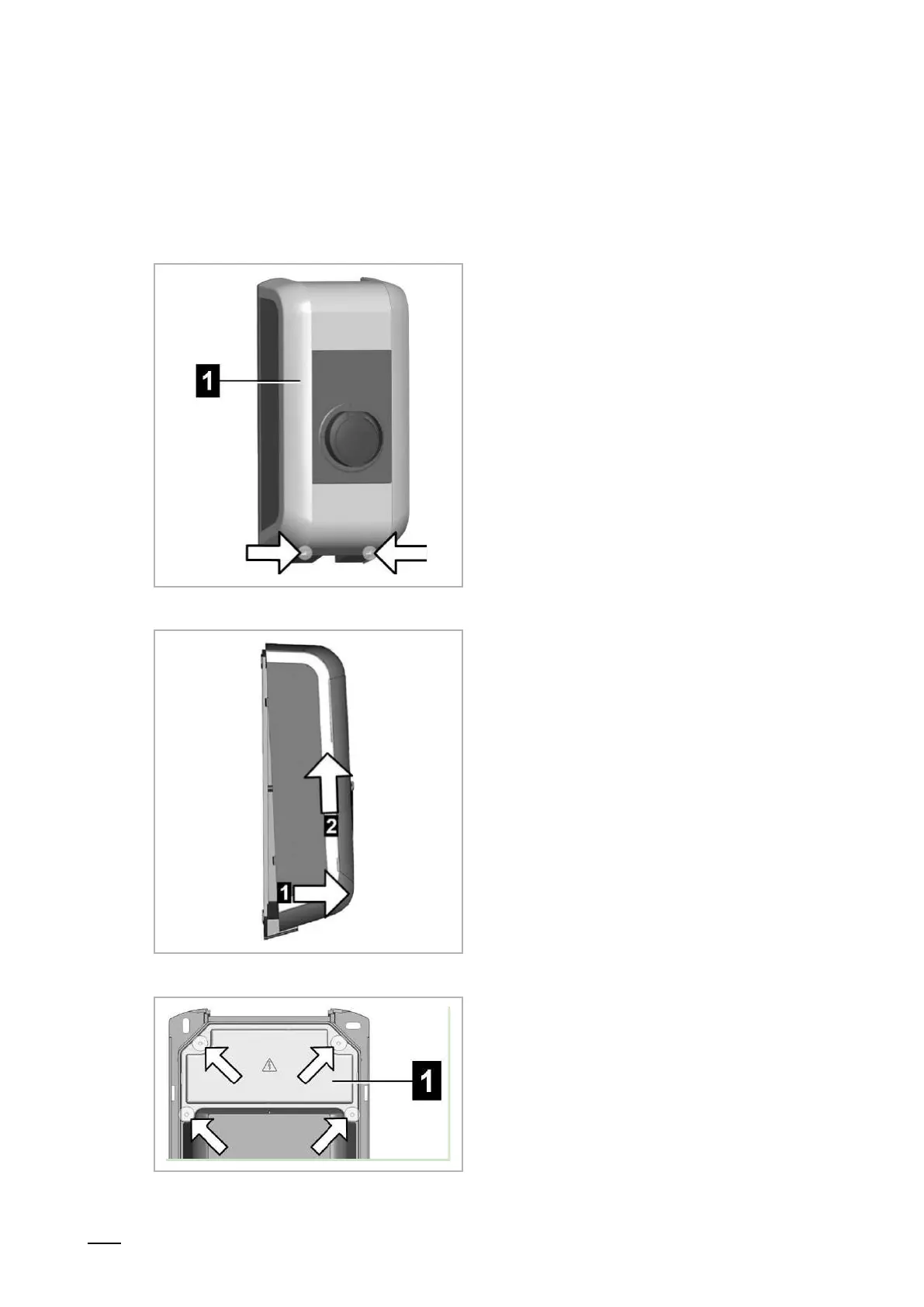
1. Unscrew the two screws on the
bottom of the housing cover [1].
2. Lift the housing cover at bottom max.
1 cm [1] and then push upwards [2].
3. Unscrew the four screws of the
connection panel cover [1] and
remove the connection panel cover
upwards.


 To Next Page
 Loading...