Commissioning
© 2006 ABB STOTZ-KONTAKT GmbH 226
ABB i-bus
®
EIB / KNX
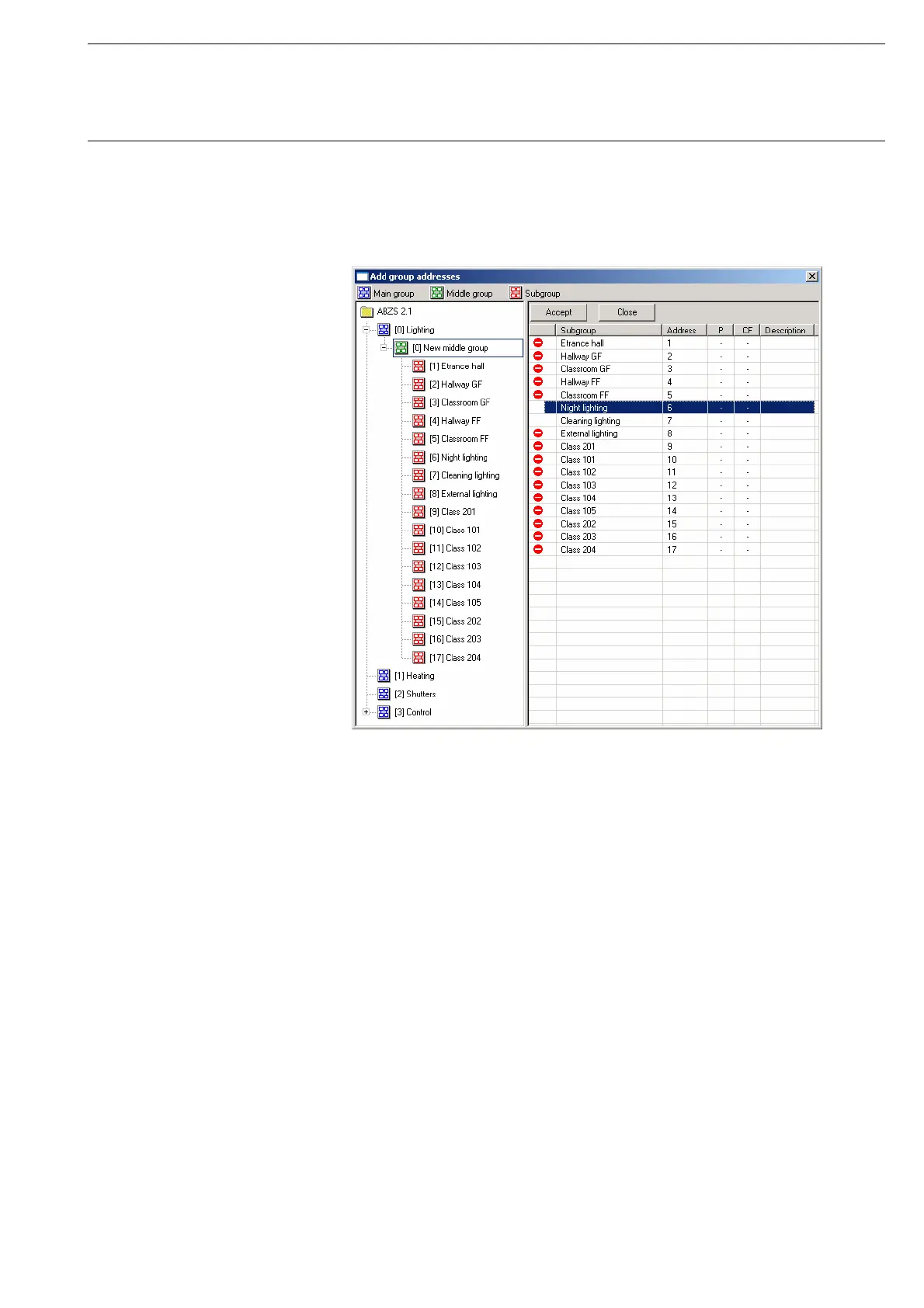
After selecting the option new group address, the associated dialog window
Add group addresses is activated.
Fig. 218: Dialog window: “Select group address”
The main group, middle group and the subgroup are created in sequence via
drag & drop.
The Accept button is activated by clicking on the group address in the right-
hand window.
The new group address is adopted in the following way:
- by double-clicking on the active group address or
- by pressing the right mouse button and selecting Accept in the pop-up
menu or
- by pressing the Accept button.








 To Next Page